Professional-Headshot.ai: Powerful AI Headshots & Quality Guide
Discover how Professional-Headshot.ai creates studio-quality AI headshots with advanced styling, quality checks, and intuitive editing for professionals.

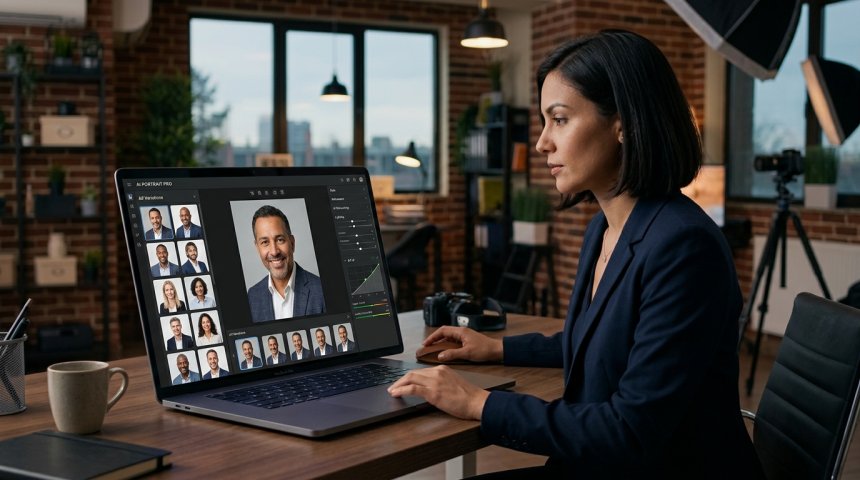
The professional headshot has undergone a quiet revolution. For decades, obtaining a quality headshot meant scheduling a photographer, investing hundreds of dollars, spending hours in preparation and shooting, waiting weeks for retouching, and hoping the final result aligned with your professional brand. Today, AI-powered platforms like Professional-Headshot.ai have compressed this process into minutes while maintaining—and often exceeding—the quality standards previously reserved for premium studio sessions. But the real story isn't speed or cost savings alone. It's that AI headshot technology has matured beyond novelty into a legitimate professional tool capable of producing images that pass scrutiny from recruiters, clients, colleagues, and personal branding experts who can no longer distinguish AI-generated headshots from traditional photography.
This transformation matters because the professional headshot remains one of the most consequential visual assets in modern career management. Your LinkedIn profile photo is often the first impression you make on potential employers, clients, investors, or collaborators. Your company website headshots shape perceptions of organizational professionalism and culture. Your speaker bio image influences conference selection and audience expectations. In an era where digital presence determines opportunity access, headshot quality directly impacts career trajectory, business development, and personal brand equity.
Professional-Headshot.ai represents the current state of this evolution: a platform combining sophisticated AI generation with practical styling controls, rigorous automated quality assurance, and accessible editing tools designed specifically for professional use cases rather than creative experimentation. This guide examines every dimension of the platform—how it works, what makes it different from generic AI image generators, how to maximize output quality through styling and editing, where AI headshots create measurable business value, and what ethical and practical considerations accompany their use. Whether you're an individual professional refreshing your personal brand, a team leader standardizing company headshots, a recruiter evaluating candidate presentations, or a marketer managing visual assets at scale, this deep dive provides the knowledge needed to leverage AI headshot technology effectively and responsibly.
Let's begin by understanding what distinguishes professional AI headshots from the broader AI image generation landscape.
Chapter 1: The Evolution of AI Headshots — From Novelty to Professional Standard
AI headshots didn't emerge fully formed. They evolved through distinct phases, each addressing limitations of the previous generation. Understanding this evolution explains why current platforms like Professional-Headshot.ai represent genuine professional tools rather than technological curiosities.
Phase 1: Early Face-Swapping and Style Transfer (2018–2020)
Initial AI headshot attempts relied on face-swapping existing photos onto template bodies or applying artistic style transfers to portraits. Results were inconsistent: faces often appeared unnaturally blended, lighting mismatched between source and template, expressions looked frozen or distorted, and outputs carried obvious artifacts revealing artificial origin. These tools served entertainment purposes but failed professional standards requiring authenticity, consistency, and polish.
Phase 2: GAN-Based Portrait Generation (2020–2022)
Generative Adversarial Networks (GANs) enabled more coherent portrait generation from scratch. Models like StyleGAN produced increasingly realistic faces with better anatomical accuracy and natural lighting. However, GAN outputs remained generic—they couldn't reliably preserve specific individual identities, struggled with diverse ethnic features, and lacked customization controls needed for professional styling. Users could generate attractive portraits but not their portraits.
Phase 3: Diffusion Models and Identity Preservation (2022–2024)
Diffusion models transformed AI portraiture by enabling high-fidelity generation conditioned on reference images. Techniques like DreamBooth, LoRA fine-tuning, and IP-Adapter allowed models to learn and reproduce specific facial identities while generating new poses, expressions, and environments. This breakthrough made personalized AI headshots viable: users could upload reference photos and receive generated images maintaining their likeness across varied professional contexts.
However, early diffusion-based headshot services still faced challenges: inconsistent quality across generations, limited styling control, inadequate quality filtering allowing flawed outputs through, and editing tools insufficient for professional refinement. Many services operated as black boxes—users submitted photos and received results without understanding or controlling the process.
Phase 4: Integrated Professional Platforms (2024–Present)
Current-generation platforms like Professional-Headshot.ai address previous limitations through integrated systems combining:
Identity-Preserving Generation: Advanced diffusion pipelines with robust identity retention across diverse poses, expressions, and styling variations. Multi-reference input support enabling accurate likeness capture from multiple angles and expressions.
Granular Styling Controls: User-directed customization of clothing, backgrounds, lighting, expressions, and compositional elements without sacrificing identity fidelity. Style presets optimized for specific professional contexts (corporate, creative, academic, medical, etc.).
Automated Quality Assurance: Multi-stage quality checks evaluating anatomical accuracy, lighting consistency, expression naturalness, background cleanliness, resolution adequacy, and professional appropriateness before presenting outputs to users. Automated filtering prevents flawed images from reaching users.
Accessible Editing Tools: Intuitive post-generation editing enabling adjustments to lighting, color, cropping, background replacement, blemish removal, and expression refinement without requiring Photoshop expertise. Non-destructive editing preserving original generations while enabling iterative refinement.
Professional Output Standards: Default outputs meeting professional specifications: high resolution suitable for print and digital, appropriate aspect ratios for various platforms, color profiles optimized for web and print, and file formats compatible with professional workflows.
This integration transforms AI headshots from experimental outputs into reliable professional assets. The technology now serves real-world use cases with predictable quality, controllable aesthetics, and defensible professionalism.
Key Insight: For technical understanding of the underlying AI image generation architectures powering modern headshot platforms, the Stable Diffusion Web UI Documentation (nofollow) provides comprehensive documentation on diffusion model workflows, training techniques, and generation parameters that inform professional AI headshot development.
Chapter 2: Styling Customization — Crafting Headshots That Match Your Professional Brand
Styling is where AI headshots transition from technically competent to professionally strategic. Generic AI portraits may be realistic, but they don't communicate intentional personal branding. Professional-Headshot.ai's styling system enables deliberate alignment between visual presentation and professional identity.
Understanding Professional Styling Dimensions
Professional headshot styling operates across multiple dimensions, each communicating distinct signals:
Wardrobe and Attire: Clothing choices signal industry affiliation, seniority level, formality expectations, and personal brand positioning. A financial advisor's navy suit communicates trustworthiness and conservatism; a tech startup founder's smart casual communicates innovation and approachability; a creative director's distinctive styling communicates artistic sensibility. Professional-Headshot.ai offers wardrobe options spanning formal business, business casual, smart casual, creative professional, and industry-specific attire (medical scrubs, academic regalia, uniform options). Users select styles matching their professional context rather than defaulting to generic formal wear.
Background and Environment: Backgrounds establish context and mood. Solid neutral backgrounds (gray, white, charcoal) provide versatility and keep focus on the subject. Office environments suggest corporate professionalism. Natural outdoor settings convey approachability and warmth. Abstract gradients offer modern sophistication. Studio backdrops provide classic neutrality. Background choice should align with intended use: LinkedIn profiles benefit from versatile neutrals; company websites may match brand colors; speaker bios may reflect event themes. Professional-Headshot.ai provides curated background libraries organized by professional context, enabling context-appropriate selection without design expertise.
Lighting Style: Lighting dramatically affects mood, perceived age, skin tone rendering, and overall professionalism. Soft diffused lighting flatters most subjects and conveys approachability. Dramatic directional lighting creates depth and authority but requires careful execution to avoid unflattering shadows. Natural window lighting provides warmth and authenticity. Studio three-point lighting delivers balanced, professional results. Rim lighting separates subject from background adding dimension. Professional-Headshot.ai simulates multiple lighting setups, allowing users to preview and select lighting matching their desired tone and flattering their features.
Expression and Pose: Expressions communicate personality, confidence, and approachability. Genuine smiles convey warmth and likability. Confident neutral expressions convey authority and seriousness. Slight head tilts add dynamism and approachability. Direct eye contact builds connection and trust. Three-quarter angles add dimension and reduce flatness. Expression and pose should match professional context and personal brand: client-facing roles benefit from warm engagement; executive positions may warrant confident authority; creative professionals may express distinctive personality. Professional-Headshot.ai generates multiple expression and pose variations per session, enabling selection of the version best representing intended professional persona.
Color Palette and Tone: Overall color temperature and tonal range affect emotional response and brand alignment. Warm tones convey friendliness and approachability. Cool tones convey professionalism and precision. High contrast creates drama and authority. Low contrast creates softness and accessibility. Color grading should complement skin tones, wardrobe, background, and intended use context. Professional-Headshot.ai provides color grading presets optimized for professional contexts alongside manual adjustment controls for fine-tuning.
Strategic Styling Framework
Effective styling follows strategic logic rather than aesthetic preference alone:
Step 1: Define Professional Context and Audience Who will see this headshot? What impression should it create? What industry norms apply? What personal brand attributes should it reinforce? Context determines appropriate styling parameters. A headshot for a law firm website differs from one for a creative portfolio, even for the same person.
Step 2: Audit Existing Visual Brand Elements Review existing brand materials: company website, marketing collateral, social media presence, previous headshots. Identify consistent visual themes, color palettes, and stylistic patterns. New headshots should align with established brand identity unless intentional rebranding is underway.
Step 3: Select Styling Parameters Aligned with Strategy Choose wardrobe, background, lighting, expression, and color grading supporting defined context and brand alignment. Avoid styling choices that conflict with professional norms or brand identity unless deliberately differentiating.
Step 4: Generate Multiple Variations Don't settle for first generation. Generate multiple styling combinations exploring parameter variations. Compare options against strategic criteria. Select strongest candidates for refinement.
Step 5: Refine Through Editing Use editing tools to fine-tune selected variations. Adjust lighting, color, cropping, and minor details enhancing alignment with strategy. Iterate until output matches intended professional presentation.
Step 6: Validate Across Use Cases Preview selected headshot across intended platforms and contexts: LinkedIn profile, company website, email signature, speaker bio, business card. Ensure versatility and consistency across applications. Adjust if specific contexts require adaptation.
Industry-Specific Styling Guidance
Different industries carry distinct visual expectations:
Corporate and Finance: Conservative wardrobe (suits, blazers), neutral backgrounds, balanced lighting, confident expressions, muted color palettes. Signals: trustworthiness, stability, professionalism.
Technology and Startups: Smart casual to business casual, modern backgrounds (office, abstract), contemporary lighting, approachable expressions, vibrant but professional color grading. Signals: innovation, agility, accessibility.
Creative and Design: Distinctive personal styling, creative backgrounds, expressive lighting, authentic personality-driven expressions, bold color choices. Signals: creativity, individuality, artistic sensibility.
Healthcare and Medical: Professional attire (scrubs, lab coats, business wear), clean clinical or warm backgrounds, flattering even lighting, compassionate confident expressions, calming color palettes. Signals: competence, compassion, trustworthiness.
Academic and Education: Business casual to formal, library or campus backgrounds, natural scholarly lighting, thoughtful engaged expressions, warm intellectual color grading. Signals: expertise, approachability, intellectual engagement.
Legal and Professional Services: Formal business attire, conservative backgrounds, authoritative balanced lighting, confident trustworthy expressions, traditional color palettes. Signals: expertise, reliability, professionalism.
Understanding industry conventions enables strategic styling that meets expectations while allowing appropriate differentiation within norms.
Chapter 3: Automated Quality Assurance — Ensuring Professional-Grade Outputs
Quality assurance separates professional AI headshots from amateur AI experiments. Professional-Headshot.ai implements multi-stage automated quality checks ensuring every delivered image meets professional standards without requiring user expertise in image evaluation.
Why Automated QA Matters
AI generation is probabilistic, not deterministic. Even advanced models occasionally produce flawed outputs: asymmetrical features, unnatural skin textures, lighting inconsistencies, background artifacts, expression distortions, or anatomical errors. Human reviewers catch these issues intuitively, but manual review doesn't scale across thousands of generations. Automated QA systems replicate expert evaluation at scale, filtering flawed outputs before users encounter them.
This filtering serves dual purposes: protecting users from embarrassing flawed images and maintaining platform reputation for reliable quality. Users trusting AI headshots for professional purposes cannot tolerate inconsistency. Automated QA builds and maintains that trust.
Multi-Stage Quality Check Architecture
Professional-Headshot.ai implements quality checks at multiple pipeline stages:
Stage 1: Input Validation Before generation begins, uploaded reference photos undergo validation:
- Resolution adequacy assessment ensuring sufficient detail for quality generation
- Face detection and alignment verification confirming usable reference material
- Lighting and exposure evaluation flagging problematic inputs likely to produce poor outputs
- Multiple reference consistency checking when multiple photos provided
- Privacy and content policy compliance screening
Invalid inputs trigger guidance for improvement rather than proceeding to generation with compromised foundations. This preventive stage reduces wasted computation and poor outputs originating from inadequate inputs.
Stage 2: Generation-Time Monitoring During generation, intermediate outputs undergo continuous evaluation:
- Anatomical plausibility monitoring detecting feature distortions in real-time
- Identity preservation scoring ensuring generated faces maintain reference likeness
- Lighting consistency checking verifying coherent illumination across face and background
- Expression naturalness assessment preventing uncanny or frozen expressions
- Background integrity monitoring detecting artifacts, seams, or unrealistic elements
Generations failing intermediate checks are abandoned and regenerated rather than completed with known flaws. This stage prevents investment in fundamentally compromised outputs.
Stage 3: Post-Generation Evaluation Completed generations undergo comprehensive quality assessment:
- Facial symmetry and proportion analysis against anatomical norms
- Skin texture and tone naturalness evaluation preventing plastic or artificial appearance
- Eye detail and gaze direction verification ensuring natural engagement
- Hair rendering quality assessment detecting strand-level artifacts
- Clothing and accessory detail checking verifying realistic fabric rendering
- Background-subject integration evaluation ensuring seamless compositing
- Overall professional appropriateness scoring against industry standards
Only outputs passing all evaluation thresholds proceed to user presentation. Failed outputs are either regenerated with adjusted parameters or discarded entirely.
Stage 4: User Feedback Integration Post-delivery user feedback informs ongoing QA improvement:
- Tracking which generated images users select versus reject
- Analyzing edit patterns revealing systematic quality gaps
- Collecting explicit quality ratings and comments
- Monitoring support tickets related to quality concerns
- Incorporating feedback into model fine-tuning and threshold adjustment
Continuous learning from user behavior ensures QA systems evolve alongside generation capabilities and user expectations.
Quality Metrics and Standards
Professional-Headshot.ai defines quality through measurable metrics aligned with professional photography standards:
Anatomical Accuracy: Facial proportions, feature placement, and structural relationships fall within natural human variation ranges. Asymmetries present in reference photos are preserved appropriately; artificial asymmetries are flagged and corrected.
Texture Fidelity: Skin, hair, and clothing textures exhibit natural detail without artificial smoothing, excessive sharpening, or synthetic patterns. Pores, wrinkles, and fabric weave render realistically at viewing resolutions.
Lighting Coherence: Light sources are consistent across face, hair, clothing, and background. Shadows fall naturally. Highlights appear on appropriate surfaces. No contradictory lighting directions or impossible illumination patterns.
Expression Authenticity: Facial muscle activation patterns correspond to genuine expressions. Smiles engage eye muscles naturally. Neutral expressions avoid dead-eyed vacancy. Expressions match intended emotional tone without exaggeration or stiffness.
Technical Specifications: Resolution meets or exceeds platform requirements (minimum 1200×1200 pixels for LinkedIn, higher for print). Color profiles appropriate for intended use (sRGB for web, Adobe RGB for print). File sizes optimized for quality and performance. Aspect ratios matching target platforms.
Professional Appropriateness: Overall impression meets professional standards for intended context. No distracting elements, inappropriate styling, or qualities undermining credibility. Image would pass review by professional photographer or branding consultant.
These metrics combine objective measurements with subjective professional judgment encoded into evaluation algorithms. The result is quality assurance reflecting real-world professional standards rather than purely technical benchmarks.
Chapter 4: Editing and Refinement — Perfecting AI Headshots for Professional Use
Even high-quality AI generations benefit from refinement. Professional-Headshot.ai's editing tools enable users to perfect outputs without external software or specialized skills, bridging the gap between AI generation and professional finish.
Non-Destructive Editing Philosophy
All edits in Professional-Headshot.ai are non-destructive: original generations remain intact while edits apply as adjustable layers. This philosophy enables fearless experimentation—users can try adjustments without risking irreversible changes, compare edited versions against originals instantly, and revert any edit at any time. Non-destructive editing encourages refinement iteration that produces superior final results compared to cautious single-pass editing.
Core Editing Capabilities
Lighting Adjustment: Fine-tune brightness, contrast, highlights, shadows, and color temperature post-generation. Correct minor lighting imperfections, enhance facial dimension, adjust mood through tonal shifts, and match lighting across multiple headshots for consistency. Lighting adjustments operate intelligently, preserving natural falloff and avoiding flat over-correction.
Color Grading: Adjust saturation, vibrance, hue, and tone curves to refine color palette. Match headshot colors to brand guidelines, enhance skin tone naturalness, create cohesive visual series across team headshots, or adapt single headshot for different contextual uses. Preset grading options provide starting points; manual controls enable precise customization.
Cropping and Composition: Reframe headshots for different platform requirements and compositional preferences. Adjust headroom, side margins, and vertical positioning. Switch between square, portrait, and landscape aspect ratios. Apply rule-of-thirds overlays guiding composition decisions. Intelligent cropping preserves facial integrity and avoids awkward framing.
Background Replacement and Refinement: Swap backgrounds entirely or refine existing backgrounds. Remove background artifacts, smooth gradients, adjust background blur intensity, or replace with alternative backgrounds from library or custom uploads. Edge refinement ensures clean subject-background separation without halos or fringing. Background replacement enables single generation to serve multiple contextual purposes.
Skin and Feature Refinement: Subtle skin smoothing reducing temporary blemishes, redness, or unevenness while preserving natural texture and character. Teeth whitening and eye enhancement applied conservatively maintaining authenticity. Feature refinement addresses minor generation artifacts without creating artificial perfection. All refinements include intensity controls preventing over-retouching.
Expression and Pose Adjustment: Minor expression modifications adjusting smile intensity, eye openness, or mouth position within natural ranges. Subtle pose refinements correcting head tilt, shoulder angle, or gaze direction. These adjustments operate within anatomical plausibility constraints preventing uncanny results. Useful for fine-tuning expression when generation was close but not quite right.
Batch Editing for Consistency: Apply edits across multiple headshots simultaneously ensuring visual consistency for team pages, speaker series, or personal brand refreshes. Batch operations include lighting normalization, color grading synchronization, cropping standardization, and background unification. Consistency across multiple images strengthens collective professional presentation.
Professional Editing Best Practices
Less Is More: AI headshots already meet professional standards. Editing should refine, not reconstruct. Subtle adjustments enhance; heavy manipulation degrades. Resist urge to over-perfect; authentic professionalism includes natural human variation.
Maintain Authenticity: Editing should enhance your genuine appearance, not create idealized fiction. Preserve distinguishing features, natural aging, and authentic expressions. Over-retouched headshots undermine trust and create dissonance between digital presentation and in-person reality.
Context-Aware Editing: Edit with intended use in mind. LinkedIn headshots may warrant conservative refinement; creative portfolio headshots may allow more expressive adjustment. Platform-specific optimization ensures headshots perform effectively in each context.
Consistency Across Variations: When maintaining multiple headshots (different outfits, backgrounds, expressions), ensure editing maintains consistent quality, color balance, and overall aesthetic. Inconsistency suggests carelessness; consistency suggests intentionality.
Export Optimization: Export final headshots in formats and resolutions appropriate for each use case. Web-optimized JPEGs for LinkedIn and websites. High-resolution PNGs or TIFFs for print. Platform-specific dimensions preventing unwanted cropping or compression. Proper export ensures editing effort translates to final presentation quality.
For guidance on optimizing headshots specifically for LinkedIn—the most common professional headshot destination—LinkedIn's Profile Photo Best Practices (dofollow) provides official recommendations on image specifications, composition, and presentation standards that maximize profile visibility and engagement.
Chapter 5: Professional Use Cases — Where AI Headshots Create Measurable Value
AI headshots aren't just convenient alternatives to traditional photography; they enable use cases previously impractical due to cost, logistics, or scale. Understanding these use cases reveals where AI headshots deliver measurable business value beyond individual convenience.
Individual Professional Branding
LinkedIn Profile Optimization: LinkedIn profiles with professional headshots receive significantly more views, connection requests, and engagement than those without. AI headshots enable frequent profile refreshes keeping visual presentation current with career evolution, industry transitions, or personal brand repositioning. Cost efficiency enables experimentation with different styling approaches to identify highest-performing presentations.
Personal Website and Portfolio: Freelancers, consultants, speakers, and creators maintain personal websites requiring professional headshots. AI headshots enable site updates coinciding with service offerings, speaking engagements, or publication releases without scheduling photography sessions. Rapid iteration supports A/B testing different headshot styles to optimize conversion rates.
Email Signature and Communication: Professional email signatures including headshots increase response rates and build sender recognition. AI headshots enable signature updates matching current appearance and brand evolution. Consistency across communication channels reinforces professional identity.
Speaker and Media Kits: Conference speakers, podcast guests, and media contributors require current headshots matching event themes or publication styles. AI headshots enable rapid customization for specific opportunities without last-minute photography scrambles. Styling flexibility allows adaptation to diverse venue and publication aesthetics.
Team and Organizational Headshots
Company Website and About Pages: Team headshots humanize organizations and build visitor trust. Traditional team photography requires coordinating schedules, hiring photographers, and managing retouching timelines. AI headshots enable on-demand team page updates as staff joins, departs, or changes roles. Styling standardization ensures visual cohesion across team members regardless of individual photography access.
Internal Directories and Communication: Employee directories with headshots improve internal recognition and collaboration. Remote and hybrid teams especially benefit from visual connection. AI headshots enable directory population and maintenance at scale without organizing company-wide photography events. Consistent styling reinforces organizational culture and professionalism.
Recruitment and Employer Branding: Career pages featuring team headshots attract candidates by showcasing organizational culture and diversity. AI headshots enable rapid career page updates reflecting current team composition. Styling can align with employer brand guidelines ensuring recruitment materials match overall brand identity.
Sales and Client-Facing Teams: Sales teams, account managers, and client success representatives benefit from professional headshots building pre-meeting familiarity and trust. AI headshots enable sales team scaling without proportional photography budget increases. Rapid onboarding headshot generation accelerates new hire readiness for client-facing activities.
Scale and Volume Applications
Large Organization Standardization: Enterprises with hundreds or thousands of employees face logistical challenges maintaining consistent headshot standards. AI headshots enable organization-wide standardization through shared styling templates, centralized quality control, and batch processing. Consistency at scale strengthens corporate brand identity.
Event and Conference Materials: Conferences, trade shows, and corporate events require headshots for speaker badges, program materials, and promotional content. Last-minute speaker additions or changes create photography challenges. AI headshots enable real-time material updates accommodating schedule changes without production delays.
Franchise and Multi-Location Businesses: Franchise networks and multi-location businesses benefit from consistent visual branding across locations. AI headshots enable franchisee headshot generation adhering to brand standards without requiring each location to arrange independent photography. Centralized styling templates ensure brand consistency while allowing local team representation.
Content Marketing and Social Media: Content marketing campaigns featuring team members or experts require fresh headshots matching campaign themes. AI headshots enable campaign-specific styling without additional photography budgets. Rapid generation supports agile content calendars responding to trending topics or timely opportunities.
ROI Measurement Framework
Quantifying AI headshot ROI requires tracking relevant metrics by use case:
Individual Branding ROI:
- LinkedIn profile view and connection request changes after headshot update
- Personal website traffic and inquiry rate changes
- Email response rate improvements
- Speaking engagement or media opportunity acquisition rate
Organizational ROI:
- Recruitment application volume and quality changes after career page updates
- Employee directory usage and internal collaboration metrics
- Sales meeting conversion rates with vs. without pre-meeting headshot exposure
- Brand consistency audit scores across locations or departments
Scale Application ROI:
- Photography cost avoidance compared to traditional methods
- Time-to-publish for materials requiring headshots
- Brand consistency improvement metrics
- Stakeholder satisfaction with visual presentation quality
ROI measurement validates investment and guides optimization. Track metrics before and after AI headshot implementation to demonstrate tangible value.
Chapter 6: Ethical Considerations and Responsible Use
AI headshot technology carries ethical responsibilities requiring thoughtful navigation. Professional use demands awareness of authenticity, consent, bias, and transparency considerations.
Authenticity and Misrepresentation
Core Principle: AI headshots should represent your genuine appearance, not idealized fiction.
Professional headshots serve identification and trust-building functions. Excessive retouching, age reduction, feature alteration, or styling misrepresentation undermines these functions. When in-person meetings reveal significant divergence from headshot presentation, trust erodes rather than builds.
Responsible Practice:
- Use reference photos accurately representing current appearance
- Limit editing to refinement rather than reconstruction
- Preserve distinguishing features and natural characteristics
- Update headshots regularly maintaining current accuracy
- Choose styling reflecting actual professional context rather than aspirational fantasy
Authenticity isn't anti-AI; it's pro-trust. AI enables authentic representation efficiently; misuse enables misrepresentation efficiently. Choose authenticity.
Consent and Privacy
Core Principle: Only generate AI headshots using reference photos you own or have explicit permission to use.
Uploading others' photos without consent violates privacy and potentially legal rights. Even with consent, consider whether subjects understand AI generation implications and potential distribution contexts.
Responsible Practice:
- Use only your own photos or photos with documented consent
- Inform subjects about AI generation process and intended uses
- Respect requests for removal or modification
- Secure reference photo storage and deletion after generation
- Comply with applicable privacy regulations (GDPR, CCPA, etc.)
Consent protects subjects and generators. Documented consent provides defense against disputes.
Bias and Representation
Core Principle: Actively evaluate AI outputs for bias affecting diverse populations.
AI models trained on non-representative datasets may produce lower-quality outputs for underrepresented groups, perpetuate stereotypes through styling defaults, or fail to accommodate diverse features appropriately. Users and platform providers share responsibility for identifying and addressing bias.
Responsible Practice:
- Test platform performance across diverse demographics before organizational adoption
- Report biased outputs to platform providers for improvement
- Supplement AI outputs with traditional photography when AI fails specific populations
- Advocate for inclusive training data and testing protocols
- Evaluate styling options for cultural appropriateness and inclusivity
Bias awareness protects vulnerable populations and improves platform quality for everyone. Silence enables persistence; reporting enables correction.
Transparency and Disclosure
Core Principle: Disclose AI generation when context warrants transparency.
Disclosure requirements vary by context. Professional networking profiles generally don't require AI disclosure when outputs accurately represent the individual. Editorial, journalistic, or evidentiary contexts may require disclosure. Organizational policies may mandate disclosure for team headshots.
Responsible Practice:
- Follow platform-specific disclosure policies
- Disclose when asked directly
- Disclose in contexts where authenticity verification matters
- Include disclosure in organizational headshot policies when applicable
- Err toward transparency when uncertain
Transparency builds trust; concealment risks credibility when discovered. Context determines appropriate disclosure level.
Intellectual Property and Usage Rights
Core Principle: Understand and respect intellectual property rights associated with AI-generated headshots.
Platform terms define ownership, licensing, and usage rights for generated images. Some platforms retain rights; others grant full user ownership. Commercial use permissions vary. Reference photo rights remain with original creators regardless of AI generation.
Responsible Practice:
- Review platform terms before commercial or organizational use
- Retain documentation of usage rights for generated images
- Respect reference photo copyrights and licenses
- Obtain necessary releases for commercial applications
- Consult legal counsel for complex organizational deployments
Rights clarity prevents disputes and enables confident deployment. Assumption invites risk; verification enables security.
Chapter 7: Implementation Guide — Getting Started with Professional-Headshot.ai
Practical implementation guidance ensures successful adoption whether for individual or organizational use.
Individual User Onboarding
Step 1: Prepare Reference Photos Gather 5-10 high-quality reference photos showing your face from multiple angles, expressions, and lighting conditions. Higher quality inputs produce higher quality outputs. Avoid heavily filtered, low-resolution, or obscured-face photos. Natural lighting and neutral expressions provide best foundation.
Step 2: Define Professional Context Clarify primary headshot use: LinkedIn, company website, speaker bio, etc. Identify industry norms and personal brand attributes to communicate. This definition guides styling selection.
Step 3: Explore Styling Options Browse available wardrobe, background, lighting, and expression options. Generate test variations exploring different combinations. Don't commit to first acceptable result; explore range to identify optimal styling.
Step 4: Generate and Evaluate Generate multiple headshot sets across promising styling combinations. Evaluate outputs against professional context criteria and personal authenticity standards. Select strongest candidates for refinement.
Step 5: Refine Through Editing Apply subtle edits enhancing selected candidates. Adjust lighting, color, cropping, and minor details. Compare edited versions against originals ensuring improvements enhance rather than degrade.
Step 6: Export and Deploy Export final headshots in appropriate formats and resolutions for each intended use. Update profiles, websites, and materials systematically. Monitor performance metrics to validate effectiveness.
Organizational Deployment
Step 1: Establish Standards and Guidelines Define organizational headshot standards covering styling parameters, quality thresholds, and usage policies. Document guidelines for consistent application across team members. Align standards with brand identity and professional context.
Step 2: Pilot with Representative Group Test platform with diverse pilot group representing organizational demographics and roles. Evaluate output quality, styling adequacy, and workflow efficiency across pilot participants. Gather feedback identifying issues before full deployment.
Step 3: Train and Support Users Provide training on reference photo preparation, styling selection, editing tools, and organizational guidelines. Create internal documentation and support resources. Designate point persons for questions and issue resolution.
Step 4: Deploy in Phases Roll out to full organization in manageable phases rather than simultaneous deployment. Phase deployment enables support resource management, issue identification, and process refinement before scaling.
Step 5: Maintain and Update Establish ongoing maintenance processes for new hires, role changes, and periodic refresh cycles. Monitor quality consistency and guideline adherence. Update standards as organizational needs evolve.
Step 6: Measure and Optimize Track organizational ROI metrics identified earlier. Gather user satisfaction feedback. Identify improvement opportunities in standards, training, or platform configuration. Continuous optimization maximizes organizational value.
Troubleshooting Common Issues
Issue: Generated headshots don't resemble reference photos Solutions: Upload additional reference photos from varied angles and expressions. Ensure reference photos are high-resolution and well-lit. Try different generation seeds or model versions if available. Contact platform support if identity preservation consistently fails.
Issue: Quality varies significantly between generations Solutions: Review reference photo quality and consistency. Experiment with different styling combinations. Use quality check feedback to understand failure modes. Generate larger batches increasing probability of high-quality outputs. Report persistent quality issues to platform provider.
Issue: Editing tools don't achieve desired results Solutions: Review editing tutorials and documentation. Experiment with adjustment intensity—subtle changes often suffice. Combine multiple small adjustments rather than single large changes. Export and evaluate at full resolution rather than preview thumbnails. Seek community or support resources for advanced techniques.
Issue: Organizational adoption faces resistance Solutions: Address concerns transparently through education and demonstration. Showcase successful pilot results. Provide opt-out options respecting individual preferences. Emphasize benefits (cost savings, consistency, convenience) alongside quality assurance. Leadership adoption drives broader acceptance.
Conclusion: AI Headshots as Professional Infrastructure
Professional-Headshot.ai and similar platforms represent more than technological novelty; they represent infrastructure enabling professional visual presentation at scales and speeds previously impossible. This infrastructure democratizes access to quality headshots, enables organizational consistency at scale, supports agile personal branding, and reduces friction between professional evolution and visual representation.
The technology continues maturing. Quality improves. Styling options expand. Editing tools become more powerful. Ethical frameworks develop. Adoption broadens. Professionals who understand and leverage this infrastructure gain advantages in personal branding, organizational presentation, and opportunity access. Those who dismiss it risk falling behind peers who embrace efficient, effective visual communication.
The question isn't whether AI headshots will become standard professional practice—they already are in many contexts. The question is whether you'll leverage them strategically or react to them defensively. Strategic leverage means understanding the technology, mastering styling and editing, implementing quality standards, navigating ethics responsibly, and measuring outcomes rigorously. Defensive reaction means clinging to outdated methods while competitors advance.
Choose strategy. Invest understanding. Build capability. Your professional image deserves intentional cultivation, and AI headshots provide the tools to cultivate it efficiently, effectively, and ethically.
The future of professional headshots is here. Use it wisely.
Frequently Asked Questions (FAQs)
How does Professional-Headshot.ai differ from generic AI image generators like Midjourney or DALL-E?
Generic AI image generators excel at creative exploration but lack professional headshot-specific optimizations. Professional-Headshot.ai differs through: identity-preserving generation maintaining accurate likeness across variations; professional styling presets calibrated for industry contexts rather than artistic aesthetics; automated quality assurance filtering anatomical errors and unprofessional outputs; intuitive editing tools designed for refinement rather than creation; and output specifications meeting professional platform requirements. Generic generators require prompt engineering expertise and extensive curation to produce usable headshots; Professional-Headshot.ai streamlines the process for professional outcomes with minimal learning curve.
Can AI headshots truly replace professional photography for important business purposes?
For most professional use cases, yes. Current AI headshot quality meets or exceeds mid-tier professional photography for LinkedIn profiles, company websites, email signatures, and speaker bios. Premium executive portraiture, editorial features, or high-stakes personal branding may still benefit from traditional photography's bespoke artistry. However, for routine professional presentation needs, AI headshots deliver comparable quality at fraction of cost and time. The decision depends on specific use case requirements, budget constraints, and quality expectations rather than categorical superiority of either approach.
How do I ensure AI headshots look authentic and not artificially generated?
Authenticity comes from three sources: quality reference photos accurately representing your current appearance, conservative editing preserving natural features rather than creating idealized versions, and styling choices reflecting your actual professional context. Avoid excessive skin smoothing, feature alteration, or age reduction. Preserve distinguishing characteristics. Choose wardrobe and backgrounds matching your real professional environment. Authenticity is a choice in generation and editing, not an inherent limitation of AI technology. When done thoughtfully, AI headshots are indistinguishable from traditional photography to most viewers.
What resolution and format should I export AI headshots in for different platforms?
Platform-specific recommendations: LinkedIn profile photo minimum 400×400 pixels, recommended 800×800 or higher, JPEG or PNG. Company website typically 600×600 to 1000×1000 pixels depending on layout, optimized JPEG for web. Print materials require 300 DPI at final print size, typically 2400×2400 pixels minimum for standard headshot prints, TIFF or high-quality JPEG. Email signatures 150×150 to 200×200 pixels, small file size JPEG. Speaker kits and media materials 1200×1200 pixels minimum, high-quality JPEG or PNG. Always export at highest available resolution and downsize as needed rather than upscaling lower-resolution exports.
Are there legal or ethical concerns with using AI headshots professionally?
Key considerations include: authenticity (avoid misrepresenting appearance), consent (only use your own photos or photos with permission), bias awareness (evaluate outputs across diverse demographics), transparency (disclose AI generation when context warrants), and intellectual property (understand platform terms regarding ownership and usage rights). Most professional contexts don't require AI disclosure when outputs accurately represent the individual, but organizational policies or specific contexts may mandate transparency. Responsible use addresses these considerations proactively rather than reactively. When used ethically, AI headshots carry no greater legal or ethical risk than traditional photography.
Share
What's Your Reaction?
 Like
0
Like
0
 Dislike
0
Dislike
0
 Love
0
Love
0
 Funny
0
Funny
0
 Angry
0
Angry
0
 Sad
0
Sad
0
 Wow
0
Wow
0