Birthday Surprise Videos: A Technical Guide for Party Success
Plan unforgettable birthday surprise videos with practical tips on content structure, playback reliability, equipment selection, audience psychology, and live event troubleshooting.

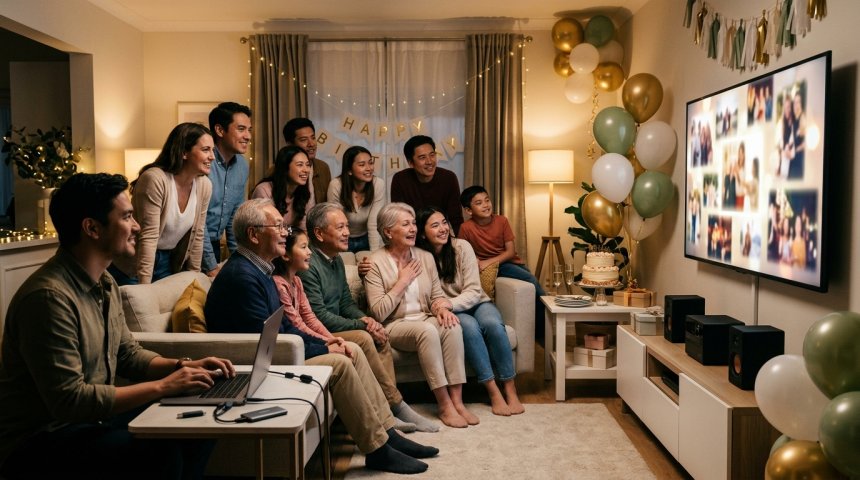
The moment arrives. Lights dim. Music fades. All eyes turn to the screen. Thirty seconds of anticipation build as the opening frame appears—and then nothing. Buffering wheel. Wrong aspect ratio stretching faces into grotesque caricatures. Audio blasting at ear-splitting volume before dropping to inaudible whispers. The birthday person stands awkwardly while guests shift uncomfortably and someone fumbles with cables. The emotional crescendo you spent weeks crafting collapses under technical failure, transforming what should have been the party's highlight into its most painful memory.
This scenario isn't rare; it's the default outcome for birthday surprise videos created without understanding that party playback is fundamentally different from YouTube uploading or phone sharing. A video that looks perfect on your laptop screen fails catastrophically when projected onto a 120-inch surface in a dimly lit room with competing ambient noise, unfamiliar playback hardware, and an audience whose emotional state depends entirely on seamless execution. Party videos aren't content; they're live performances where technical reliability is the foundation upon which emotional impact rests. Get the technology wrong and no amount of heartfelt messages or clever editing can recover the moment.
This guide approaches birthday surprise video creation as technical engineering problem with emotional objectives. We'll dissect the specific constraints of party environments that distinguish them from typical viewing contexts, establish content structures optimized for group emotional dynamics rather than individual consumption, detail equipment and format specifications ensuring reliable playback across unpredictable venue setups, provide production workflows balancing quality with timeline realities, and offer contingency protocols for when things inevitably go wrong. Whether you're creating a video for an intimate gathering of ten or a celebration of two hundred, whether you're working with professional equipment or a smartphone and free software, whether you have three weeks or three days, this guide delivers the technical framework needed to ensure your video works when it matters most—not just on your editing timeline but in the actual moment when the birthday person's face lights up and the room erupts in the reaction you envisioned.
Let's begin by understanding why party videos fail so frequently and what distinguishes successful ones from the countless well-intentioned disasters filling social media cringe compilations.
Chapter 1: Why Party Videos Fail — Understanding the Live Event Constraint
Most birthday video advice treats the project as content creation. This framing misses the fundamental reality: party videos are live event components subject to constraints that don't apply to any other video context.
The Audience Attention Architecture
Party audiences differ radically from typical video viewers:
Collective vs. Individual Viewing: Online videos serve individual viewers controlling their own attention, environment, and playback. Party videos serve collective audiences experiencing synchronized emotional states. Individual distraction becomes collective distraction; one person checking their phone signals permission for others to disengage. Content must command group attention continuously; moments allowing attention drift cascade into full-room disengagement. Pacing designed for individual patience fails in group contexts where lowest attention threshold determines collective engagement.
Emotional Contagion Dynamics: Group emotions amplify through contagion; laughter triggers more laughter, tears enable communal crying, awkwardness spreads virally. Video content must leverage positive contagion while preventing negative cascades. Overly sentimental segments risk triggering discomfort in emotionally reserved attendees who then signal discomfort to others. Inside jokes excluding portions of audience create factional disengagement. Successful party videos calibrate emotional intensity to maintain inclusive positive contagion without triggering exclusion or discomfort.
Divided Attention Competition: Party environments compete for attention: conversations, food service, music, dancing, arrivals/departures, children, pets, and environmental distractions all vie against your video. Unlike dedicated viewing contexts where video commands primary attention, party videos must earn and maintain attention against active competition. Content density, audio clarity, visual contrast, and pacing must exceed typical standards to penetrate environmental noise and secure cognitive bandwidth. Videos optimized for quiet focused viewing disappear in party chaos.
Temporal Irreversibility: Online viewers pause, rewind, rewatch confusing segments, skip boring parts, and control consumption pace. Party audiences experience linear irreversible flow. Confusing moments can't be clarified; boring segments can't be skipped; missed details remain missed. Every second must function correctly on first pass; there are no second chances. This irreversibility demands higher clarity, stronger redundancy, and more conservative pacing than content designed for user-controlled playback.
The Technical Environment Hostility
Party venues present technical challenges absent from controlled viewing environments:
Display Variability: You cannot predict display characteristics: screen size ranges from 32-inch TVs to 200-inch projections, resolution varies from 720p to 4K, aspect ratios span 4:3 to ultrawide, brightness levels fluctuate with ambient lighting, and color accuracy ranges from calibrated to severely washed out. Videos must look acceptable across this entire spectrum; optimization for single display type guarantees failure elsewhere. Adaptive design principles replace device-specific optimization.
Audio Environment Chaos: Party acoustics are hostile: reverberant spaces create echo and muddiness, background music competes with dialogue, HVAC systems generate constant noise floor, crowd chatter adds unpredictable masking, and speaker quality ranges from professional PA systems to tinny laptop speakers. Audio mixed for headphones or home theaters becomes unintelligible in party acoustics. Dialogue intelligibility requires aggressive processing, dynamic range compression, and frequency targeting that would sound harsh in controlled listening but cuts through party noise effectively.
Playback Hardware Uncertainty: You rarely control playback hardware: venue-provided AV systems, borrowed laptops, streaming devices, gaming consoles, or random USB drives connected to unknown displays. Codec support varies wildly; file formats compatible with your editing system may not play on venue hardware. Input connections range from HDMI to VGA to wireless casting with varying reliability. Playback software differs in buffering behavior, subtitle rendering, and error handling. Hardware uncertainty demands maximum compatibility formatting and redundant backup strategies.
Operator Skill Variance: The person operating playback may be you, a designated friend, venue staff, or an impromptu volunteer. Operator skill ranges from AV professional to technologically anxious relative. Complex playback procedures fail under stress or inexperience. Operation must be idiot-proof: single-button start, automatic progression, clear visual/audio cues indicating status, and obvious recovery paths if something goes wrong. Assuming competent operation is planning for failure.
Environmental Stress Factors: Heat from crowded rooms affects equipment performance. Spilled drinks threaten hardware. Cables get tripped over. Children interact with equipment unexpectedly. Power outlets overload when multiple devices connect simultaneously. Wireless interference disrupts streaming. Environmental stress demands robust setup, cable management, equipment protection, and contingency planning beyond typical production considerations.
The Emotional Stakes Amplification
Technical failures carry amplified emotional consequences in party contexts:
Public Embarrassment Multiplier: Private viewing failures affect only creator; party failures embarrass creator, birthday person, and entire audience collectively. Social embarrassment triggers defensive reactions undermining intended emotional impact. Recovery from public failure requires significantly greater effort than prevention; stakes justify obsessive preparation.
Moment Singularity: Birthday celebrations are non-repeatable events; you cannot reshoot the surprise reaction or redo the emotional climax. Unlike content creation allowing infinite iteration, party videos have exactly one execution opportunity. Single-shot pressure demands reliability engineering exceeding typical creative project standards. Perfectionism here isn't neurotic; it's appropriate risk management.
Relationship Capital Investment: Birthday videos represent relationship investment; failures signal carelessness or insufficient effort regardless of actual intention. Relationship damage from failed surprise exceeds relationship benefit from mediocre-but-functional surprise. Technical competence communicates care; technical failure communicates indifference even when hours of loving effort went into content creation. Medium is message; execution quality signals emotional investment level.
Key Insight: For professional-grade video editing capabilities without budget constraints, DaVinci Resolve Free Video Editing Software (dofollow) provides industry-standard editing, color grading, audio post-production, and export optimization tools enabling party-ready output quality accessible to creators at any skill level.
Chapter 2: Content Architecture for Group Emotional Dynamics
Party video content must be engineered for collective emotional response, not individual appreciation. Structure determines whether emotional intentions land or misfire.
The Attention Capture Opening
First 10 seconds determine whether audience commits attention or mentally checks out:
Immediate Orientation Signal: Open with clear signal establishing video purpose and relevance. Birthday person's name, recognizable photo, or familiar music cue within first 3 seconds prevents "what is this?" confusion consuming attention budget. Ambiguous openings waste precious engagement window; explicit orientation earns continued attention.
Energy Matching: Opening energy must match or slightly exceed room energy; low-energy openings in high-energy rooms feel deflating, high-energy openings in contemplative moments feel jarring. Read room before playback; adjust opening if possible or design flexible openings adaptable to multiple energy states. Energy mismatch creates immediate dissonance undermining subsequent content.
Curiosity Hook: Pose implicit question or promise that sustains attention beyond initial recognition. "Wait until you see..." framing, unexpected juxtaposition, or intriguing visual creates forward momentum carrying audience through slower middle sections. Curiosity bridges attention gaps between emotional peaks; without it, valleys lose audience permanently.
Avoid Slow Builds: Traditional narrative arcs with extended setup fail in party contexts where attention spans compress under environmental competition. Front-load value; earn extended attention through demonstrated payoff rather than promised future reward. Respect audience's divided attention by delivering immediate engagement dividend.
Emotional Rhythm Engineering
Sustained single-emotion content fatigues; rhythmic variation maintains engagement:
Peak-Valley Alternation: Alternate high-intensity emotional moments (heartfelt messages, funny clips, surprise reveals) with lower-intensity breathing spaces (transitional music, simple visuals, brief pauses). Valleys prevent peak fatigue; peaks prevent valley boredom. Rhythm calibrated to 60-90 second cycles matching natural attention restoration periods. Monotone emotional delivery numbs regardless of content quality.
Collective Laugh Placement: Humor functions as collective tension release resetting emotional palette. Strategically placed laughs prevent sentimentality overload and re-engage distracted attendees. Humor must be universally accessible; inside jokes exclude and fragment collective experience. Self-deprecating humor involving birthday person (with consent) typically lands safely; roasting risks crossing comfort thresholds in group settings. Test humor universality before finalizing; what amuses you privately may alienate publicly.
Sentiment Calibration: Emotional depth must accommodate least-comfortable attendee; excessive sentiment triggers defensive withdrawal spreading through contagion. Aim for warm sincerity over tearful intensity; allow emotional escalation to emerge organically from audience rather than forcing it through manipulative content. Authentic moderate emotion invites participation; performed extreme emotion demands compliance creating resistance. Birthday person's comfort threshold sets upper limit; respect it absolutely.
Surprise Distribution: Multiple small surprises sustain engagement better than single large reveal. Distributed surprises create recurring attention refresh points preventing mid-video drop-off. Final climactic surprise builds on accumulated smaller surprises creating compound emotional impact. Surprise timing avoids predictable intervals maintaining genuine unpredictability. Over-reliance on surprise dilutes impact; balance with sincere non-surprise content grounding emotional experience.
Message Density and Redundancy
Party conditions degrade information transmission; compensate through design:
Visual Text Reinforcement: Critical spoken messages reinforced with on-screen text ensuring comprehension despite audio challenges. Text large enough for back-row readability, high contrast against backgrounds, sufficient duration for processing. Text supplements rather than replaces speech; redundancy ensures message receipt through at least one channel. Never assume audio clarity; always provide visual backup.
Pacing Adjustment: Party-appropriate pacing runs 20-30% slower than online content allowing processing time amid distraction. Key moments held longer; transitions gentler; information delivery less dense. Slower pacing feels deliberate rather than dragging when matched to environmental constraints. Test pacing with distracted viewers simulating party conditions; solo review misjudges appropriate tempo.
Repetition Without Redundancy: Core themes revisited through varied expressions reinforcing message without boring repetition. Same sentiment expressed through different voices, visuals, and contexts creates cumulative impact while maintaining freshness. Strategic repetition compensates for attention lapses ensuring message penetration despite intermittent engagement. Thematic coherence unifies diverse content elements into cohesive emotional experience.
Closure Signaling: Ending must be unmistakably conclusive preventing awkward "is it over?" uncertainty. Musical resolution, visual fade, explicit closing message, or return to opening motif signals completion clearly. Ambiguous endings create social uncertainty undermining emotional landing. Closure duration sufficient for emotional processing and transition back to party flow; abrupt endings truncate emotional resonance.
Length Optimization Framework
Optimal length depends on audience composition and party context:
Intimate Gatherings (Under 20 People): 3-5 minutes sustainable; smaller groups maintain collective attention longer. Deeper personal content appropriate; inside references more acceptable. Emotional intensity can run higher with shared intimacy buffer.
Medium Celebrations (20-75 People): 2-4 minutes optimal; attention fragmentation increases with group size. Balance personal specificity with universal accessibility. Moderate emotional intensity accommodating diverse comfort levels. Tighter pacing maintaining engagement across attention variance.
Large Events (75+ People): 1.5-3 minutes maximum; large groups contain too many attention variables for sustained engagement. Universal content prioritized over personal specificity. Lower emotional intensity preventing discomfort contagion. Faster pacing with frequent attention resets. Consider multiple shorter videos distributed throughout event rather than single extended piece.
Age-Diverse Audiences: Shorter lengths accommodate youngest and oldest attention spans. Content avoiding generational exclusions. Visual clarity prioritized for aging eyes. Audio intelligibility critical for hearing-impaired attendees. Intergenerational content bridging age gaps through universal themes.
Chapter 3: Technical Specifications for Reliable Party Playback
Technical specifications must prioritize compatibility and reliability over aesthetic optimization. Beautiful video that won't play serves no purpose; functional video that plays reliably enables emotional impact.
Resolution and Aspect Ratio Strategy
Resolution Selection: 1080p (1920×1080) represents optimal balance of quality and compatibility. 4K offers marginal quality improvement on most party displays while introducing compatibility risks, larger file sizes, and playback strain on older hardware. 720p acceptable fallback for extremely old equipment but increasingly unnecessary. Export at 1080p unless venue confirms 4K capability and requirement. Downscaling from 4K master preserves flexibility; upscaling from 720p degrades quality irrecoverably.
Aspect Ratio Universality: 16:9 widescreen standard for modern displays and projectors. Avoid vertical video (9:16) which displays poorly on horizontal screens with massive black bars reducing effective image size. Square (1:1) acceptable compromise if uncertain about display orientation but 16:9 preferred default. If source material includes vertical phone footage, reframe or split-screen to fit 16:9 canvas rather than accepting pillarboxing. Aspect ratio mismatch is most common visible technical failure; prevent it through deliberate formatting.
Safe Area Compliance: Keep critical content (faces, text, key visuals) within 90% action safe and 80% title safe areas. Projectors and older displays often overscan cropping edges; safe area compliance ensures nothing important disappears. Online platforms don't require safe areas; party displays do. Safe area discipline costs nothing and prevents catastrophic framing failures.
Format and Codec Compatibility
Container Format: MP4 (H.264 video, AAC audio) remains universal compatibility champion. Plays on virtually every device, operating system, and media player manufactured in last 15 years. Avoid MOV (Apple ecosystem limitations), MKV (limited hardware support), AVI (outdated codec issues), and WebM (inconsistent support). MP4 isn't always highest quality option but it's reliably playable option; reliability trumps theoretical quality in live events.
Video Codec: H.264/AVC baseline or main profile for maximum compatibility. High profile offers better compression efficiency but occasional playback issues on older hardware. Avoid H.265/HEVC despite superior compression; hardware decoding support inconsistent outside recent devices. Bitrate 8-15 Mbps for 1080p balances quality and file size; higher bitrates strain playback without visible improvement on projected displays. Variable bitrate encoding optimizes file size while maintaining quality during complex scenes.
Audio Codec: AAC-LC stereo at 192-256 kbps. Stereo essential; surround sound downmixes unpredictably across playback systems. Avoid uncompressed WAV (file size excessive), MP3 (quality inferior at equivalent bitrate), and exotic codecs (compatibility roulette). Sample rate 48kHz standard for video; 44.1kHz acceptable but 48kHz preferred for sync accuracy. Audio normalization to -14 LUFS integrated loudness ensures consistent volume across playback systems without clipping or inaudibility.
File Size Management: Target under 500MB for 3-minute video enabling USB transfer, email sharing, and cloud download within reasonable timeframes. Excessive file sizes cause buffering, transfer delays, and playback stuttering. Compression settings balancing quality and size tested on target playback hardware before event. When quality and size conflict, prioritize playback reliability; slightly compressed video that plays smoothly beats pristine video that buffers.
Audio Engineering for Hostile Acoustics
Dialogue Intelligibility Priority: Dialogue must cut through ambient noise, reverberation, and competing audio. EQ boost 2-5 kHz range enhancing speech consonants critical for intelligibility. High-pass filter below 100Hz removing rumble and proximity effect muddiness. Compression ratio 4:1 to 6:1 reducing dynamic range ensuring quiet words audible without loud words painful. De-essing controlling sibilance exacerbated by PA system treble boost. Dialogue processing sounds harsh on headphones but necessary for party intelligibility; trust the processing not the solo listen.
Music Mixing Strategy: Background music supports not competes with dialogue. Duck music 6-10 dB during speech through sidechain compression or manual automation. Music frequency carve-out in 300Hz-3kHz range creating dialogue pocket. Music selection considering venue acoustics; bass-heavy tracks become muddy in reverberant spaces, bright tracks become harsh on tinny speakers. Test music choices on suboptimal speakers simulating worst-case venue audio; studio monitor approval insufficient.
Dynamic Range Compression: Party playback systems and acoustics compress effective dynamic range regardless of source material. Pre-compress audio to controlled range ensuring consistent audibility. Target 6-10 dB dynamic range versus 15-20 dB typical for cinematic content. Aggressive compression feels squashed in private listening but translates appropriately in noisy environments. Master limiter preventing clipping at -1 dBTP protecting against inter-sample peaks causing distortion on consumer DACs.
Redundant Audio Cues: Critical audio information reinforced visually ensuring message receipt despite audio failures. Subtitle track embedded for dialogue-heavy sections. Visual indicators for music cues and transitions. On-screen text for names, dates, and key messages. Audio-only information risks complete loss in adverse acoustic conditions; multimodal redundancy ensures communication resilience.
Export and Delivery Preparation
Multiple Format Versions: Export primary MP4 plus backup versions: lower-resolution 720p fallback for struggling hardware, ProRes/DNxHR master for potential professional playback systems, and audio-only MP3 backup for audio-system-only scenarios. Multiple versions stored on separate media (USB drive, cloud, laptop) ensuring access despite single-point failures. Version labeling clear and unambiguous preventing wrong-file selection under pressure.
Test Playback Protocol: Test every version on minimum three different playback systems including at least one matching expected venue equipment. Test complete video start-to-finish not just spot checks; issues often emerge mid-playback after thermal throttling or buffer exhaustion. Test with venue's actual display and audio system during setup if possible; remote testing approximates but doesn't guarantee on-site performance. Document test results noting any issues and resolutions.
Metadata and Naming: File names descriptive and sortable: "Smith_Birthday_Surprise_2024_1080p_Final.mp4" not "video_final_v3_NEW.mp4." Metadata embedded including title, description, and creation date aiding identification. Consistent naming across all versions preventing confusion. File organization folder structure logical and self-explanatory enabling quick navigation under stress.
For reliable cross-platform playback and format compatibility troubleshooting when primary playback fails, VLC Media Player Portable Documentation (nofollow) provides comprehensive guidance on codec support, playback optimization, and portable deployment ensuring backup playback capability independent of venue-installed software.
Chapter 4: Production Workflow Under Timeline Pressure
Birthday videos operate under immovable deadlines; workflow efficiency determines completion quality within fixed time constraints.
Pre-Production Planning (Days 1-3)
Contributor Coordination System: Message requests sent with explicit specifications: duration limits (15-30 seconds per person), orientation requirements (landscape horizontal), resolution minimums (720p), lighting guidance (face illuminated, avoid backlight), audio instructions (quiet environment, speak clearly, minimal background noise), deadline with buffer (48 hours before your actual deadline), and submission method (cloud folder, email, messaging app). Template message reduces clarification cycles. Follow-up reminders at 72-hour and 24-hour marks. Contributor management consumes significant time; systematize ruthlessly.
Content Outline Approval: Outline reviewed with key stakeholders (spouse, close friend, family member) ensuring appropriateness and completeness. Outline includes segment sequence, approximate durations, contributor assignments, music selections, and emotional arc. Stakeholder approval prevents late-stage rejections requiring major restructuring. Approval documented preventing revision disputes. Outline flexibility accommodates unexpected contributions while maintaining structural integrity.
Asset Collection Organization: Centralized asset repository with standardized folder structure: /Footage/Contributors/, /Footage/Archival/, /Music/, /Graphics/, /Documents/. Assets renamed descriptively upon ingestion: "Johnson_Mike_Message_Take2.mp4" not "IMG_4523.MOV." Asset inventory spreadsheet tracking receipt status, quality assessment, and usage assignment. Organization time invested upfront saves exponentially more time during editing chaos. Disorganized assets are primary cause of deadline misses.
Technical Specification Confirmation: Venue AV contact consulted confirming display specs, input connections, audio system capabilities, and operator availability. Specifications documented and shared with editing workflow informing export settings. Assumptions about venue capabilities are primary source of playback failures; confirmation eliminates assumption risk. Backup plan developed for specification uncertainties or last-minute venue changes.
Production Execution (Days 3-10)
Batch Processing Efficiency: Similar tasks grouped minimizing context switching: all contributor footage ingested and organized in single session, all audio cleanup performed consecutively, all color grading completed in dedicated pass, all graphics created in focused block. Batch processing 30-50% faster than task interleaving. Energy management aligned with task types; creative tasks scheduled during peak mental hours, mechanical tasks during lower-energy periods.
Rough Cut First Pass: Assembly edit completed rapidly focusing on structure and timing not polish. Rough cut reviewed for pacing, emotional arc, and content completeness before detailed refinement. Structural problems identified early when fixes cost minutes not hours. Rough cut shared with trusted reviewer for feedback on flow and emotional impact. Perfectionism during rough cut phase wastes time; speed enables iteration.
Parallel Processing Where Possible: Audio cleanup, color correction, and graphics creation can proceed simultaneously if resources allow. Delegate tasks to capable helpers with clear specifications and quality benchmarks. Parallel processing compresses calendar time without sacrificing quality. Delegation requires upfront instruction investment paying dividends through timeline acceleration. Solo creators identify bottlenecks and prioritize accordingly; not everything can be parallelized.
Progressive Refinement Cycles: Three refinement passes: structural (pacing, sequencing, content gaps), technical (audio levels, color consistency, transition smoothness), and polish (fine-tuning, detail enhancement, final quality check). Each pass addresses specific dimension preventing scattered attention. Progressive refinement more efficient than attempting perfection in single pass. Final pass completed minimum 24 hours before deadline allowing buffer for unexpected issues.
Post-Production Validation (Days 10-12)
Full-Length Test Screenings: Complete video watched start-to-finish minimum three times on different systems including expected venue equipment if accessible. Test screenings with representative audience members providing feedback on pacing, emotional impact, technical issues, and content appropriateness. Feedback incorporated selectively; not all feedback warrants changes but patterns indicate genuine issues. Test screening fatigue real; schedule breaks between viewings maintaining fresh perspective.
Stress Testing Playback: Simulate worst-case playback conditions: low-brightness display, noisy audio environment, interrupted playback, quick startup from cold boot. Verify video recovers gracefully from interruptions without corruption or sync loss. Test USB drive read speeds ensuring adequate throughput. Stress testing reveals vulnerabilities invisible in optimal conditions. Vulnerabilities addressed before event not discovered during event.
Backup Verification: All backup versions tested confirming functionality. Backup media labeled clearly and stored separately from primary media. Cloud backups verified accessible from venue network or mobile hotspot. Backup playback device confirmed available and tested. Backup operator briefed on procedures. Redundancy without verification is false security; verified redundancy is genuine insurance.
Documentation Package: Playback instructions written for non-technical operator: step-by-step startup procedure, volume setting recommendations, troubleshooting quick-reference, emergency contact information. Instructions printed and digital copies available. Venue AV staff briefed if applicable. Documentation assumes operator stress and limited technical knowledge; clarity prevents panic-induced errors.
Chapter 5: Live Event Execution Protocols
Event day execution determines whether preparation translates to success. Protocols reduce decision-making under pressure.
Setup Timeline and Checklist
T-Minus 3 Hours: Arrive at venue with all equipment and media. Locate AV contact or responsible person. Identify display, audio system, power sources, and operator position. Unpack and inventory equipment confirming nothing forgotten. Begin physical setup allowing ample troubleshooting time. Early arrival prevents rushed setup causing errors.
T-Minus 2 Hours: Connect playback device to display and audio system. Power on all equipment in correct sequence (display first, then audio, then playback device). Load primary video file and test playback completely. Verify audio levels with venue system at expected event volume. Adjust display settings (brightness, contrast, aspect ratio) for optimal presentation. Confirm operator understands playback procedure. Document any issues and resolutions.
T-Minus 1 Hour: Run complete video one final time confirming no issues emerged during setup. Position backup equipment ready for immediate deployment if needed. Brief birthday person's handler on timing cues if applicable. Confirm lighting and sound transition plan with DJ/MC if coordinated. Final restroom break and hydration; once positioned, movement difficult. Mental preparation and focus centering.
T-Minus 15 Minutes: Final equipment check. Playback device queued to video start point. Volume preset to tested level. Display showing standby image or black (not desktop or unrelated content). Operator in position with instructions accessible. Backup operator aware of standby status. Deep breath. Trust preparation.
Playback Execution Protocol
Initiation Sequence: Confirm room readiness (attention gathered, lighting adjusted, music faded). Clear verbal cue to operator ("Ready... play"). Single button press initiating playback. No menu navigation, file searching, or setting adjustments during initiation; everything pre-configured. Smooth confident initiation sets tone; fumbling creates anxiety.
Active Monitoring: Operator monitors playback throughout watching for issues not celebrating content. Eyes on display confirming video progressing normally. Ears on audio confirming levels appropriate. Hand near pause/resume controls ready for intervention. Awareness of room response detecting engagement or disengagement signals. Monitoring discipline maintained despite emotional pull of content; operator role is technical assurance not audience participation.
Issue Response Hierarchy: Minor issues (brief stutter, slight audio dip): Continue playback; minor glitches less disruptive than stopping. Moderate issues (extended freeze, audio dropout): Pause briefly, attempt resume, continue if resolved within 10 seconds. Major issues (complete failure, wrong file, hardware malfunction): Switch to backup immediately without troubleshooting primary system during event. Catastrophic issues (no backup works): Graceful acknowledgment to audience, transition to alternative activity, troubleshoot offline. Issue response practiced beforehand; panic decision-making produces worse outcomes than prepared protocols.
Completion Protocol: Video ends naturally with planned closure. Allow 3-5 seconds of held ending before transitioning. Cue lighting/music restoration smoothly. Operator remains at position until transition complete confirming no post-playback issues. Equipment secured appropriately based on whether additional use anticipated. Post-event debrief documenting any issues for future learning.
Contingency Scenarios and Responses
Scenario: Primary Playback Device Fails Response: Immediately switch to backup device pre-connected or ready for rapid connection. Backup device loaded with identical file pre-tested. Transition communicated calmly to audience ("Just a moment, folks") preventing awkward silence. Maximum acceptable downtime: 30 seconds. Beyond 30 seconds, acknowledge issue and pivot to alternative engagement while troubleshooting continues offline.
Scenario: Wrong File Plays Response: Stop immediately. Locate correct file. Resume from beginning not mid-point; partial playback confuses audience. If correct file unlocatable within 15 seconds, switch to backup media. Double-check file naming and organization post-incident preventing recurrence. Brief audience acknowledgment maintains transparency without excessive apology.
Scenario: Audio Problems Response: Check mute status and volume levels first (most common fix). Verify correct audio output selected. Test alternate audio connection if available. If audio unrecoverable within 20 seconds, continue with subtitles/captions if embedded, or pause and address audience explaining technical difficulty while troubleshooting. Silent video worse than acknowledged pause; communicate proactively.
Scenario: Display Issues Response: Verify input source selection. Check cable connections. Adjust display settings. Try alternate display if available. If display unrecoverable, consider audio-only playback with verbal narration describing visual content, or pivot to live tribute substituting for video. Display failures most visible and hardest to recover; prevention through thorough testing paramount.
Scenario: Emotional Response Overwhelms Room Response: Allow emotional moment to breathe; don't rush through tears or laughter. If emotion becomes uncomfortable (excessive crying, awkward silence), have transitional phrase ready ("Let's give [name] a moment" or gentle humor breaking tension). Emotional calibration real-time skill; prepare phrases but read room authentically. Video serves people not vice versa; flexibility honors emotional reality over rigid execution.
Chapter 6: Equipment Recommendations by Budget Tier
Equipment choices balance capability, reliability, and budget. Three tiers address different resource levels.
Minimal Budget Tier (£0-£200)
Editing: DaVinci Resolve Free or CapCut Desktop. Both capable of professional-quality output without cost. Learning curve steeper for Resolve; CapCut more intuitive but less precise. Either sufficient for party videos.
Playback Device: Existing laptop or tablet. Ensure adequate storage and processing power for smooth 1080p playback. Clean device of unnecessary background processes before event. Test thoroughly on target display.
Storage: Two USB 3.0 drives (16GB minimum) for primary and backup. Avoid cheap no-name drives; reliability worth £10 premium. Format exFAT for cross-platform compatibility. Label clearly.
Audio Capture: Smartphone with external lavalier mic (£20-£40) for contributor messages. Built-in phone mics acceptable in quiet environments; external mic improves intelligibility significantly. Windscreen essential for outdoor recordings.
Limitations: Relies heavily on existing equipment quality and venue AV capabilities. Less margin for error; testing and backups critically important. Suitable for intimate gatherings with known venue setups.
Mid-Range Budget Tier (£200-£800)
Editing: DaVinci Resolve Studio (£250 one-time) or Adobe Premiere Elements (£80). Studio unlocks additional features beneficial for complex projects. Elements simpler interface adequate for most birthday videos.
Playback Device: Dedicated media player (Nvidia Shield, Apple TV) or compact laptop reserved exclusively for playback. Dedicated device eliminates background process interference and provides consistent performance. Budget £150-£400.
Storage: Multiple high-quality USB-C drives plus cloud backup subscription. Portable SSD (£80-£150) for primary storage offering speed and durability advantages over USB sticks. Cloud backup ensures offsite redundancy.
Audio Capture: USB condenser microphone (£80-£150) for high-quality voice recording. Pop filter and basic acoustic treatment improving recording quality. Wireless lavalier system (£100-£200) for mobile contributor interviews.
Display: Portable projector (£300-£600) if venue display uncertain or inadequate. 1080p minimum brightness 2000+ lumens for ambient light tolerance. Projection screen or white sheet improving image quality versus wall projection.
Advantages: Greater reliability margin, improved production quality, reduced venue dependency. Suitable for medium-sized events with variable venue conditions.
Professional Budget Tier (£800+)
Editing: DaVinci Resolve Studio or Adobe Creative Cloud subscription. Full professional toolset enabling advanced color grading, audio post, and effects.
Playback Device: Professional media server or dedicated playback laptop with redundant outputs. Hardware decoder ensuring smooth playback regardless of codec complexity. Backup device identical to primary for seamless failover.
Storage: RAID-configured portable storage for redundancy plus cloud backup. Multiple distribution formats pre-exported. Asset management system organizing large contributor volumes efficiently.
Audio Production: Professional field recorder (£200-£400), shotgun microphone, wireless lavalier system, and basic acoustic treatment kit. Audio quality approaching broadcast standards.
Display: High-brightness projector (£800-£2000) or portable LED panel display. Professional projection screen. Backup display option.
Support Equipment: Cable management, power conditioning, equipment cases, gaffer tape, adapters for every conceivable connection type. Professional preparation eliminating field improvisation.
Advantages: Maximum reliability, professional quality, complete venue independence. Suitable for large events, high-stakes celebrations, or creators producing videos regularly. Investment amortized across multiple projects.
Conclusion: Technical Excellence as Emotional Respect
Birthday surprise videos succeed when technical invisibility enables emotional visibility. The audience should never think about your video's technical qualities; they should feel only the love, humor, and celebration you've crafted. Technical excellence isn't separate from emotional expression; it's the vessel carrying emotional content safely to its destination. Broken vessels spill their contents regardless of how precious what they carried.
The frameworks presented here aren't creativity constraints; they're creativity enablers. Knowing your video will play reliably frees you to focus on content rather than worrying about technical failure. Understanding group emotional dynamics enables more effective emotional design than intuitive guessing. Mastering technical specifications prevents last-minute panics stealing joy from the occasion you're honoring.
Your effort matters. The birthday person matters. The gathered community matters. Honor all three through preparation respecting the moment's irreplaceability. Test thoroughly. Prepare redundantly. Execute confidently. And when the lights dim and the video begins, trust your preparation and be present in the moment you've made possible.
The best birthday videos aren't remembered for technical perfection; they're remembered for the feelings they created. But those feelings exist only because technical perfection made space for them. Build that space deliberately. Fill it with love. Deliver it flawlessly.
That's how birthday surprise videos work at the party.
Frequently Asked Questions (FAQs)
What format should I export my birthday video in for guaranteed party playback?
Export primary file as MP4 container with H.264 video codec (baseline or main profile, 8-15 Mbps bitrate for 1080p) and AAC-LC stereo audio (192-256 kbps, 48kHz sample rate, -14 LUFS normalized). This combination plays on virtually every device manufactured since 2010. Always create backup versions: 720p lower-resolution fallback for struggling hardware, and audio-only MP3 for audio-system-only scenarios. Test all versions on multiple playback systems including expected venue equipment before event. Never assume format compatibility; verify empirically. Avoid exotic codecs (H.265, VP9), unusual containers (MKV, WebM), and ultra-high resolutions (4K) unless venue specifically confirms support. Compatibility trumps theoretical quality in live events; beautiful unplayable video serves no purpose.
How long should a birthday surprise video be for a party setting?
Optimal length depends on audience size and composition: intimate gatherings under 20 people sustain 3-5 minutes; medium celebrations of 20-75 people work best at 2-4 minutes; large events over 75 people should stay under 3 minutes maximum. Age-diverse audiences require shorter lengths accommodating shortest attention spans. When uncertain, err shorter; audiences forgive brief videos wishing for more but resent extended videos wishing for less. Test pacing with distracted viewers simulating party conditions rather than solo focused viewing; party-appropriate pacing runs 20-30% slower than online content but total duration should still compress. Multiple short videos distributed throughout event often outperform single extended piece for large gatherings. Remember: party attention is collective and competed-for; respect both constraints through disciplined editing.
My contributors sent vertical phone videos—how do I make them look good in a horizontal party video?
Never display vertical video full-frame on horizontal display; massive black bars reduce effective image size and signal amateur production. Three solutions ranked by effectiveness: (1) Reframe using pan-and-scan keeping subject centered in 16:9 crop, adding subtle motion to static shots preventing frozen-crop appearance. (2) Split-screen combining vertical footage with complementary horizontal content (photos, text, graphics) filling frame meaningfully. (3) Blurred background fill extending vertical edges horizontally with sharp original centered; better than black bars but less elegant than reframing. Apply consistent treatment across all vertical footage maintaining visual coherence. Add gentle zoom or Ken Burns effect to static reframed shots preventing dead-air feeling. Color grade all footage uniformly regardless of source orientation ensuring visual consistency. Future contributor requests should specify horizontal orientation explicitly with example images; prevention easier than correction.
The venue's audio system is terrible—how do I ensure people can hear the video?
Assume worst-case audio and mix accordingly: aggressive dialogue EQ boosting 2-5kHz for consonant intelligibility, high-pass filtering below 100Hz removing muddiness, heavy compression (4:1 to 6:1 ratio) reducing dynamic range ensuring quiet words audible, and music ducking 6-10dB during speech. This processing sounds harsh on headphones but translates appropriately through poor systems. Embed subtitles/captions as visual backup for completely failed audio. Bring portable Bluetooth speaker as backup audio source if venue system fails entirely. Test audio on similar-quality system during setup adjusting EQ and levels for actual venue acoustics. Arrive early allowing audio troubleshooting time; audio problems discovered 10 minutes before start are crises, discovered 2 hours before are adjustments. Communicate with venue AV staff about audio concerns; they may have solutions or workarounds unavailable to outsiders. Accept that imperfect audio delivered confidently outperforms perfect audio delayed by endless troubleshooting; sometimes adequate-now beats ideal-later.
What do I do if the video completely fails to play at the party?
Execute prepared contingency hierarchy: (1) Attempt quick fix (check connections, verify input source, restart playback device) limited to 30 seconds maximum. (2) Switch to backup device and backup media pre-prepared and tested. (3) If backup also fails, acknowledge issue calmly to audience ("We're having some technical difficulties, bear with us"), pivot to live alternative (invite spontaneous tributes, lead group toast, share stories verbally), and troubleshoot offline without holding audience hostage. Never spend more than 60 seconds troubleshooting publicly; audience goodwill evaporates quickly during dead air. Have verbal transition phrases prepared reducing awkward silence. Remember: video serves celebration not vice versa; graceful pivot preserves emotional intent despite technical failure. Post-event, share video digitally ensuring birthday person receives intended gift regardless of live execution. Technical failure disappointing but not catastrophic if handled with grace and presence; your composure matters more than flawless playback.
Share
What's Your Reaction?
 Like
0
Like
0
 Dislike
0
Dislike
0
 Love
0
Love
0
 Funny
0
Funny
0
 Angry
0
Angry
0
 Sad
0
Sad
0
 Wow
0
Wow
0