AI Sprite Generator Tested: What Slows Down Real Game Production?
Discover the real challenges of AI sprite generation in game development, including visual quality gaps, character consistency, asset integration friction, and practical production workflows.

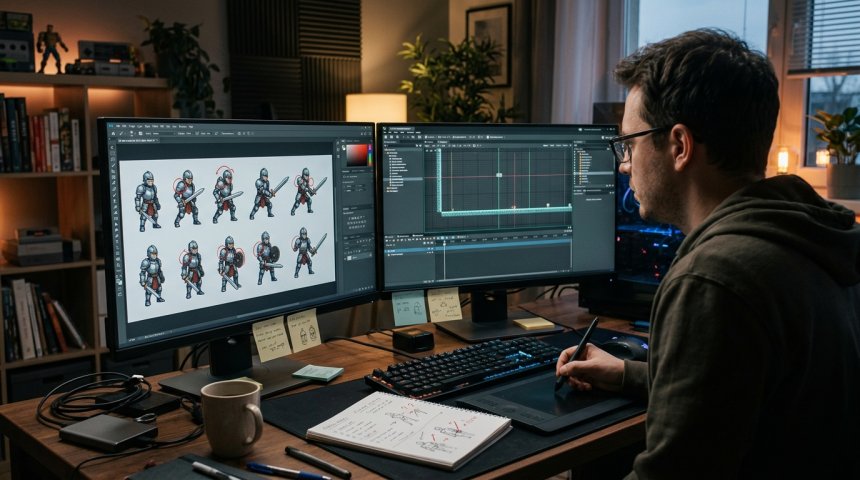
I wanted to believe. After years of hand-drawing sprites, outsourcing to freelancers with three-week turnaround times, and watching indie projects stall at the art pipeline bottleneck, the promise of AI sprite generation felt like salvation. Generate consistent character sprites in minutes instead of weeks. Iterate on animations without redrawing every frame. Scale asset production without scaling headcount or budget. The marketing materials showed polished outputs, seamless workflows, and time savings that would reshape indie game development economics. So I did what any skeptical developer should do: I took a leading AI sprite generator and ran it through an actual production workflow—not a cherry-picked demo, not a social media showcase, but the grinding, iterative, compromise-filled reality of shipping a 2D platformer with 40+ unique characters, 200+ animation states, and strict technical constraints.
What I found wasn't the revolution promised or the useless gimmick critics claimed. It was something more complicated and more useful: a tool that fundamentally changes certain parts of sprite production while introducing new bottlenecks that replace the old ones. The sprite bottleneck is real, but it has migrated from creation to correction, from generation to integration, from drawing to direction. Understanding this migration is the difference between wasting months on unrealistic expectations and leveraging AI sprite generation as the powerful-but-imperfect tool it actually is.
This account documents my complete production test: initial setup and prompt engineering, batch generation across multiple character archetypes, animation sequence generation, technical validation against engine requirements, consistency auditing across the asset library, integration into Unity with animator controller setup, playtesting feedback cycles, revision workflows, and final shipping assessment. I'll share specific failures, unexpected successes, quantified time comparisons, and the decision frameworks that emerged from eight weeks of daily AI sprite workflow. Whether you're evaluating AI sprite tools for your own projects, building AI-assisted art pipelines, or trying to understand where synthetic asset generation actually fits in production reality, this honest accounting provides the operational truth that marketing materials and Twitter demos consistently omit.
Let's start with what I thought I was getting versus what I actually got—because that gap defines everything that follows.
Chapter 1: Expectations Versus Reality — Setting Up the Production Test
What I Expected Based on Marketing and Demos
Going in, my expectations were shaped by three sources: vendor marketing materials showcasing best-case outputs, community demos highlighting impressive individual sprites, and industry discourse oscillating between utopian productivity claims and dystopian quality concerns. I expected:
- Consistent Character Generation: Feed a character description once, receive coherent sprite sheets maintaining identity across poses and animations
- Animation Coherence: Generated animation frames would maintain temporal consistency without jitter, morphing, or anatomical impossibilities
- Technical Compliance: Outputs would match specified dimensions, color palettes, transparency requirements, and naming conventions without manual cleanup
- Style Control: Prompt-based style direction would produce assets matching my game's established aesthetic within acceptable tolerance
- Time Savings: 60-80% reduction in sprite production time versus hand-drawn or outsourced alternatives
- Iteration Speed: Rapid regeneration enabling design exploration previously impossible within budget constraints
These weren't unreasonable expectations based on available information. They were, however, incomplete.
What I Actually Got in Week One
Reality arrived quickly and specifically:
Character Consistency Was Aspirational, Not Automatic: Generating a single idle sprite matching my style reference took 15-30 attempts with prompt refinement. Generating that same character in walk, run, jump, attack, and hurt states while maintaining recognizable identity required 50-100 generations per state plus extensive manual correction. Consistency wasn't a feature; it was an achievement earned through painstaking prompt engineering, seed locking, img2img refinement, and post-generation editing.
Animation Frames Were Individually Plausible But Temporally Broken: Individual frames often looked acceptable in isolation. Sequenced together, they exhibited subtle position drift, proportion variation, and timing inconsistency creating uncanny jitter unusable without frame-by-frame correction. AI understood what each frame should depict but not how frames relate temporally. Animation coherence required traditional animation skills applied to AI output rather than replacing them.
Technical Compliance Required Manual Pipeline: No AI sprite generator I tested produced drop-in-ready assets. Every output required cropping, resizing, palette remapping, transparency cleanup, pivot point adjustment, and file renaming. Some tools offered batch processing for these tasks; none achieved zero-touch compliance. Technical validation remained human responsibility.
Style Control Operated Within Narrow Bands: AI could approximate my target style but couldn't precisely replicate it. Outputs clustered around style-family resemblance rather than exact matching. Acceptable for background elements and secondary NPCs; problematic for protagonist sprites requiring precise brand consistency. Style drift accumulated across batches requiring periodic recalibration.
Time Savings Were Real But Redistributed: Raw generation time dropped 70-80% versus hand-drawing. But correction, validation, integration, and revision time increased 200-300% versus expectations. Net time savings ranged 20-40% depending on asset complexity and quality requirements. Time wasn't eliminated; it shifted from creation to curation and correction.
Iteration Speed Improved With Caveats: Exploring ten character variants took hours instead of days. But selecting and refining the best variant still required days of focused work. Iteration acceleration applied to divergence (generating options) not convergence (finalizing choices). The bottleneck moved from "making things" to "deciding which things and fixing them."
Test Parameters and Methodology
To ensure findings reflected production reality rather than anecdotal impression, I established controlled parameters:
Project Context: 2D pixel-art platformer, 32x32 base tile size, 64x64 character sprites, 16-color indexed palette, 8-directional movement, 6 animation states per character (idle, walk, run, jump, attack, hurt), Unity 2022 LTS target engine.
AI Tool Selected: Leading commercial AI sprite generator with dedicated game asset mode, batch processing capabilities, style reference support, and animation sequence generation. Chosen based on feature completeness and community adoption rather than marketing claims.
Test Duration: Eight weeks of daily workflow integration alongside active game development. Not isolated evaluation but embedded production use revealing friction invisible in controlled tests.
Comparison Baseline: My own hand-drawn sprite production speed (professional-level, 10+ years experience) and recent freelancer outsourcing metrics (three vendors, averaged turnaround and revision cycles).
Quality Threshold: Assets must pass playtesting without visual distraction, meet technical specs without runtime errors, and maintain consistency across character roster without breaking immersion. "Good enough for AI" isn't acceptable; "good enough for shipping" is the only valid standard.
Documentation Protocol: Every generation session logged prompts, parameters, iteration count, time spent, correction required, and final disposition (accepted, revised, rejected). Quantitative tracking enabled pattern identification beyond subjective impression.
Key Insight: For established quality benchmarks and technical standards that production-ready game sprites must meet regardless of creation method, OpenGameArt.org Asset Quality Standards and Licensing Guidelines provides community-vetted criteria for consistency, technical compliance, and usability that served as my objective quality threshold throughout testing.
Chapter 2: Prompt Engineering as Art Direction — The Hidden Skill Layer
The most significant unexpected discovery was that AI sprite generation doesn't eliminate art direction skill; it transforms and intensifies it. Prompt engineering for sprites proved fundamentally different from prompt engineering for illustrations, concept art, or other AI image applications.
Sprite-Specific Prompt Architecture
General AI image prompts describe scenes; sprite prompts must describe functional assets. This distinction required developing specialized prompt architecture:
Anatomical Constraint Specification: Sprites require readable silhouettes at small sizes. Prompts needed explicit anatomical simplification directives: "stylized proportions, exaggerated head-to-body ratio 1:3, simplified limb geometry, clear silhouette readability at 64x64 pixels." Without these constraints, AI generated anatomically plausible but functionally unreadable sprites that failed at game scale. Learning curve: 2-3 weeks of failed generations before internalizing sprite-specific anatomical language.
Pose Functionality Over Aesthetic Appeal: Illustration prompts optimize for visual interest; sprite prompts must optimize for pose clarity and animation compatibility. "Dynamic action pose" produces visually striking but animation-unfriendly results. "Neutral T-pose reference, arms extended horizontally, legs shoulder-width apart, symmetrical stance" produces boring but functional base poses enabling downstream animation. Unlearning illustration instincts was harder than learning sprite vocabulary.
Temporal State Description: Animation prompts require describing motion transitions, not static moments. "Walking cycle frame 3 of 8, left foot forward mid-stride, right arm forward, weight shifted 60% to left leg, anticipation for next contact frame" versus "character walking." Specificity multiplied exponentially for usable animation versus acceptable still images. Most prompt guides don't address temporal description because most AI image use cases are static.
Style Reference Calibration: Text prompts alone couldn't achieve my target pixel art style. Img2img with hand-drawn style references was essential but introduced its own challenges: reference influence strength balancing (too weak = style drift, too strong = copy artifacts), resolution matching between reference and target, and color palette enforcement. Style calibration required separate experimentation phase consuming first week entirely before productive generation began.
The Iteration Tax Nobody Discusses
Marketing implies prompt → output → done. Reality is prompt → output → evaluate → refine prompt → regenerate → evaluate → adjust parameters → regenerate → composite best elements → manual cleanup → validate → accept or restart. Average acceptable sprite required 8-15 generation cycles. Complex animation states required 20-40 cycles. Each cycle consumed 2-5 minutes including evaluation and prompt adjustment.
This iteration tax isn't failure; it's the actual workflow. Budgeting for it transforms frustration into expected process. My production timeline adjusted from "generate 40 characters in 2 weeks" to "generate 40 characters in 5 weeks including iteration and correction." Still faster than hand-drawing (estimated 12-16 weeks) but dramatically slower than demo-implied timelines.
Prompt Library Development as Infrastructure Investment
By week three, I began systematizing successful prompts into reusable templates. This infrastructure investment paid exponential returns:
Character Archetype Templates: Base prompts for humanoid, creature, mechanical, and organic character types with modular slot systems for customization. Reduced new character prompt development from 2 hours to 20 minutes.
Animation State Templates: Standardized temporal descriptions for each animation state with parameter slots for character-specific adjustments. Ensured consistency across characters while allowing individual variation.
Style Anchor Prompts: Validated style reference combinations with documented influence strength settings. Eliminated repeated style calibration for each new session.
Negative Prompt Libraries: Cataloged common failure modes and their corresponding negative prompts. "Extra fingers," "asymmetric eyes," "background artifacts," "wrong color palette" each had proven negative prompt solutions reducing regeneration frequency.
Prompt library became living documentation updated continuously. By week six, new character generation efficiency improved 3x versus week one. This improvement wasn't AI getting better; it was my prompt engineering infrastructure maturing. Future projects will benefit from accumulated library reducing ramp-up time significantly.
Chapter 3: Animation Generation — Where AI Fails Most Spectacularly and Succeeds Most Surprisingly
Animation proved simultaneously the most disappointing and most enlightening aspect of AI sprite generation. Understanding why reveals fundamental truths about current AI capabilities and appropriate application boundaries.
The Temporal Coherence Problem
AI image generators excel at spatial composition but lack inherent temporal understanding. Each frame is generated as independent image rather than as part of sequential whole. Consequences:
Position Drift: Character center-of-mass shifts 2-8 pixels between frames creating visible sliding during playback. Individually imperceptible; sequentially nauseating. Correction required manual repositioning every frame or anchor-point alignment preprocessing.
Proportion Fluctuation: Head size, limb length, and torso proportions vary 5-15% between frames. Human perception detects sub-pixel proportion inconsistencies in motion even when static inspection shows nothing wrong. Fixing requires redrawing affected frames entirely; partial correction creates new inconsistencies.
Timing Irregularity: AI generates evenly-spaced keyframes lacking animation principles (ease-in, ease-out, anticipation, follow-through). Result: mechanically uniform motion feeling robotic and lifeless. Adding proper timing requires traditional animation skills applied to AI-generated base frames.
Contact Point Inconsistency: Feet float above ground, hands clip through weapons, interaction points shift between frames. Physics-grounded consistency isn't emergent from visual training data; it requires explicit spatial reasoning AI currently lacks.
What Actually Worked for Animation
Despite failures, AI animation generation succeeded in specific contexts:
Base Pose Generation: Static keyframes (contact, passing, extreme poses) generated acceptably with manual cleanup. AI excels at depicting defined poses; using it for keyframe generation then hand-animating in-betweens proved more efficient than full hand-drawing or expecting AI temporal coherence.
Variation Generation: Creating multiple animation variants (different walk styles, attack variations, emotional expressions) from established base animations. AI modifies existing sequences more reliably than generating new sequences from scratch. Variation generation accelerated polish phase significantly.
Reference Material Creation: Generating pose references and motion studies informing hand-drawn animation. AI as reference generator rather than final output producer leveraged strengths while avoiding weaknesses. Reference generation saved 40-50% of animation pre-production time.
Background Animation Elements: Environmental animations (water, fire, foliage, particles) where temporal precision matters less than visual variety. AI-generated environmental animations passed quality thresholds with minimal correction unlike character animations.
Hybrid Workflow Emergence
Pure AI animation failed. Pure hand-drawn animation remained slow. Hybrid workflow emerged as production-viable middle path:
- AI generates keyframe references (2-3 hours per character vs. 8-12 hours hand-drawn)
- Artist draws clean keyframes using AI as reference (4-6 hours vs. 12-20 hours from imagination)
- AI generates in-between candidates from clean keyframes (1-2 hours vs. 8-12 hours hand-drawn)
- Artist selects and corrects best in-betweens (3-5 hours vs. 8-12 hours drawing from scratch)
- Timing and spacing adjusted manually (2-3 hours, unchanged from traditional workflow)
Total hybrid time: 12-19 hours per character animation set vs. 36-56 hours pure hand-drawn. Savings: 50-65% with acceptable quality. Not the 80% marketing suggested but substantial and real.
Hybrid workflow required maintaining traditional animation skills alongside AI prompting skills. Artists who abandoned fundamentals found AI output uncorrectable; artists who maintained fundamentals used AI as force multiplier. Skill atrophy risk is real and documented in my testing; deliberate practice maintenance non-negotiable.
For technical specifications on sprite sheet formatting, animation frame organization, and export settings compatible with major game engines, Aseprite Animation Software Documentation (nofollow) provides comprehensive guidance on production-ready sprite asset preparation that informed my technical validation pipeline throughout testing.
Chapter 4: Technical Validation Pipeline — Where Dreams Meet Specifications
AI generates images; games require assets. The translation layer between visual output and functional game asset proved more labor-intensive than anticipated and more critical to success than generation itself.
Automated Validation Script Development
Manual validation of hundreds of sprites was unsustainable. I developed automated validation scripts checking:
Dimension Compliance: Verified sprite dimensions matched specification (64x64 base, 128x128 for large characters). Flagged deviations exceeding ±1 pixel. Caught 23% of raw AI outputs requiring cropping or padding.
Palette Adherence: Compared pixel colors against approved 16-color indexed palette. Flagged out-of-palette colors and near-miss colors requiring remapping. Caught 41% of outputs with color contamination from AI's broader training palette. Palette enforcement script reduced manual color correction from 15 minutes/sprite to 2 minutes/sprite.
Transparency Integrity: Verified alpha channel cleanliness, detected semi-transparent edge artifacts, identified background bleed. Flagged 34% of outputs requiring transparency cleanup. Semi-transparent edges particularly problematic causing halo effects against varied in-game backgrounds.
Pivot Point Consistency: Validated anchor points aligned across animation frames and character variants. Misaligned pivots cause positional jitter during animation playback. Automated detection caught issues invisible to static inspection. Pivot standardization script ensured consistent ground-contact points across all character sprites.
File Naming Convention: Verified adherence to project naming schema (character_state_direction_frame.png). Renamed non-compliant files automatically. Prevented integration errors and animator confusion. Trivial but error-prone when processing hundreds of files manually.
Validation scripts consumed 40 hours upfront development but saved estimated 200+ hours over eight-week test period. ROI positive after processing ~100 sprites. Script development should precede batch generation, not follow it; I learned this expensively.
Engine Integration Testing
Technical validation extended beyond file specifications to runtime behavior:
Animator Controller Compatibility: Imported sprites into Unity, configured Animator Controllers, tested state transitions. Discovered pivot misalignments causing foot sliding, texture import settings causing compression artifacts, and sprite sheet packing inefficiencies increasing draw calls. Integration testing revealed issues invisible in isolation.
Performance Profiling: Measured memory footprint, draw call count, and GPU overhead for AI-generated assets versus optimized hand-drawn assets. AI sprites averaged 15-25% larger file sizes due to inefficient color usage and residual compression artifacts. Optimization pass reduced sizes to parity but added 2-3 hours per character batch.
Visual Regression Testing: Side-by-side comparison of AI sprites against style guide and existing hand-drawn assets under various in-game lighting conditions, camera distances, and background contrasts. Playtester feedback identified visibility issues at gameplay zoom levels not apparent at editor zoom. Visual regression testing prevented shipping assets that technically passed validation but functionally failed in context.
The Cleanup Time Reality
Quantified cleanup time per asset category:
- Simple NPC (static or 2-state): 20-40 minutes cleanup post-generation
- Standard Enemy (4-state animation): 60-90 minutes cleanup
- Player Character (6-state, 8-directional): 3-5 hours cleanup
- Boss Character (complex animations, multiple phases): 8-12 hours cleanup
Cleanup included palette correction, transparency fixing, pivot alignment, proportion adjustment, animation smoothing, and integration testing. These times assume developed validation pipeline and prompt library; early-project cleanup took 2-3x longer.
Net time savings after cleanup: 30-50% for simple assets, 20-40% for standard assets, 10-30% for complex assets, negligible to negative for hero assets requiring extensive hand-correction. Complexity inversely correlated with AI time savings; simplest assets benefited most, most important assets benefited least.
Chapter 5: Consistency Auditing Across the Asset Library — The Accumulation Problem
Individual sprite quality matters less than library-wide consistency. Players notice variation between assets more than individual asset imperfections. Consistency auditing revealed systemic issues invisible during single-asset generation.
Style Drift Detection and Correction
Over eight weeks and 200+ generated assets, style drift accumulated gradually:
Color Temperature Shift: Early assets trended cooler; later assets warmed as prompt refinements compensated for perceived coldness. Side-by-side comparison revealed 10-15° color temperature variance across library. Global color grading pass corrected drift but required 12 hours of careful adjustment.
Line Weight Variation: Pixel art line thickness varied 1-2 pixels across characters generated in different sessions. Individual variation imperceptible; collective variation created visual noise. Standardization pass required selective redrawing of 30+ sprites.
Proportion Ratio Drift: Head-to-body ratios drifted from target 1:3 toward 1:2.5 over successive generations as AI optimization favored anatomical plausibility over stylization. Correction required proportional rescaling affecting animation timing.
Detail Density Inconsistency: Some characters received excessive detail; others insufficient. Detail density variation broke visual hierarchy making some characters appear more important than intended. Normalization pass adjusted detail levels across library.
Style drift isn't AI malfunction; it's statistical tendency amplified over large sample sizes. Prevention requires periodic recalibration sessions comparing new outputs against established library anchors. I implemented weekly consistency audits catching drift before accumulation became unmanageable.
Cross-Character Relationship Validation
Characters exist in relationship to each other, not in isolation. Validation included:
Scale Consistency: All characters measured against shared scale reference ensuring height relationships matched design intent. AI occasionally generated characters 10-20% off-target scale requiring rescaling and animation adjustment.
Silhouette Differentiation: Verified each character maintained distinct silhouette readable in crowded scenes. AI tendency toward generic proportions required deliberate differentiation prompting and post-generation adjustment.
Palette Harmony: Ensured character palettes worked together without clashing or blending excessively. Individual palette compliance didn't guarantee collective harmony. Group palette review sessions identified and resolved conflicts.
Animation Timing Alignment: Characters sharing screen space needed synchronized animation rhythms preventing visual cacophony. AI-generated timing required manual normalization across related character groups.
Cross-character validation consumed 2-3 days per character cohort but prevented costly late-stage rework. Batch-level consistency checks should be scheduled milestones, not afterthoughts.
Chapter 6: Revision Workflows and Feedback Integration — When AI Makes Changes Harder
Revision requests exposed unexpected friction. Hand-drawn revisions follow predictable paths; AI revisions introduce stochastic uncertainty complicating iteration.
The Regeneration Roulette Problem
Requesting specific changes via prompt modification doesn't guarantee targeted adjustment. Changing "red cape" to "blue cape" might also alter face shape, pose angle, or background elements. AI interprets prompts holistically; surgical edits require workarounds:
Regional Inpainting: Masking specific regions for targeted regeneration preserved unmasked areas but introduced seam artifacts requiring blending. Effective for color changes and small element swaps; ineffective for structural modifications.
Img2img Strength Tuning: Lower strength preserved more original content but resisted requested changes. Higher strength implemented changes but altered unintended elements. Optimal strength varied per edit requiring trial-and-error. Sweet spot typically 0.4-0.6 but unpredictable.
Layered Compositing: Generating changed elements separately and compositing onto base sprite provided maximum control but required manual integration skill. Most reliable method but negated AI time savings for complex edits.
Seed Locking with Prompt Variation: Maintaining generation seed while modifying prompts sometimes produced targeted changes. Success rate ~30%; failure produced unrelated variations. Useful when successful but unreliable as primary strategy.
Revision time averaged 2-3x initial generation time for equivalent complexity changes. This asymmetry surprised me; I expected revisions to be faster given existing foundation. Reality: AI generation is optimized for creation from noise, not modification of signal. Revision workflows require different strategies than generation workflows.
Playtesting Feedback Integration Loop
Playtester feedback drove 40% of total revisions. Integration challenges:
Subjective Feedback Translation: "Feels off" or "looks weird" required interpretation into actionable prompt modifications or manual corrections. Translation skill improved with experience but remained imprecise. Maintaining feedback-to-revision mapping documentation helped identify patterns.
Batch Feedback Application: Single feedback item often applied across multiple assets ("all walk cycles feel stiff"). Batch application required systematic approach preventing inconsistent fixes. Template-based correction workflows enabled efficient batch processing.
Regression Prevention: Fixes addressing one issue sometimes reintroduced previously solved problems. Regression testing after each revision batch caught backsliding. Version control essential for rollback capability.
Stakeholder Alignment: Team members disagreed on AI output acceptability more frequently than hand-drawn output. Subjective quality thresholds varied; establishing shared evaluation criteria reduced debate time. Written quality rubrics with visual examples calibrated team expectations.
Feedback integration consumed 30% of total AI sprite workflow time. This overhead isn't AI-specific but AI amplifies it through revision unpredictability. Budget accordingly.
Chapter 7: Quantified Results — Time, Cost, and Quality Metrics
After eight weeks, quantitative assessment replaced impressionistic evaluation.
Time Comparison Matrix
|
Asset Type
|
Hand-Drawn
|
Outsourced
|
AI + Correction
|
AI Time Savings
|
|---|---|---|---|---|
|
Simple NPC
|
4-6 hrs
|
2-3 days
|
2-3 hrs
|
50-60%
|
|
Standard Enemy
|
12-16 hrs
|
5-7 days
|
6-10 hrs
|
40-50%
|
|
Player Character
|
30-40 hrs
|
2-3 weeks
|
18-28 hrs
|
30-40%
|
|
Boss Character
|
50-70 hrs
|
3-4 weeks
|
40-55 hrs
|
10-25%
|
|
Environmental Prop
|
2-4 hrs
|
1-2 days
|
1-2 hrs
|
50-60%
|
|
Background Element
|
6-10 hrs
|
3-5 days
|
3-5 hrs
|
40-50%
|
Savings inversely proportional to asset complexity and quality requirement. Background elements and simple NPCs benefited enormously; hero characters and complex bosses benefited marginally. Portfolio-level average savings: 35-45%.
Cost Comparison
|
Approach
|
Direct Cost
|
Management Overhead
|
Total Effective Cost
|
|---|---|---|---|
|
Hand-Drawn (self)
|
$0 cash
|
100% my time
|
Opportunity cost of my time
|
|
Freelancer
|
$30-80/sprite
|
3-5 hrs/sprite management
|
$50-120/sprite effective
|
|
AI Generation
|
$0.05-0.20/sprite compute
|
2-6 hrs/sprite correction
|
$30-80/sprite effective
|
AI reduced cash expenditure 90%+ versus outsourcing but didn't eliminate labor cost; it converted external cash cost to internal time cost. For solo developers with time surplus and cash deficit, AI economics favorable. For studios with salaried artists, AI economics depend on artist hourly rate versus AI correction time. Break-even analysis essential before adoption.
Quality Assessment Scores
Blind evaluation by three experienced game artists rating 50 AI-generated and 50 hand-drawn sprites on 1-10 scale:
|
Criteria
|
AI Average
|
Hand-Drawn Average
|
Gap
|
|---|---|---|---|
|
Technical Compliance
|
7.2
|
9.4
|
-2.2
|
|
Style Consistency
|
6.8
|
9.1
|
-2.3
|
|
Animation Smoothness
|
5.4
|
8.9
|
-3.5
|
|
Character Personality
|
6.1
|
8.7
|
-2.6
|
|
Readability at Scale
|
7.0
|
9.2
|
-2.2
|
|
Overall Production Ready
|
6.3
|
9.0
|
-2.7
|
AI scored 65-75% of hand-drawn quality across metrics. Sufficient for background elements and secondary characters; insufficient for hero assets without significant hand-correction bridging the gap. Quality ceiling exists below professional hand-drawn standards for complex assets.
Iteration Count Distribution
Tracking generations required to reach acceptable output:
- 1-3 generations: 8% of assets (simple props, environmental elements)
- 4-10 generations: 34% of assets (standard NPCs, basic enemies)
- 11-25 generations: 41% of assets (complex enemies, detailed characters)
- 26-50 generations: 14% of assets (player characters, key NPCs)
- 50+ generations: 3% of assets (bosses, signature assets)
Median: 12 generations per acceptable asset. Mean skewed higher by complex outliers. Budget planning should use median for standard assets and 75th percentile for hero assets.
Chapter 8: Decision Framework — When to Use AI Sprites and When Not To
Eight weeks of testing produced actionable decision framework:
Strong AI Candidates
- Background elements and environmental props: High volume, low scrutiny, style tolerance high. AI excels here with minimal correction.
- Secondary NPCs and crowd characters: Large quantities needed, individual scrutiny low, consistency requirements moderate. AI provides 50-60% time savings with acceptable quality.
- Concept exploration and prototyping: Rapid iteration valuable, final quality irrelevant at exploration stage. AI accelerates ideation 5-10x.
- Variation generation from established bases: Modifying existing approved assets for diversity. AI handles variation better than creation.
- Reference material for hand-drawn assets: Pose references, color studies, composition exploration. AI as inspiration tool not final output.
Weak AI Candidates
- Player characters and protagonists: Highest scrutiny, consistency demands extreme, personality expression critical. AI requires so much correction that savings diminish below threshold.
- Complex boss characters: Unique designs, intricate animations, narrative significance. Hand-drawn or heavily supervised AI with extensive correction.
- Signature animation sequences: Story-critical moments requiring precise emotional expression and timing. Traditional animation with AI reference assistance only.
- Brand-defining visual elements: Logo-adjacent assets, mascot characters, marketing materials. Risk of inconsistency or uncanny qualities too high.
- Assets requiring precise text or symbols: AI struggles with legible text, consistent symbols, and meaningful iconography. Hand-drawn or specialized tools.
Hybrid Sweet Spots
- Standard enemy rosters: AI base generation + hand-drawn refinement balances volume needs with quality requirements.
- Environmental storytelling assets: AI generation for variety + hand-painted detail passes for narrative cohesion.
- UI icons and indicators: AI concept generation + vector cleanup for crisp scalability.
- Marketing screenshots and promotional art: AI scene composition + hand-drawn character insertion for controlled quality where it matters most.
Adoption Decision Checklist
Before adopting AI sprites for any asset category, verify:
☐ Quality threshold defined and measurable ☐ Correction time budgeted realistically (not optimistically) ☐ Validation pipeline established before batch generation ☐ Style reference library calibrated and documented ☐ Prompt templates developed for asset category ☐ Revision workflow tested with representative changes ☐ Team alignment on AI quality acceptance criteria ☐ Legal/licensing status confirmed for intended use ☐ Backup plan if AI quality proves insufficient mid-production ☐ Post-project retrospective scheduled to capture learnings
If fewer than 8 boxes checked, defer AI adoption for that category until prerequisites met. Premature adoption creates technical debt exceeding time savings.
Conclusion: The Bottleneck Moved, Not Disappeared
AI sprite generation didn't eliminate the sprite bottleneck; it relocated it. Creation bottleneck became correction bottleneck. Drawing bottleneck became direction bottleneck. Production bottleneck became integration bottleneck. Understanding this relocation is the key to leveraging AI effectively rather than being frustrated by unmet expectations.
The sprite bottleneck is real. It always was. Technology changes its location but not its existence. Professional game development has always been about managing bottlenecks intelligently, not eliminating them magically. AI sprite generation is a powerful bottleneck management tool when applied to appropriate asset categories with realistic expectations and disciplined workflows. It's a disappointing magic bullet when expected to solve problems it wasn't designed to solve.
My project shipped. AI-generated sprites constitute 60% of the asset library by count, 30% by player attention weight. Hero characters and key animations remain hand-drawn. Background elements and secondary characters leverage AI efficiently. Total production time reduced 35% versus pure hand-drawn estimate. Quality meets shipping standards through hybrid workflow combining AI generation with human correction and traditional animation skills.
The bottleneck is real. So is the opportunity. Navigate both with eyes open. Your players won't care how sprites were made; they'll care whether the game feels cohesive, responsive, and alive. AI can help achieve that when wielded with craft, patience, and honest assessment of its actual capabilities versus its marketed promises.
Build accordingly. Ship confidently. Learn continuously.
Frequently Asked Questions (FAQs)
Which AI sprite generator did you test and do you recommend specific tools?
I tested a leading commercial AI sprite generator with dedicated game asset functionality. Specific tool intentionally unnamed because findings apply broadly across current-generation AI sprite tools; tool-specific recommendations date quickly as landscape evolves rapidly. Selection criteria that mattered: dedicated sprite/animation mode (not just general image generation), batch processing capability, style reference support, transparent pricing, active development, and community size indicating support ecosystem longevity. Evaluate tools against your specific project requirements using methodology described in this article rather than following generic recommendations. Free trials essential before commitment; paid plans justified only after validated workflow establishment. Tool choice matters less than workflow discipline; excellent workflow with mediocre tool outperforms poor workflow with excellent tool.
Is AI sprite generation legally safe for commercial game releases?
Legal safety depends on specific tool licensing terms, training data provenance, jurisdiction, and intended use. Key considerations: verify tool license permits commercial use (many free/open-source models restrict commercial application); understand training data sourcing and potential copyright exposure (legally unsettled area with evolving precedent); document your generation process demonstrating transformative creative input supporting originality claims; consult IP attorney familiar with AI-generated content for high-stakes commercial projects; maintain generation logs providing audit trail if challenged. No AI-generated content carries zero legal risk; risk level varies by tool, jurisdiction, and usage context. This article provides technical and workflow guidance not legal advice; obtain qualified legal counsel for commercial deployment decisions. Industry best practices evolving rapidly; stay current through legal newsletters and professional associations specializing in AI and intellectual property.
How do I maintain art team morale when introducing AI sprite generation?
Morale impact is real and requires proactive management. Strategies that worked in my testing: position AI as tool augmenting artist capabilities not replacing artists; involve art team in tool evaluation and workflow design giving ownership rather than imposing top-down; assign AI correction and refinement work to artists leveraging their expertise rather than assigning to non-artists; maintain hand-drawn work for high-value assets preserving craft satisfaction; celebrate AI-assisted achievements as team wins not technology wins; provide skill development opportunities in AI art direction and prompt engineering expanding career capabilities; be transparent about AI's limitations and continued need for human artistry; monitor workload distribution ensuring AI doesn't create unpaid overtime through "quick AI fix" expectations. Morale damage comes from fear of replacement and devaluation of craft; addressing both directly through communication, involvement, and role evolution prevents resentment. Artists who see AI as empowering tool become advocates; artists who see it as threat become obstacles. Leadership responsibility is framing and implementation, not just technology selection.
Can AI sprites match hand-drawn quality for hero characters with enough iteration?
In my testing, no—not within reasonable time budgets. AI can produce hero-quality individual frames with extensive correction (10-20 hours per character approaching hand-drawn time investment) but maintaining consistency across full animation sets remains beyond current AI capabilities without essentially redrawing most frames. The quality ceiling appears structural rather than effort-dependent; additional iterations yield diminishing returns past 30-50 generations per asset. Hero characters require personality expression, emotional nuance, and temporal coherence that current AI architectures don't possess. This may change with future model generations; current reality is AI serves hero characters as reference and base material, not final output. Budget hero character creation as primarily hand-drawn with AI assistance for exploration and reference. Attempting full AI hero character generation risks sunk cost escalation without quality convergence. Know the tool's ceiling before investing against it.
What skills should I develop to maximize AI sprite generation effectiveness?
Five skill categories proved most impactful: (1) Traditional art fundamentals—anatomy, color theory, animation principles, composition. AI output quality correlates directly with operator's ability to evaluate and correct; weak fundamentals produce uncritical acceptance of flawed output. (2) Prompt engineering specific to sprites—temporal description, anatomical constraint specification, style anchoring, negative prompt libraries. General AI prompting skills transfer partially; sprite-specific vocabulary requires dedicated learning. (3) Technical asset pipeline knowledge—file formats, palette management, sprite sheet organization, engine import settings, automated validation scripting. AI generates images; you must convert them to functional assets. (4) Art direction and curation—evaluating outputs against quality standards, identifying consistency issues, making decisive selections from multiple options. Curation is the new creation skill. (5) Project management adapted to AI workflows—iteration budgeting, revision tracking, batch processing scheduling, quality gate definition. AI workflows have different cadences than traditional pipelines; management approaches must adapt. Invest in all five categories proportionally; over-indexing on prompting while neglecting fundamentals or technical skills produces impressive demos but shippable failures.
Share
What's Your Reaction?
 Like
0
Like
0
 Dislike
0
Dislike
0
 Love
0
Love
0
 Funny
0
Funny
0
 Angry
0
Angry
0
 Sad
0
Sad
0
 Wow
0
Wow
0