
Wicofly: Launch Your 10-Minute Online Store Today
Wicofly: Launch Your online store quickly with this essential guide. Discover features, pricing, and setup steps to build your e-commerce site today.


Digital commerce platforms have changed how independent creators approach selling goods online. Instead of assembling separate tools for storefront design, product listings, inventory, checkout, and administration, creators can use an all-in-one platform intended to bring these functions together. Wicofly describes itself as an all-in-one platform for creators building online stores on its official Wicofly website.
Wicofly’s homepage presents a three-step setup process: create an account and store, add products and inventory, then publish the storefront. The company says most vendors go live in under an hour, although the available official evidence does not independently substantiate a fully functional store launching in exactly ten minutes. This guide examines the stated workflow, available features, trial model, design options, domains, and practical considerations for creators evaluating the platform.
Understanding the Need for Speed in Modern E-commerce
Time is an important consideration for independent creators and small businesses evaluating an online store. A platform that combines store creation, product management, storefront design, and administration can reduce the number of separate systems a user must consider before publishing.
Wicofly positions its service around a simplified setup process. Rather than beginning with a blank technical environment, a new user can create a store, add products and inventory, and publish the resulting storefront. The company says this workflow allows most vendors to go live in under an hour.
That timing should be understood as a general platform statement rather than a guarantee for every store. The actual preparation required can vary according to the number of products, the amount of product information available, the selected design, and the user’s preferred domain and payment arrangements. A small catalog with prepared images and prices may be faster to configure than a larger catalog requiring more manual organization.
For creators testing an idea, the ability to begin with a Wicofly subdomain and later connect a custom domain can also make the initial setup more straightforward. The platform says users can choose a store name and claim a free wicofly.com subdomain.
The Architectural Foundation of Wicofly
Wicofly presents itself as an all-in-one platform rather than a collection of unrelated services. Its stated capabilities include storefront creation, checkout, an administration panel, inventory management, analytics, secure payments, and custom domains. The platform’s one-click store is described as including a storefront, checkout, and admin panel from the start.
New users can access the account area through the official Wicofly account portal. During setup, they can choose a store name and use a free Wicofly subdomain. This gives a new store an address without requiring the user to connect a separate custom domain immediately.
Wicofly also says that SSL certificates are included automatically. The available official information supports the inclusion of automatic SSL certificates, but it does not provide a detailed technical description of the underlying hosting architecture, database provisioning, scaling behavior, or security implementation. Those details should therefore be confirmed directly with the platform if they are important to a particular business.
The design system is based on free, mobile-ready themes. According to the homepage, these themes require no developer and can be switched at any time. This approach gives creators a way to select a starting presentation without writing website code or hiring a developer for the initial setup.
Evaluating the Seven-Day Free Trial Model
Wicofly’s homepage promises a seven-day free trial with no credit card required. This gives prospective users a defined period in which to explore the store-building process before deciding whether the platform suits their needs.
During the trial, a creator can review the basic workflow, add products, examine the storefront, and explore the administration area. Product setup supports photos, variants, prices, and real-time stock tracking, according to Wicofly’s feature description. These capabilities make the trial useful for examining how a catalog might be represented on the platform.
The trial should still be treated as an evaluation period rather than proof that every business requirement has been met. A creator can use it to determine whether the available themes, product fields, inventory tools, checkout arrangement, and domain options fit the intended store.
Feature availability should also be checked during the trial. Wicofly lists several capabilities on its platform, while its page labels SEO and meta-data features, along with some payment functionality, as “Coming Soon.” Users should therefore distinguish between features currently available and items identified as forthcoming.
Step-by-Step Store Creation Workflow
Wicofly describes its store setup process in three broad steps. This progression is intended to take a user from creating an account to publishing a storefront.
The first phase is creating an account and store. A new user selects a store name and can claim a free Wicofly subdomain. This provides a starting web address while the creator evaluates the store and decides whether to connect a custom domain later.
The second phase involves adding products and inventory. Wicofly says product setup supports photos, variants, prices, and real-time stock tracking. A creator can therefore prepare the essential information needed to display products and monitor available stock.
The third phase is publishing the storefront. Wicofly says its one-click store includes the storefront, checkout, and admin panel from the start. Once the store has been prepared, the creator can publish it as the public-facing destination for the catalog.
The company says most vendors go live in under an hour. That statement is more cautious than the article’s original ten-minute headline. A store may be prepared quickly when its product assets are ready, but the available official evidence does not independently substantiate a fully functional launch in exactly ten minutes.
Product Catalog Management and Inventory Control
Product information is central to the store-building process. Wicofly’s feature description identifies product photos, variants, prices, and real-time stock tracking as supported elements. These tools allow a creator to present product choices while monitoring inventory within the platform.
Variants are useful when one product is offered in more than one option. For example, a creator may need to represent different sizes, colors, or other choices. Wicofly states that its product setup supports variants, although the available official information does not specify every variant rule, field, or inventory workflow.
Real-time stock tracking is also listed as a platform capability. This can help a creator keep product availability aligned with the catalog, but the precise behavior of stock adjustments, notifications, and order-related updates should be verified in the account area or through current platform documentation.
Wicofly lists inventory management among its capabilities. The available research does not provide a complete description of categories, collections, bulk editing, import tools, or stock reporting. Users with a large catalog should confirm whether those specific workflows are available before committing to the platform.
The seven-day trial provides an opportunity to test the product setup process with representative items. A creator can add several products, include available variants, enter prices, upload photos, and observe how stock tracking works before publishing a store for customers.
Designing the User Experience and Choosing Themes
Store presentation is an important part of evaluating an online storefront. Wicofly advertises free, mobile-ready themes that require no developer. This gives creators a way to begin with a designed storefront rather than building the visual structure from scratch.
The platform also says themes can be switched at any time. That flexibility allows a creator to begin with one presentation and review alternatives as the store develops. Because the themes are described as mobile-ready, users can evaluate how the selected design appears on different screen sizes during the trial and setup process.
The available official evidence does not describe every customization control. It confirms the availability of free themes, mobile readiness, no-developer setup, and theme switching, but it does not independently verify specific drag-and-drop tools, homepage section controls, color settings, logo features, or promotional banner options.
For that reason, creators should evaluate the theme controls directly. A useful review can include checking the product page, storefront navigation, mobile appearance, store name, and the way product photos and variants are displayed. These checks help determine whether a theme supports the intended catalog and brand presentation.
Custom Domains and Brand Identity

A free Wicofly subdomain offers a simple starting point for a new store. Users can choose a store name and claim a wicofly.com subdomain, allowing them to begin without first arranging a separate domain.
Wicofly also says users may connect a custom domain. This gives a creator the option of using a web address associated with the store’s own brand. The platform states that SSL certificates are included automatically.
The available research confirms the custom-domain option and automatic SSL certificates, but it does not provide detailed instructions for domain transfer, DNS changes, verification, propagation, redirects, or email services. Creators should consult the current platform interface or support resources for those steps.
A practical evaluation can begin with the Wicofly subdomain and later test the process of connecting a custom domain. This separates the initial store-building decision from the domain-configuration decision while still allowing the creator to assess the intended public address.
Payment Processing and Secure Checkouts
Wicofly says its one-click store includes a checkout from the start. The platform also lists secure payments among its capabilities. These statements indicate that checkout and payment-related functions are part of the platform offering.
However, Wicofly’s homepage labels some payment functionality “Coming Soon.” This creates an important distinction between the existence of a checkout component and the availability of every payment feature or gateway a merchant may require. A creator should verify which payment functions are currently active before publishing a store for customers.
The available research does not identify specific payment providers, supported countries, currencies, settlement schedules, transaction fees, or compliance arrangements. Those details should not be assumed from the general reference to secure payments.
During evaluation, merchants should review the payment settings presented in their account and confirm that the available options match their intended market. If a required payment method is not currently available, the store may need to wait for a future platform update or use a different arrangement.
Marketing, Analytics, and Growth Strategies
Launching a storefront is separate from attracting visitors and developing a sustainable business. Wicofly lists analytics among its platform capabilities, giving creators a reason to review how store activity and performance are presented within the administration area.
The available official information does not specify the exact analytics metrics. It does not independently verify particular reports for visitor volume, conversion rates, revenue, traffic sources, or customer behavior. Users who rely on specific reports should examine the current dashboard and confirm which measurements are available.
Wicofly also identifies SEO and meta-data features as “Coming Soon” on its page. This means creators should not assume that a full set of search-optimization controls is already available. Product information and storefront presentation can still be evaluated, but advanced metadata requirements should be checked carefully.
Analytics can nevertheless be part of a broader review of the platform. A creator may consider whether the available information is sufficient for the current stage of the business, whether the dashboard is easy to understand, and whether future platform additions address the store’s planned needs.
Comparing Wicofly with Traditional E-commerce Setup
A hosted all-in-one platform and a self-managed e-commerce setup involve different responsibilities. Wicofly presents the store, checkout, and administration panel as part of its one-click store, while its homepage also lists inventory management, analytics, secure payments, and custom domains among its capabilities.
This bundled approach can be attractive to a creator who wants to start with a defined workflow. The user begins by creating an account and store, adds products and inventory, and publishes the storefront. The platform also provides free mobile-ready themes that do not require a developer.
The trade-off is that users depend on the platform’s available features and roadmap. Wicofly labels SEO and meta-data features, as well as some payment functionality, “Coming Soon.” A creator with specialized requirements should therefore compare those requirements with the currently available tools rather than relying only on the general all-in-one description.
A self-managed setup may offer different choices, but it also requires the user to select and maintain more components. The available research does not provide a detailed comparison of hosting, extensions, costs, or technical administration, so those matters should be assessed separately when comparing platforms.
Practical Tips for a Fast Store Launch
Achieving a quick launch depends on preparation as well as the platform’s setup process. Wicofly says most vendors go live in under an hour, but the available evidence does not support a guaranteed ten-minute launch. Preparing store information in advance can help a creator move through the stated three-step workflow more efficiently.
- Prepare product photos before beginning the store setup so they can be added during the product and inventory phase.
- Gather product names, prices, and variant information in advance to reduce pauses while creating listings.
- Decide on a store name before creating the account so the preferred Wicofly subdomain can be selected efficiently.
- Review the free mobile-ready themes and choose a suitable starting presentation before publishing.
- Test product availability and real-time stock tracking with representative items.
- Confirm which checkout and payment functions are currently available in the account.
- Decide whether to begin with the free Wicofly subdomain or connect a custom domain.
- Check whether the currently available analytics and storefront controls meet the store’s immediate needs.
- Treat SEO, meta-data, and payment items marked “Coming Soon” as unavailable until the platform confirms otherwise.
- Review the published storefront on more than one screen size before sharing it with customers.
These steps do not guarantee a specific launch time, but they can make the process more orderly. The key point is to distinguish between a quick initial setup and a complete business launch that may require additional review.
Conclusion
Wicofly presents an all-in-one platform for creators building online stores. Its stated setup process has three stages: create an account and store, add products and inventory, and publish the storefront. The company says most vendors go live in under an hour, while the available official evidence does not independently substantiate a fully functional store launching in exactly ten minutes.
The platform advertises a seven-day free trial with no credit card required, free mobile-ready themes, free Wicofly subdomains, custom-domain connections, automatic SSL certificates, product variants, prices, photos, real-time stock tracking, checkout, an administration panel, inventory management, analytics, and secure payments. Some SEO, meta-data, and payment functions are identified as “Coming Soon,” so current availability should be checked before relying on them.
For creators who value a quick, guided starting point, the platform can be evaluated through its official Wicofly website and account portal. The most reliable assessment will come from testing the actual workflow with representative products during the seven-day trial.
Frequently Asked Questions
What is Wicofly?
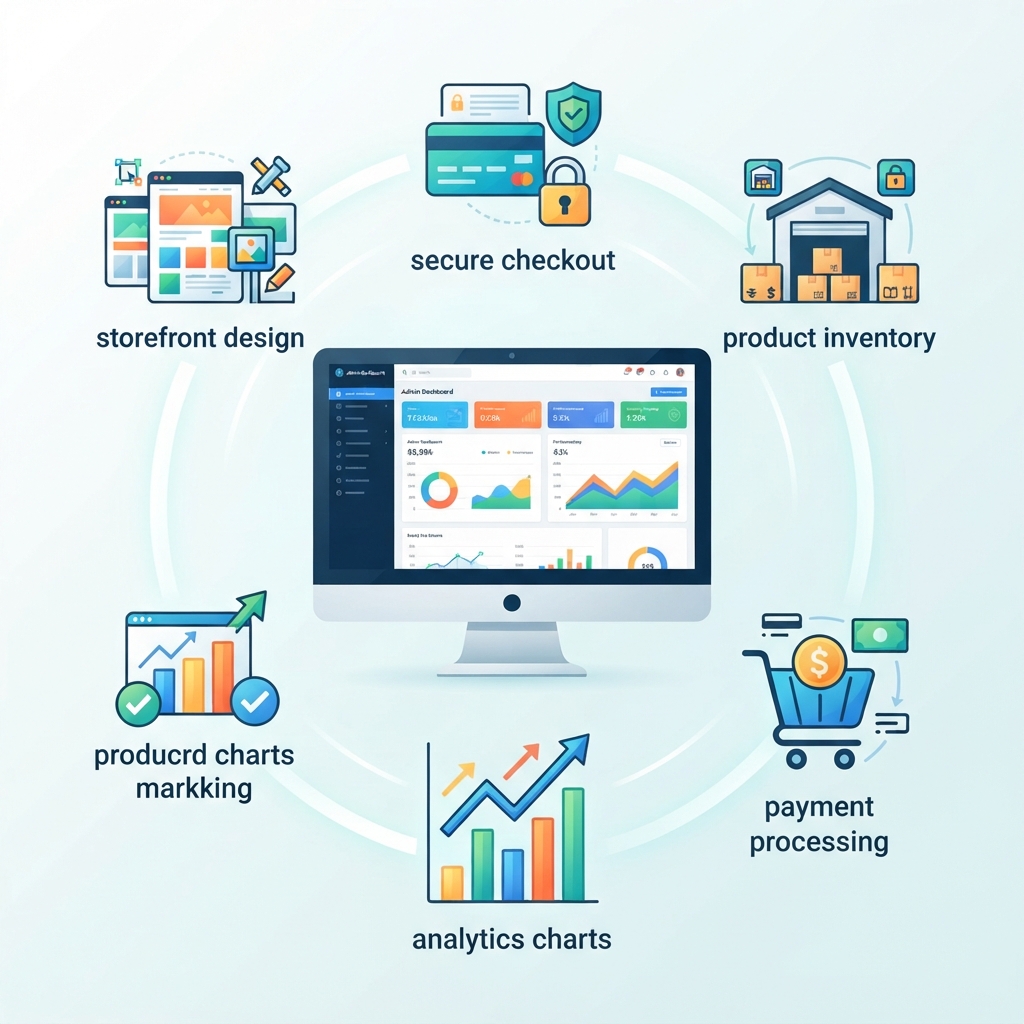
Wicofly describes itself as an all-in-one platform for creators building online stores. Its stated offering includes a storefront, checkout, admin panel, product setup, inventory management, analytics, secure payments, themes, and domain options.
How long does it actually take to launch a store?
Wicofly says most vendors go live in under an hour. The available official evidence does not independently substantiate a fully functional store launching in exactly ten minutes, so the time required can vary according to the catalog and preparation involved.
Is there a free trial available?
Yes. Wicofly’s homepage promises a seven-day free trial with no credit card required.
Do I need my own domain name to start?
No. New users can choose a store name and claim a free wicofly.com subdomain. Wicofly also says users may connect a custom domain later.
Are the themes mobile-friendly?
Wicofly advertises free, mobile-ready themes that require no developer. The platform also says themes can be switched at any time.
How is store security handled?
Wicofly says SSL certificates are included automatically. The platform also lists secure payments among its capabilities. Specific payment and security details should be confirmed in the current account experience.
Future Trends in Creator-Led E-commerce
Creator-led commerce continues to depend on accessible tools that reduce the work required to establish an online presence. For users evaluating Wicofly, the most relevant question is not whether a store can be described as a ten-minute launch, but whether the platform’s current workflow provides a practical path from account creation to publication.
Wicofly’s three-step process is designed around that path. A user creates an account and store, adds products and inventory, and publishes the storefront. The company says most vendors go live in under an hour, which supports the broader claim that the platform is intended for quick setup without presenting ten minutes as a verified result.
The platform’s emphasis on free mobile-ready themes and no-developer setup also reflects the needs of creators who want to control the initial presentation of a store. The option to switch themes at any time gives users room to reconsider the visual arrangement as their catalog develops.
Domain flexibility is another part of the setup model. A creator can begin with a free Wicofly subdomain and later connect a custom domain. Automatic SSL certificates are included according to the platform’s homepage, while the exact technical steps for domain configuration should be confirmed through the account experience.
Platform roadmaps also matter. Wicofly labels SEO and meta-data features, along with some payment functionality, “Coming Soon.” Creators should therefore evaluate the current feature set and treat future additions as potential improvements rather than present capabilities.
For official platform information, vendors can review the Wicofly homepage or use the Wicofly account portal. These are the appropriate places to check current setup options, feature availability, and account-specific controls.
Maximizing Long-Term Success on Managed Storefronts
Moving from initial setup to ongoing store management requires continued review of the tools that are actually available. A quick publication is only one part of operating an online storefront. Creators should continue checking product information, variant details, prices, inventory levels, theme presentation, domain settings, checkout behavior, and analytics access.
Wicofly lists real-time stock tracking and inventory management among its capabilities. These features can be reviewed as the catalog changes. A creator can examine whether the available workflow makes it easy to update products and maintain accurate stock information.
Theme flexibility can also support ongoing presentation changes. Because Wicofly says themes can be switched at any time, a creator can reconsider the storefront design without treating the first selected theme as permanent. The platform’s mobile-ready theme description makes mobile presentation another useful part of routine review.
Analytics are listed as a platform capability, but the available research does not specify the exact reports provided. Store owners should inspect the current dashboard and determine whether it supplies the information required for their decisions.
The same caution applies to SEO, meta-data, and payment features marked “Coming Soon.” Long-term planning should be based on the functions currently available, with future roadmap items considered only after they are released and confirmed.
Embracing the Creator Economy
Managed storefronts make it possible for creators to approach online selling through a guided process rather than assembling every store component independently. Wicofly’s stated model begins with account and store creation, continues with products and inventory, and ends with publishing the storefront.
The seven-day free trial with no credit card required provides a low-commitment way to review that process. During the trial, creators can examine product photos, variants, prices, stock tracking, themes, checkout, the administration panel, and domain options. They can also determine whether current analytics and payment functions meet their needs.
The free Wicofly subdomain allows a creator to begin without a custom domain. If the store later requires a branded address, Wicofly says a custom domain can be connected and that SSL certificates are included automatically.
The most accurate way to assess the platform is to compare its current capabilities with the creator’s immediate requirements. Wicofly provides evidence for a quick setup path and says most vendors go live in under an hour, but it does not independently substantiate the original claim of an exact ten-minute launch. A realistic evaluation should therefore focus on the three-step workflow, the prepared catalog, and the features available at the time of use.
Share
What's Your Reaction?
 Like
0
Like
0
 Dislike
0
Dislike
0
 Love
0
Love
0
 Funny
0
Funny
0
 Angry
0
Angry
0
 Sad
0
Sad
0
 Wow
0
Wow
0