
Top 7 Tech Coupon Sites for Daily Deals: Your Complete Shopping Guide
Discover the top 7 tech coupon sites for daily deals in 2026. Complete guide to features, savings strategies, community insights, and how to maximize your tech shopping discounts.

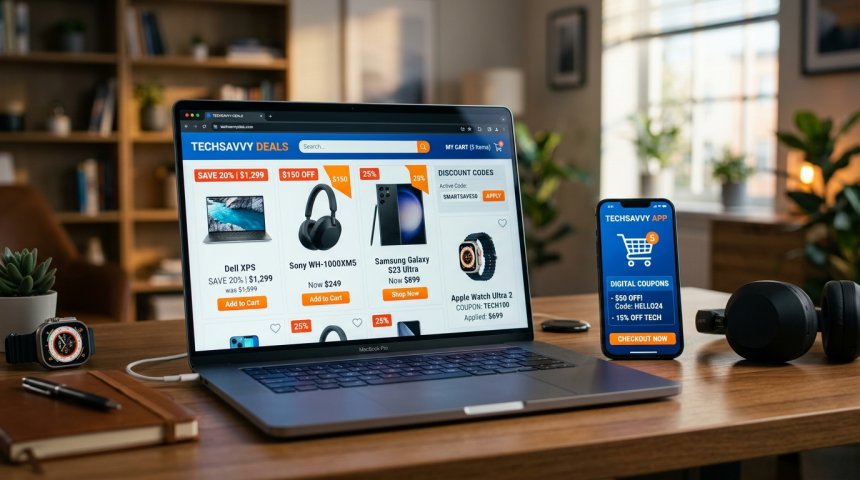
The difference between paying full price and saving hundreds on tech purchases often comes down to one simple habit: checking the right deal site before you buy. It sounds almost too obvious to state, but the number of people who impulse-buy a laptop, smartphone, headphones, or software subscription without spending thirty seconds checking whether a better price exists somewhere else is staggering. And in an era where tech prices fluctuate daily, where retailers compete aggressively for attention, and where coupon codes, cashback offers, and flash sales appear and disappear within hours, that thirty-second check can be the difference between a good purchase and a great one.
But here's the challenge: the landscape of tech deal sites is vast, fragmented, and constantly shifting. Some sites aggregate deals from hundreds of retailers. Others rely on community members to surface the best finds. Some specialize in specific product categories. Others focus on specific types of savings—coupon codes, price drops, refurbished deals, bundle offers. Some are editorially driven, with experts curating the best deals. Others are purely community-driven, with the wisdom of the crowd determining what rises to the top. Navigating this landscape isn't just about knowing which sites exist—it's about understanding what each site does best, how to use it effectively, and how to combine multiple sites into a personal deal-finding system that ensures you never overpay for tech again.
This guide is your complete map of the top seven tech coupon and deal sites for 2026. We'll dissect each platform's features, strengths, weaknesses, deal types, community dynamics, and optimal usage strategies. We'll examine how to combine these sites into a layered deal-finding system that covers every angle—coupon codes, price tracking, community alerts, editorial picks, cashback, refurbished deals, and flash sales. Whether you're a student buying your first laptop, a professional upgrading your home office, a parent shopping for family devices, or a tech enthusiast who simply refuses to pay full price, this deep dive will give you the knowledge, the strategies, and the practical workflows to become a smarter, savvier tech shopper.
Let's start with the foundation: why tech deals require a different approach than general shopping, and what makes a great tech deal site.
Chapter 1: Why Tech Deals Are Different — The Unique Dynamics of Technology Shopping
Shopping for technology isn't like shopping for clothing, groceries, or home goods. Tech products have unique characteristics that demand a specialized approach to finding deals, and understanding these dynamics helps you evaluate which deal sites serve your needs best.
Rapid Price Depreciation
Tech products depreciate faster than almost any other consumer category. A smartphone released today at $999 will be $799 in six months and $599 in a year. A laptop that's cutting-edge today is mid-range in eighteen months. This rapid depreciation creates constant price movement—retailers adjust prices weekly, sometimes daily, to clear inventory before the next generation arrives. Deal sites that track price history and alert you to drops are essential for tech shopping in ways they aren't for stable-priced categories like furniture or appliances.
Model Proliferation and Configuration Complexity
Tech products come in dozens of configurations that look similar but differ significantly in specs and price. Two laptops with the same model name might differ by $300 based on RAM, storage, processor, and display differences. Two smartphones with the same name might differ by $200 based on storage capacity and carrier compatibility. Deal sites that clearly specify exact configurations—not just model names—are critical for tech shopping. A "great deal" on a laptop means nothing if you don't know whether it's the 8GB or 16GB RAM version.
Retailer Fragmentation
Tech products are sold through an unusually fragmented retail landscape: manufacturer direct stores, major electronics retailers, big-box stores, online marketplaces, specialty tech shops, refurbished outlets, warehouse clubs, and peer-to-peer platforms. Each retailer has different pricing, different promotions, different coupon codes, and different inventory. A deal site that aggregates across all these channels provides dramatically more value than one that covers only a subset.
Time-Sensitive Opportunities
Tech deals are often time-sensitive in ways that other categories aren't. Flash sales last hours. Coupon codes expire overnight. Inventory-limited deals sell out in minutes. New product launch promotions disappear within days. Deal sites with real-time alerts, community-driven urgency signals, and expiration tracking are disproportionately valuable for tech shopping compared to categories where deals remain stable for weeks.
The Refurbished and Open-Box Factor
Tech has a robust secondary market—refurbished, open-box, renewed, and certified pre-owned products offer significant savings with minimal risk when purchased from reputable sources. Deal sites that include refurbished and open-box deals alongside new product deals provide substantially more savings opportunities for tech shoppers who are willing to consider non-new options.
Software and Subscription Deals
Unlike physical goods, tech includes a massive software and subscription component—operating systems, productivity suites, creative software, cloud services, security tools, streaming platforms. Software deals operate differently: they're often digital delivery, they involve license keys or subscription codes, they may have regional restrictions, and they frequently involve bundle deals that package multiple products. Deal sites that cover software and subscriptions alongside hardware provide comprehensive coverage for the modern tech shopper.
Chapter 2: The Seven Platforms — Deep Dives Into the Best Tech Deal Sites
Now let's examine each of the top seven tech coupon and deal sites in detail—their features, strengths, weaknesses, deal types, community dynamics, and how to use them most effectively.
Platform 1: Slickdeals — The Community-Powered Deal Engine
Overview: Slickdeals is the largest community-driven deal platform in the United States, with millions of members sharing, voting, and commenting on deals across every product category, with particularly strong coverage in technology, electronics, and computing.
How It Works: Slickdeals operates on a community submission and voting model. Members find deals from retailers across the internet and post them to the platform. Other members vote deals up or down, comment with additional context (price history, alternative options, caveats), and flag expired or invalid deals. The voting system surfaces the best deals to the front page, while the community commentary adds layers of context that pure aggregation sites can't provide.
Deal Types Covered:
- Coupon codes and promo codes
- Price drops and clearance sales
- Flash sales and limited-time offers
- Bundle deals and package offers
- Refurbished and open-box deals
- Freebies and promotional giveaways
- Price mistakes and error fares (when retailers accidentally list incorrect prices)
Strengths:
Community Intelligence: The biggest advantage of Slickdeals is the collective intelligence of its community. When a deal is posted, experienced members immediately provide context: Is this actually a good price? What's the historical low? Are there better alternatives? Does this retailer have reliable customer service? Is the coupon code still working? This community layer transforms a simple deal listing into a rich, contextualized recommendation that helps you make informed decisions.
Breadth of Coverage: Slickdeals covers deals from hundreds of retailers—from Amazon and Best Buy to niche specialty shops, warehouse clubs, and manufacturer direct stores. If a deal exists anywhere on the internet, chances are someone on Slickdeals has found it and posted it.
Real-Time Alerts: The community operates 24/7, meaning deals are posted and evaluated around the clock. Time-sensitive flash sales and expiring coupon codes are surfaced quickly, giving you a window to act before the opportunity disappears.
Deal Classification System: Slickdeals classifies deals into tiers—Frontpage Deals (the best of the best, vetted by editors and community consensus), Popular Deals (highly voted by the community), and regular community submissions. This tiering helps you prioritize which deals deserve immediate attention.
Weaknesses:
Noise and Volume: The sheer volume of deals posted daily can be overwhelming. Without careful filtering, you'll wade through hundreds of mediocre deals to find the genuinely exceptional ones. The voting system helps, but it's not perfect—popular deals aren't always the best deals for your specific needs.
Variable Quality: Community-submitted deals vary in quality. Some posts are thorough, well-researched, and include price history and alternatives. Others are thin, lazy, or misleading. You need to develop the skill to distinguish high-quality posts from low-quality ones.
US-Centric: While Slickdeals has international members, the platform is overwhelmingly focused on US retailers and US-based deals. International shoppers will find limited relevant content.
How to Use Slickdeals Effectively:
- Create an account and set up deal alerts. Configure alerts for specific products, categories, or retailers you care about. Instead of browsing the front page daily, let the alerts bring relevant deals to you.
- Focus on Frontpage and Popular deals. Don't try to review every community submission. Prioritize Frontpage Deals (editorially vetted) and Popular Deals (highly voted). These represent the community's consensus on the best available deals.
- Read the comments before acting. The comments section is where the real value lives. Experienced members provide price history, alternative options, retailer reliability assessments, and warnings about caveats. A deal that looks great in the headline might have important limitations revealed in the comments.
- Check the wiki and price history. Many Slickdeals posts include links to price tracking tools and historical price data. Always check whether the "deal" price is actually lower than the typical selling price. Retailers sometimes inflate prices before a "sale" to make the discount look bigger than it is.
- Participate in the community. Vote on deals, leave comments with additional context, and share deals you find. Active participation improves your experience—the community reciprocates with better information, and you develop the pattern recognition to spot genuinely great deals faster.
- Use the forums for deeper research. Beyond deal postings, Slickdeals forums contain extensive discussions about products, retailers, pricing trends, and shopping strategies. Search the forums before major purchases to benefit from the collective experience of millions of shoppers.
For comprehensive tech deal coverage that combines editorial expertise with community insights, resources like TechRadar's deals section provide curated tech deals with expert analysis, helping you distinguish genuinely good deals from marketing hype.
Platform 2: Honey (by PayPal) — The Automated Coupon Finder
Overview: Honey is a browser extension and mobile app that automatically finds and applies coupon codes at checkout across thousands of online retailers. Acquired by PayPal, Honey has expanded beyond coupon finding to include price tracking, cashback rewards, and a community-driven deal feed.
How It Works: Install the Honey browser extension, and it activates automatically when you visit a supported retailer's checkout page. Honey's database contains millions of coupon codes collected from across the internet. At checkout, Honey tests available codes automatically, applying the one that produces the biggest savings. You don't search for codes manually—Honey does the work in the background.
Deal Types Covered:
- Coupon codes and promo codes (primary function)
- Price drop alerts and price history tracking
- Cashback rewards (Honey Gold points redeemable for gift cards)
- Community-submitted deals and price drops
- Bundle deals and promotional offers
Strengths:
Zero-Effort Coupon Application: Honey's core value proposition is eliminating the manual effort of finding and testing coupon codes. Instead of opening a new tab, searching for "[retailer] coupon code," copying codes, pasting them at checkout, and repeating until one works, Honey automates the entire process. You shop normally, and Honey silently tests codes in the background.
Massive Retailer Coverage: Honey supports thousands of online retailers across virtually every product category. If a retailer offers coupon codes, Honey likely has them in its database. The coverage is broader than any manual coupon site could achieve.
Price History and Drop Alerts: Honey's Droplist feature lets you track specific products and receive alerts when the price drops. The price history graph shows whether the current price is genuinely good or artificially inflated before a fake "sale."
Honey Gold Rewards: Earn points on purchases at participating retailers, redeemable for gift cards. The cashback rates are modest (typically 1–10%), but they compound over time for frequent shoppers.
PayPal Integration: As a PayPal product, Honey integrates with PayPal's payment ecosystem, offering additional rewards and protections for PayPal users.
Weaknesses:
Browser Extension Dependency: Honey requires a browser extension, which some users are reluctant to install due to privacy concerns or browser performance considerations. The extension monitors your browsing activity to activate at checkout, which raises legitimate privacy questions for privacy-conscious users.
Not All Codes Work: Honey's database includes codes that may be expired, region-restricted, or applicable only to specific products. The automatic testing process usually identifies working codes, but occasionally no codes work, or the "best" code isn't actually the best available.
Limited Community Depth: Unlike Slickdeals, Honey's community features are shallow. There's no rich commentary, no price history analysis from experienced members, no alternative recommendations. Honey is a tool, not a community.
Cashback Rates Are Modest: Honey Gold rewards are nice but not competitive with dedicated cashback platforms. If cashback is your primary goal, dedicated cashback sites offer better rates.
How to Use Honey Effectively:
- Install the extension and forget it. Honey works best when you don't think about it. Install it, let it run in the background, and let it surprise you with savings at checkout. The zero-effort model is the point.
- Use Droplist for planned purchases. If you're eyeing a specific laptop, monitor, or accessory but want to wait for a better price, add it to your Droplist. Honey will alert you when the price drops. Check the price history to understand the typical price range and set realistic alert thresholds.
- Combine with other deal sites. Honey finds coupon codes, but it doesn't surface flash sales, clearance events, or community-discovered deals. Use Honey alongside Slickdeals, retail deal pages, and price trackers for comprehensive coverage.
- Review Honey Gold earnings periodically. Check your Honey Gold balance and redeem for gift cards before points expire. The rewards are modest but essentially free money on purchases you were making anyway.
- Be aware of privacy implications. Honey's browser extension monitors your browsing to activate at checkout. Read Honey's privacy policy and decide whether the convenience justifies the data access. If privacy is a priority, consider using Honey only on specific shopping sessions rather than leaving it active permanently.
Platform 3: RetailMeNot — The Coupon Code Database
Overview: RetailMeNot is one of the oldest and largest coupon code databases on the internet, aggregating coupon codes, promo codes, cashback offers, and printable coupons from thousands of retailers. It's a straightforward, no-frills coupon repository that prioritizes breadth and accessibility.
How It Works: RetailMeNot maintains a massive database of coupon codes submitted by retailers, affiliates, and users. Browse by retailer, category, or search term to find available codes. Each code listing includes the code itself, the discount description, the expiration date, and user-reported success rates. Copy the code, paste it at checkout, and save.
Deal Types Covered:
- Coupon codes and promo codes (primary function)
- Printable coupons for in-store use
- Cashback offers through partner programs
- Sale event listings and promotional calendars
- Gift card deals and discounts
Strengths:
Simplicity and Accessibility: RetailMeNot's interface is straightforward and intuitive. No complex community features, no voting systems, no tiered deal classifications. Just a searchable database of coupon codes organized by retailer. For shoppers who want a quick code without navigating a complex platform, RetailMeNot delivers.
Breadth of Retailer Coverage: RetailMeNot covers thousands of retailers, including many smaller and niche shops that larger deal sites overlook. If a retailer offers a coupon code, it's likely in RetailMeNot's database.
User-Reported Success Rates: Each coupon code includes a success rate based on user reports—"85% of users reported this code worked." This crowdsourced validation helps you prioritize codes that are likely to work over those that are probably expired.
Printable Coupons for In-Store Use: Unlike purely digital deal sites, RetailMeNot includes printable coupons for brick-and-mortar retailers. For tech shoppers who buy from physical stores (Best Buy, Micro Center, warehouse clubs), printable coupons extend savings beyond online purchases.
Mobile App Convenience: The RetailMeNot mobile app enables coupon access on the go, with location-based features that surface nearby in-store deals.
Weaknesses:
Code Quality Variability: RetailMeNot's database includes many expired, invalid, or misleading codes. The user-reported success rates help, but they're not always accurate or up-to-date. You'll frequently encounter codes that don't work, requiring trial and error at checkout.
Limited Context: Unlike community-driven sites, RetailMeNot provides minimal context about deals. There's no price history, no alternative recommendations, no discussion of whether the deal is genuinely good. You get the code and the discount description—nothing more.
Ad-Heavy Experience: RetailMeNot's website and app are heavily monetized with ads, pop-ups, and promotional content that can make the experience frustrating and slow.
No Price Tracking: RetailMeNot doesn't track price history or alert you to price drops. It's a coupon code repository, not a comprehensive deal-finding tool.
How to Use RetailMeNot Effectively:
- Search by retailer before checkout. Before completing any online tech purchase, search RetailMeNot for the retailer's name. Scan the available codes, prioritize those with high success rates, and test the top 2–3 codes at checkout.
- Check expiration dates carefully. RetailMeNot's expiration dates aren't always accurate. A code marked as "expiring soon" might already be dead. A code with no expiration date might have expired months ago. Use the success rate as a better indicator than the expiration date.
- Combine with price comparison. RetailMeNot gives you coupon codes but doesn't tell you whether the base price is competitive. Use a price comparison tool or price tracker alongside RetailMeNot to ensure you're getting a good deal on the product itself, not just a good coupon on an inflated price.
- Use the mobile app for in-store purchases. When shopping at physical tech retailers, open the RetailMeNot app and check for printable or mobile coupons. Location-based features surface deals at nearby stores that you might otherwise miss.
- Don't rely on RetailMeNot exclusively. RetailMeNot is a coupon code database, not a comprehensive deal platform. Combine it with community-driven sites (Slickdeals), automated tools (Honey), and price trackers for complete coverage.
Platform 4: CamelCamelCamel — The Amazon Price Tracker
Overview: CamelCamelCamel is a free Amazon price tracking service that monitors price history for millions of Amazon products, alerting you when prices drop to your target threshold. For tech shoppers who buy from Amazon—which is a primary channel for electronics, computers, accessories, and software—CamelCamelCamel is an essential tool.
How It Works: Enter an Amazon product URL or search term into CamelCamelCamel, and the service displays a detailed price history graph showing the product's price fluctuations over time across three categories: Amazon direct price, third-party new price, and third-party used price. Set a target price, and CamelCamelCamel sends an email alert when the product drops to or below your threshold.
Deal Types Covered:
- Amazon price drops and historical lows
- Third-party seller price tracking
- Used and refurbished price tracking
- Lightning Deal and limited-time offer tracking
- Price trend analysis and seasonal pattern identification
Strengths:
Deep Amazon Integration: CamelCamelCamel tracks Amazon prices specifically and deeply—monitoring Amazon direct, third-party new, and third-party used prices separately. This granularity reveals savings opportunities that general price trackers miss, especially in the refurbished and third-party seller markets where significant tech deals often appear.
Historical Price Context: The price history graph is CamelCamelCamel's killer feature. Seeing a product's price trajectory over months or years instantly reveals whether the current "sale" price is genuinely good or artificially constructed. You can identify the true historical low, the typical selling price, and the seasonal patterns that predict future drops.
Free and Simple: CamelCamelCamel is completely free with no premium tier, no ads interfering with core functionality, and no account required for basic price history viewing. The simplicity is refreshing in a landscape of increasingly complex, ad-heavy deal platforms.
Browser Extension: The Camelizer browser extension adds a price history button directly to Amazon product pages, enabling instant price history checks without leaving Amazon. One click reveals the full price trajectory.
Alert System: Price drop alerts are reliable and timely. Set your target price and forget it—CamelCamelCamel monitors continuously and emails you the moment the price hits your threshold.
Weaknesses:
Amazon Only: CamelCamelCamel tracks Amazon exclusively. If you shop at Best Buy, Newegg, B&H, or other tech retailers, CamelCamelCamel provides zero coverage. You need additional price trackers for non-Amazon retailers.
No Coupon Code Integration: CamelCamelCamel tracks prices but doesn't find or apply coupon codes. A product might have a great price on CamelCamelCamel but an even better price with a coupon code that CamelCamelCamel doesn't know about.
Interface Is Dated: CamelCamelCamel's website design hasn't been updated in years. It's functional but visually dated, and the mobile experience is limited compared to modern deal apps.
Alert Delays: Price drop alerts can sometimes lag by several hours, especially during high-traffic periods like Prime Day or Black Friday. For extremely time-sensitive deals, the delay might cause you to miss the window.
How to Use CamelCamelCamel Effectively:
- Check price history before every Amazon tech purchase. Install the Camelizer browser extension and make it a habit to click the price history button before buying any tech product on Amazon. Thirty seconds of price history review can save you hundreds by revealing whether the current price is genuinely good or just marketed as good.
- Set alerts for planned purchases. If you're planning to buy a specific laptop, monitor, or accessory but want to wait for a better price, set a CamelCamelCamel alert at your target price. Be realistic—check the historical low and set your alert slightly above it to increase the probability of triggering.
- Track all three price types. Don't just look at Amazon's direct price. Third-party new and third-party used prices often reveal better deals, especially for refurbished tech products where certified refurbished sellers offer significant savings with warranty protection.
- Identify seasonal patterns. Tech products often follow predictable seasonal price patterns—drops after new model releases, dips during holiday sales, increases during back-to-school season. CamelCamelCamel's multi-year price history reveals these patterns, helping you time your purchases optimally.
- Combine with coupon sites. CamelCamelCamel tells you the base price is good, but it doesn't find coupon codes. After confirming a good base price on CamelCamelCamel, check Honey, RetailMeNot, or Slickdeals for additional coupon codes that stack on top of the already-good price.
For product recommendations that combine expert reviews with deal tracking, resources like Wirecutter's deals section provide curated picks with price monitoring, helping you identify genuinely good deals on products that have already passed rigorous editorial testing.
Platform 5: Groupon — The Local and Experiential Deal Platform
Overview: Groupon pioneered the daily deal model, offering discounted vouchers for local services, experiences, dining, and retail products. While Groupon's focus has shifted over the years, it remains a significant source of tech-related deals, particularly for tech services, repairs, classes, and local electronics retailers.
How It Works: Groupon negotiates bulk discounts with merchants and sells vouchers to consumers at a fraction of the face value. Browse deals by category, location, or search term. Purchase a voucher, then redeem it with the merchant according to the voucher's terms and conditions.
Deal Types Covered:
- Tech repair and service discounts (computer repair, phone screen replacement, data recovery)
- Tech classes and training (coding bootcamps, software training, certification courses)
- Local electronics retailer promotions
- Tech accessories and gadget deals
- Subscription service trials and discounts
- Experiential tech (VR experiences, escape rooms, gaming lounges)
Strengths:
Local Tech Services: Groupon excels at surfacing deals for local tech services that other deal sites overlook—computer repair shops, phone screen replacement services, data recovery services, IT support, tech tutoring. For tech shoppers who need services rather than products, Groupon fills a gap that product-focused deal sites don't address.
Tech Education and Training: Groupon frequently offers deals on tech classes, coding bootcamps, software training courses, and certification programs. For shoppers looking to build tech skills rather than buy tech products, Groupon provides affordable access to education.
Experiential Tech Deals: VR experiences, gaming lounges, escape rooms, and other experiential tech entertainment appear on Groupon regularly. These deals don't fit traditional coupon site categories but represent genuine savings for tech-interested consumers.
Merchant Diversity: Groupon's merchant base includes small local businesses that don't appear on larger deal platforms. Independent computer repair shops, local electronics stores, and neighborhood tech services offer deals on Groupon that you won't find elsewhere.
Weaknesses:
Voucher Restrictions and Fine Print: Groupon vouchers often come with significant restrictions—expiration dates, blackout periods, appointment requirements, limitations on combining with other offers, and exclusions for specific products or services. The fine print can substantially reduce the apparent value of the deal.
Quality Variability: Groupon merchants vary widely in quality. A discounted computer repair voucher is worthless if the repair shop does poor work. Groupon's review system helps, but it's not as robust or trustworthy as dedicated review platforms.
Declining Relevance for Product Deals: Groupon's strength has shifted away from product deals toward services and experiences. For tech product deals (laptops, phones, accessories), Groupon is no longer a primary source. Other platforms offer better product deal coverage.
Impulse Purchase Risk: Groupon's model encourages impulse purchasing of vouchers for services you might not actually use. The sunk cost of an unused voucher represents wasted money, not savings.
How to Use Groupon Effectively:
- Focus on services, not products. Use Groupon for tech services (repairs, training, support) rather than tech products. Other platforms offer better product deals. Groupon's unique value is in local services and experiences.
- Read the fine print before purchasing. Understand the voucher's expiration date, appointment requirements, restrictions, and exclusions before buying. A voucher that expires in 30 days with limited appointment availability might be impossible to redeem.
- Research the merchant independently. Don't rely solely on Groupon's reviews. Search for the merchant on Google, Yelp, and other review platforms to assess quality independently. A great deal from a terrible merchant is not a deal at all.
- Buy only what you'll actually use. Resist the impulse to buy vouchers for services you "might" need. Only purchase vouchers for services you're confident you'll redeem within the validity period. Unused vouchers are wasted money.
- Set location alerts for tech services. Configure Groupon alerts for your location and tech-related categories. When a computer repair deal, coding class, or tech service voucher appears, you'll be notified immediately.
Platform 6: Newegg Shell Shocker and Combo Deals — The Specialist Electronics Platform
Overview: Newegg is a specialist electronics retailer that offers aggressive daily deals through its Shell Shocker program, combo deals, and clearance events. For tech shoppers who buy components, peripherals, and computing hardware, Newegg's deal programs are among the best in the industry.
How It Works: Newegg rotates daily deals (Shell Shockers) across product categories, offering significant discounts on specific items for 24-hour periods. Combo deals bundle related products (CPU + motherboard, GPU + monitor) at discounted package prices. Clearance events liquidate inventory at deep discounts. Newsletter subscribers and app users get early access to deals.
Deal Types Covered:
- Shell Shocker daily deals (24-hour flash sales on specific products)
- Combo deals (bundled products at package discounts)
- Clearance and closeout sales
- Refurbished and open-box deals
- Manufacturer rebates and mail-in offers
- Exclusive deals for newsletter subscribers and app users
- Volume licensing and business pricing
Strengths:
Deep Tech Specialization: Newegg's entire business is electronics and computing. Their deal programs reflect deep category expertise—Shell Shocker deals are curated by buyers who understand the products, the market pricing, and the genuine value of each deal. This specialization produces better tech deals than general retailers whose deal curation spans every product category.
Component and Peripheral Focus: Newegg excels at deals on PC components (CPUs, GPUs, motherboards, RAM, storage), peripherals (monitors, keyboards, mice, headsets), and computing accessories. For PC builders, upgraders, and enthusiasts, Newegg's deal programs are unmatched.
Combo Deal Value: Newegg's combo deals bundle complementary products at package prices that are genuinely lower than buying individually. A CPU + motherboard combo, a GPU + monitor bundle, or a storage + backup package delivers real savings through retailer-subsidized bundling.
Refurbished and Open-Box Program: Newegg's refurbished and open-box programs offer significant savings on returned, demo, and refurbished products with warranty protection. For tech shoppers willing to consider non-new products, Newegg's refurbished deals are among the best in the industry.
Early Access for Subscribers: Newsletter subscribers and app users get early access to Shell Shocker deals before they're available to the general public. For time-sensitive deals that sell out quickly, early access is a meaningful advantage.
Weaknesses:
Retailer-Specific: Newegg deals are available only at Newegg. Unlike aggregator sites that compare prices across retailers, Newegg's deals are exclusive to their platform. You can't compare a Shell Shocker price against Best Buy or Amazon directly within the Newegg interface.
24-Hour Windows: Shell Shocker deals last only 24 hours, creating urgency that can lead to impulse purchases. The time pressure is real—good deals sell out—but it can also push you into buying something you haven't fully researched.
Customer Service Variability: Newegg's customer service receives mixed reviews. Return processes, warranty claims, and dispute resolution can be frustrating compared to retailers like Amazon or Best Buy. Factor customer service risk into your purchasing decision, especially for expensive items.
Limited Non-Tech Coverage: Newegg's deals are almost exclusively tech and electronics. If you're shopping for non-tech items alongside tech, Newegg provides no coverage.
How to Use Newegg Effectively:
- Subscribe to the newsletter and download the app. Early access to Shell Shocker deals is worth the minor inconvenience of newsletter emails and app notifications. For time-sensitive deals that sell out in hours, early access is the difference between getting the deal and missing it.
- Check Shell Shockers daily. Make it a habit to browse Newegg's Shell Shocker page daily, especially if you're planning a PC build, upgrade, or major tech purchase. The 24-hour rotation means fresh deals appear every day.
- Evaluate combo deals carefully. Combo deals can be genuinely valuable, but only if you need all the bundled items. Don't buy a combo that includes products you don't need just because the package price looks attractive. Calculate the individual prices and verify the combo actually saves money on items you were already planning to buy.
- Consider refurbished and open-box. Newegg's refurbished and open-box programs offer 20–40% savings on products with warranty protection. For components and peripherals where cosmetic condition doesn't affect performance, refurbished is a smart way to stretch your budget.
- Compare prices externally. Before buying a Shell Shocker deal, quickly check the same product on Amazon, Best Buy, and price comparison tools. Newegg's deals are often genuinely the best price, but not always. Thirty seconds of external price comparison confirms whether the Shell Shocker is truly the best available price.
Platform 7: Google Shopping — The Universal Price Comparison Engine
Overview: Google Shopping aggregates product listings and prices from thousands of online retailers, enabling side-by-side price comparison across the entire retail landscape. For tech shoppers who want to ensure they're getting the best available price across all retailers, Google Shopping is the universal comparison tool.
How It Works: Search for a product on Google Shopping, and the results display listings from multiple retailers with prices, shipping costs, ratings, and availability. Filter by price, retailer, condition (new, refurbished, used), and features. Click through to the retailer to complete the purchase.
Deal Types Covered:
- Price comparison across thousands of retailers
- New, refurbished, and used product listings
- Shipping cost comparison
- Retailer ratings and reviews
- Price tracking and drop alerts (via Google integration)
- Promotional badges highlighting sales and special offers
Strengths:
Universal Retailer Coverage: Google Shopping aggregates from thousands of retailers—major chains, specialty shops, marketplace sellers, manufacturer direct stores, warehouse clubs, and small independent retailers. No other comparison tool covers as many retailers. If a product is sold anywhere online, it's likely listed on Google Shopping.
Side-by-Side Price Comparison: The core value of Google Shopping is instant, visual price comparison across retailers. See at a glance which retailer offers the lowest price, factoring in shipping costs, taxes, and delivery speed. This eliminates the manual process of visiting multiple retailer websites to compare prices.
Condition Filtering: Filter results by new, refurbished, and used condition. For tech shoppers open to refurbished products, this filtering reveals significant savings opportunities from certified refurbished sellers that you might otherwise miss.
Integration with Google Ecosystem: Google Shopping integrates with Google Search, Google Alerts, and Google Price Tracking. Set up price tracking for specific products directly from Google Search results, and receive alerts when prices drop across any tracked retailer.
Free and Accessible: Google Shopping is free, requires no account for basic use, and works on any device with a browser. The barrier to entry is zero.
Weaknesses:
No Coupon Code Integration: Google Shopping compares base prices but doesn't find or apply coupon codes. A retailer might appear more expensive on Google Shopping but cheaper after applying a coupon code that Google Shopping doesn't know about.
Merchant Data Quality Varies: Retailers control their own product listings on Google Shopping. Some listings have inaccurate prices, outdated availability, incomplete specifications, or misleading descriptions. Google Shopping aggregates the data but doesn't verify its accuracy.
No Community Context: Unlike community-driven deal sites, Google Shopping provides no commentary, no price history analysis, no alternative recommendations, and no discussion of whether a deal is genuinely good. It's a price comparison tool, not a deal evaluation platform.
Sponsored Listings Bias: Google Shopping results include sponsored/paid listings that appear prominently regardless of price competitiveness. The top results aren't necessarily the best deals—they're the retailers that paid for placement. You need to look past the sponsored results to find the genuinely lowest prices.
How to Use Google Shopping Effectively:
- Use it as the final price check before any tech purchase. After identifying a product you want to buy, search for it on Google Shopping to compare prices across all retailers. This thirty-second check ensures you're not overpaying when a cheaper option exists elsewhere.
- Factor in shipping costs. Google Shopping displays shipping costs alongside product prices. A retailer with a lower product price but higher shipping might be more expensive overall. Sort by total price (product + shipping) for accurate comparison.
- Filter by condition. If you're open to refurbished products, filter by "refurbished" to reveal certified refurbished listings that offer 20–40% savings with warranty protection. Many shoppers overlook this filter and miss significant savings.
- Look past sponsored results. The top results on Google Shopping are often paid placements, not the best prices. Scroll past the sponsored section to see organic results sorted by price. The genuinely lowest prices are often below the fold.
- Combine with coupon sites. Google Shopping shows you the best base price across retailers. Then check Honey, RetailMeNot, or Slickdeals for coupon codes that stack on top of the already-lowest price. The combination of Google Shopping's price comparison plus coupon code application produces the maximum possible savings.
- Set up Google price tracking. From Google Search results, click "Track price" for products you're monitoring. Google will alert you when the price drops across any tracked retailer. This combines Google Shopping's universal coverage with automated alert functionality.
Chapter 3: Building Your Personal Deal-Finding System — Combining Platforms for Maximum Savings
No single deal site covers every angle. The smartest tech shoppers don't rely on one platform—they build a layered system that combines multiple platforms, each covering a different dimension of the deal-finding process. Here's how to construct your personal deal-finding system.
The Layered Deal-Finding Framework
Layer 1: Passive Monitoring (Set It and Forget It) These tools work in the background without requiring daily attention:
- Honey browser extension: Automatically finds and applies coupon codes at checkout. Install once, forget it exists, let it save you money silently.
- CamelCamelCamel alerts: Set price drop alerts for specific Amazon products you're planning to buy. Monitor passively via email alerts.
- Google price tracking: Track specific products across all retailers via Google Search. Receive alerts when prices drop anywhere.
- Slickdeals deal alerts: Configure alerts for specific products, categories, or retailers. Let the community bring relevant deals to you.
Layer 2: Active Browsing (Daily or Weekly Habits) These tools require regular attention but deliver high-value deals:
- Slickdeals Frontpage: Browse daily for the community's best-voted deals. Five minutes of daily browsing surfaces the best available deals across all categories.
- Newegg Shell Shockers: Check daily for 24-hour flash deals on tech products, especially if you're planning a PC build or upgrade.
- Retailer deal pages: Bookmark the deal/clearance pages of your preferred tech retailers (Best Buy, Amazon, B&H, Micro Center) and check weekly for new promotions.
Layer 3: Point-of-Purchase Verification (Before Every Purchase) These tools are used at the moment of purchase to ensure maximum savings:
- Google Shopping: Compare prices across all retailers before buying. Thirty seconds of comparison ensures you're not overpaying.
- Honey: Let Honey automatically test coupon codes at checkout. Zero effort, potential savings.
- RetailMeNot: Manually search for coupon codes if Honey doesn't find any. Check success rates to prioritize likely-working codes.
- CamelCamelCamel: Check Amazon price history before buying on Amazon. Verify the current price is genuinely good relative to historical pricing.
Layer 4: Periodic Research (Monthly or Quarterly) These activities happen less frequently but inform major purchasing decisions:
- Slickdeals forums: Search for product-specific discussions before major purchases. Benefit from the collective experience of millions of shoppers.
- Price history analysis: Review multi-year price histories for products you're considering. Identify seasonal patterns and optimal purchase timing.
- Refurbished market scanning: Periodically check refurbished and open-box listings on Newegg, Amazon Renewed, and manufacturer refurbished stores for significant savings on planned purchases.
The Pre-Purchase Checklist
Before completing any tech purchase, run through this checklist to ensure maximum savings:
- ☐ Google Shopping price comparison: Is this the lowest price across all retailers?
- ☐ CamelCamelCamel price history (if Amazon): Is the current price genuinely good relative to historical pricing?
- ☐ Honey coupon test: Are there coupon codes that reduce the price further?
- ☐ RetailMeNot manual check: Are there additional codes Honey missed?
- ☐ Slickdeals search: Has the community found a better deal on this product elsewhere?
- ☐ Refurbished consideration: Is a certified refurbished version available at significant savings?
- ☐ Shipping cost factored: Is the total price (product + shipping) genuinely the lowest?
- ☐ Return policy verified: Does the retailer have a reasonable return policy in case the product doesn't meet expectations?
This checklist takes 2–3 minutes and can save hundreds of dollars on major tech purchases. Make it a non-negotiable habit before every tech purchase.
Chapter 4: Advanced Strategies — Maximizing Savings Beyond the Basics
Once you've mastered the fundamentals, advanced strategies extract additional savings that casual deal hunters miss.
Stack Deals for Compound Savings
The biggest savings come from stacking multiple deal types on a single purchase:
- Sale price + coupon code: Buy a product already on sale, then apply a coupon code for additional discount.
- Coupon code + cashback: Apply a coupon code at checkout, then earn cashback through Honey Gold or a dedicated cashback platform.
- Refurbished + coupon: Buy a refurbished product (already 20–40% off), then apply a coupon code for additional savings.
- Bundle + individual coupon: Buy a combo deal (already discounted bundle), then apply a site-wide coupon code for additional reduction.
- Price drop + coupon + cashback: Wait for a price drop alert, apply a coupon code, and earn cashback—triple-stacked savings.
Stacking requires awareness of which deals combine. Some retailers prohibit stacking coupon codes with sale prices. Others allow it. Read the terms and test at checkout.
Time Your Purchases Strategically
Tech prices follow predictable patterns. Timing your purchases around these patterns maximizes savings:
- After new product launches: Prices on the previous generation drop significantly when the new model launches. If you don't need the absolute latest, wait 2–4 weeks after a new release to buy the previous generation at a discount.
- Holiday sales events: Black Friday, Cyber Monday, Prime Day, and back-to-school seasons produce the deepest discounts of the year. Plan major purchases around these events.
- End of quarter/month: Retailers often push clearance sales at the end of fiscal quarters and months to meet targets. Late March, June, September, and December often produce unexpected deals.
- Product lifecycle end: When a product is being discontinued, retailers liquidate remaining inventory at deep discounts. Monitor clearance sections for products approaching end-of-life.
Leverage Credit Card Rewards and Protections
Credit card rewards and protections amplify deal savings:
- Cashback cards: Use a cashback credit card for tech purchases to earn 1–5% back on top of deal savings.
- Purchase protection: Many credit cards offer purchase protection that covers damage, theft, or loss for 90–120 days after purchase. This protection is especially valuable for expensive tech purchases.
- Extended warranty: Some credit cards automatically extend the manufacturer's warranty by one year. This extends coverage on tech purchases at no additional cost.
- Price protection: Some credit cards refund the difference if a product's price drops within 30–90 days of purchase. Buy at a good price, then get refunded if the price drops further.
Consider Total Cost of Ownership
The lowest purchase price isn't always the best deal. Consider total cost of ownership:
- Warranty and support: A slightly more expensive product from a retailer with excellent warranty support may be cheaper long-term than a cheaper product from a retailer with poor support.
- Return policy: A retailer with a generous return policy reduces risk. If the product doesn't meet expectations, easy returns save you money and hassle.
- Shipping speed and cost: Free shipping from one retailer might be cheaper overall than a lower product price with expensive shipping from another.
- Bundle value: A bundle that includes accessories you need might be cheaper overall than buying the product cheaply and purchasing accessories separately.
Chapter 5: Avoiding Deal Scams and Fake Discounts — Protecting Yourself in the Deal Ecosystem
The deal ecosystem includes bad actors who exploit shoppers' desire for savings. Protecting yourself from scams and fake discounts is essential.
Recognizing Fake Discounts
Inflated Reference Prices: Retailers sometimes inflate the "original" price to make the "sale" price look like a bigger discount than it is. Always check price history (CamelCamelCamel, Google Shopping) to verify the genuine typical selling price. A "50% off" deal means nothing if the original price was artificially doubled before the sale.
Expired or Invalid Coupon Codes: Many coupon sites list codes that are expired, region-restricted, or applicable only to specific products. Use success rates (RetailMeNot), automatic testing (Honey), and community verification (Slickdeals comments) to prioritize codes that actually work.
Phishing and Fake Deal Sites: Scammers create fake deal sites that mimic legitimate platforms, collecting personal information and payment details. Always verify the URL, check for HTTPS, and navigate to deal sites directly rather than clicking links in unsolicited emails.
Too-Good-To-Be-True Deals: If a deal seems impossibly good—a $2,000 laptop for $200, a flagship smartphone for $50—it's almost certainly a scam. Legitimate deals offer 10–40% savings. Anything beyond 50% off on current-generation tech from unknown retailers is a red flag.
Protecting Your Personal Information
Use Strong Passwords and Two-Factor Authentication: Deal sites, retailer accounts, and coupon platforms store personal information and payment details. Use strong, unique passwords and enable two-factor authentication everywhere.
Be Cautious with Browser Extensions: Browser extensions like Honey monitor your browsing activity. Read privacy policies, understand what data is collected, and decide whether the convenience justifies the data access. Consider using extensions only during shopping sessions rather than leaving them active permanently.
Monitor Your Accounts: Regularly review credit card statements and retailer accounts for unauthorized charges. Deal hunting involves entering payment information across multiple sites, increasing exposure to data breaches and fraud.
Use Virtual Card Numbers: Some banks and credit card issuers offer virtual card numbers—temporary card numbers linked to your account that can be used for single purchases or limited time periods. Use virtual cards for deals from unfamiliar retailers to limit exposure if the retailer's data is compromised.
Chapter 6: The Future of Tech Deal Finding — Trends Shaping the Landscape
The tech deal landscape continues to evolve. Understanding emerging trends helps you stay ahead of the curve.
AI-Powered Deal Discovery
Artificial intelligence is transforming deal discovery from manual browsing to automated, personalized recommendation. AI systems analyze your browsing behavior, purchase history, and preferences to surface deals you're most likely to value—proactively, in real-time, without requiring you to search.
Implications for shoppers:
- Deal alerts become more personalized and relevant
- Price prediction models forecast optimal purchase timing
- Automated stacking identifies the maximum possible savings combination
- Cross-retailer comparison happens instantly and comprehensively
Voice-Activated Deal Searching
Voice assistants enable hands-free deal searching—"Hey Google, find me the best deal on a 27-inch 4K monitor" or "Alexa, is there a coupon code for Best Buy?" Voice-activated deal searching integrates deal finding into the natural flow of daily life.
Implications for shoppers:
- Lower friction for spontaneous deal checking
- Integration with smart home ecosystems for seamless shopping
- Accessibility improvements for users with mobility or vision challenges
Social Commerce and Community-Driven Deals
Social media platforms are integrating shopping features, and community-driven deal discovery is growing. Reddit deal communities, Discord deal servers, Telegram deal channels, and TikTok deal creators are becoming significant deal sources alongside traditional deal sites.
Implications for shoppers:
- More diverse deal sources beyond traditional platforms
- Real-time deal sharing within interest-based communities
- Creator-driven deal curation with personality and context
- Need to evaluate credibility of social deal sources carefully
Dynamic Pricing and Personalized Offers
Retailers increasingly use dynamic pricing—adjusting prices in real-time based on demand, inventory, competitor pricing, and individual customer behavior. Personalized offers—coupons and discounts tailored to your specific browsing and purchase history—are becoming more common.
Implications for shoppers:
- Prices fluctuate more rapidly, making price tracking more important
- Personalized offers may be better or worse than generic deals—compare both
- Privacy tradeoffs increase as retailers collect more data for personalization
- Need for real-time price monitoring tools becomes more critical
Conclusion: The Smart Shopper's Advantage
The difference between paying full price and saving hundreds on tech purchases isn't luck, insider knowledge, or extraordinary effort. It's a system—a layered, habitual, disciplined approach to deal finding that combines the right tools, the right habits, and the right mindset.
The seven platforms in this guide each serve a specific purpose in that system. Slickdeals provides community intelligence and breadth. Honey automates coupon application. RetailMeNot offers a massive coupon database. CamelCamelCamel tracks Amazon prices deeply. Groupon surfaces local tech services. Newegg delivers specialist electronics deals. Google Shopping compares prices universally. No single platform does everything. Together, they cover every angle.
The smart shopper doesn't rely on one platform. They build a layered system—passive monitoring in the background, active browsing as a daily habit, point-of-purchase verification before every transaction, and periodic research for major decisions. They stack deals for compound savings. They time purchases strategically. They leverage credit card rewards. They consider total cost of ownership. They protect themselves from scams and fake discounts.
And they make it a habit. The pre-purchase checklist becomes automatic. The daily deal browse becomes routine. The price history check becomes reflexive. The savings compound—not just financially, but behaviorally. The smart shopper develops an instinct for value, a radar for genuine deals, and a discipline that prevents impulse overpayment.
The tech deal landscape will continue evolving—AI-powered discovery, voice-activated searching, social commerce, dynamic pricing. But the fundamental principle remains constant: the shopper who invests a few minutes in deal finding before every purchase will consistently pay less than the shopper who doesn't. The tools change. The habit endures.
Start building your system today. The next tech purchase you make is an opportunity to put it into practice.
Frequently Asked Questions (FAQs)
What's the single best tech deal site for finding coupon codes?
There isn't a single "best" site—it depends on your shopping style and what you're buying. For automated, zero-effort coupon application, Honey is the best choice: install the browser extension and it automatically finds and applies codes at checkout across thousands of retailers. For manual coupon searching with the largest database, RetailMeNot covers the most retailers and codes, though you'll need to test codes yourself. For community-verified codes with context about whether a deal is genuinely good, Slickdeals is superior—the community comments reveal whether codes work, whether the deal is actually good, and whether better alternatives exist. The smartest approach is combining all three: let Honey work automatically in the background, check RetailMeNot manually if Honey finds nothing, and verify deal quality on Slickdeals before committing.
How do I know if a tech deal is genuinely good or just marketing hype?
Verify deals through price history and cross-retailer comparison before purchasing. Use CamelCamelCamel for Amazon products to see the full price history—many "sales" are just prices returning to normal after artificial inflation. Use Google Shopping to compare the same product across all retailers—if one retailer's "sale" price is still higher than another retailer's regular price, the sale isn't genuinely good. Check Slickdeals comments for community assessment—experienced members quickly identify fake discounts, inflated reference prices, and better alternatives. Look at the historical low price and compare it to the current "deal" price—if the deal price is within 10% of the historical low, it's genuinely good. If it's 30%+ above the historical low, the "deal" is marketing, not savings.
Are refurbished tech products worth buying from deal sites?
Yes, refurbished tech products from reputable sources offer 20–40% savings with minimal risk. "Certified refurbished" products from manufacturers (Apple Certified Refurbished, Dell Outlet, Lenovo Outlet) or major retailers (Amazon Renewed, Newegg Refurbished) undergo inspection, repair, and testing, and typically include warranty protection comparable to new products. The savings are substantial, and the risk is low when buying from certified programs. Avoid refurbished products from unknown sellers without warranty protection. On deal sites, filter by "refurbished" condition on Google Shopping, check Newegg's refurbished section, and monitor Amazon Renewed deals on CamelCamelCamel. For components and peripherals where cosmetic condition doesn't affect performance, refurbished is one of the smartest ways to stretch your tech budget.
How can I stack multiple deals for maximum savings on a single tech purchase?
Stacking deals involves combining multiple discount types on one purchase. The most effective combinations: (1) Sale price + coupon code—buy a product already on sale, then apply a coupon code for additional discount. (2) Coupon code + cashback—apply a coupon at checkout, then earn cashback through Honey Gold or a dedicated cashback platform. (3) Refurbished + coupon—buy a refurbished product (already 20–40% off), then apply a coupon code for additional savings. (4) Bundle + site-wide coupon—buy a combo deal (already discounted bundle), then apply a site-wide coupon code. (5) Price drop + coupon + cashback—wait for a price drop alert, apply a coupon code, and earn cashback simultaneously. Not all retailers allow stacking—some prohibit combining coupon codes with sale prices. Read the terms and test at checkout. The maximum savings come from layering multiple discount types that the retailer permits to combine.
What's the best way to track prices across multiple retailers for a specific tech product?
Use a combination of tools for comprehensive price tracking: (1) Google Shopping—search for the product and click "Track price" to monitor prices across all retailers simultaneously. Google alerts you when the price drops anywhere. (2) CamelCamelCamel—for Amazon-specific tracking with detailed price history graphs and customizable alerts. (3) Slickdeals alerts—configure deal alerts for the specific product to receive community-discovered deals from any retailer. (4) Honey Droplist—add the product to your Droplist for price drop alerts. (5) Browser extensions—install price tracking extensions that display price history directly on retailer product pages. Using multiple trackers ensures comprehensive coverage—Google Shopping for universal comparison, CamelCamelCamel for Amazon depth, Slickdeals for community discoveries, and Honey for passive monitoring.
How do I avoid fake deals and scams when shopping for tech discounts?
Protect yourself with these practices: (1) Verify price history—use CamelCamelCamel or Google Shopping to confirm the "sale" price is genuinely lower than the typical selling price, not just lower than an artificially inflated "original" price. (2) Stick to known retailers—buy from established retailers (Amazon, Best Buy, Newegg, B&H, manufacturer direct stores) rather than unknown sites offering impossibly low prices. (3) Check URLs carefully—scammers create fake deal sites mimicking legitimate platforms. Navigate to deal sites directly rather than clicking links in unsolicited emails. (4) Use virtual card numbers—for deals from unfamiliar retailers, use temporary virtual card numbers to limit exposure if the retailer's data is compromised. (5) Trust your instincts—if a deal seems too good to be true (a $2,000 laptop for $200), it's a scam. Legitimate tech deals offer 10–40% savings. Anything beyond 50% off current-generation tech from unknown sources is a red flag. (6) Read community feedback—Slickdeals comments quickly identify scams, fake discounts, and unreliable retailers. Check the community before buying from unfamiliar sources.
Share
What's Your Reaction?
 Like
0
Like
0
 Dislike
0
Dislike
0
 Love
0
Love
0
 Funny
0
Funny
0
 Angry
0
Angry
0
 Sad
0
Sad
0
 Wow
0
Wow
0













.png)