Luma Dream Machine: Turn Product Images Into Lifestyle Videos
Learn how to turn product images into lifestyle videos with Luma Dream Machine on Pollo AI, including prompting, optimization, business use cases, and quality control.

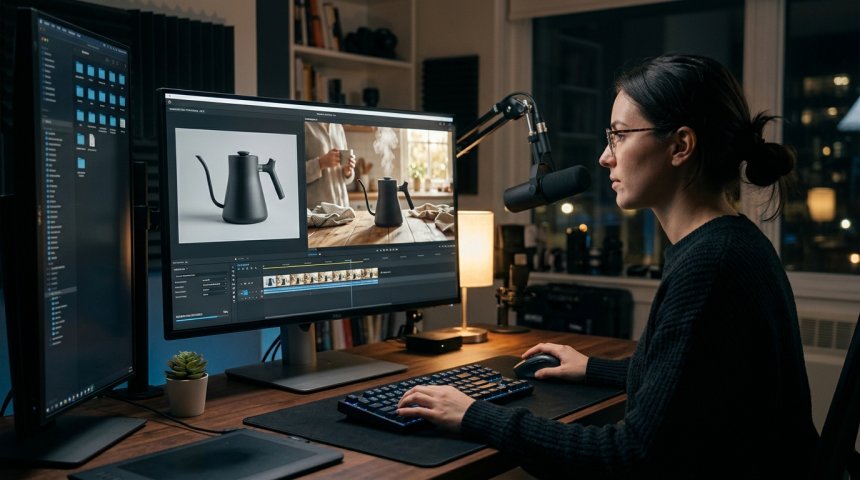
The gap between static product photography and dynamic lifestyle video has historically required significant production resources: location scouting, talent casting, crew hiring, equipment rental, shooting schedules, and post-production editing. For many businesses, especially small-to-medium enterprises and direct-to-consumer brands, this resource requirement created an impossible choice—invest heavily in video content or settle for static imagery that fails to convey products in context. The emergence of AI video generation tools like Luma Dream Machine, accessible through integrated platforms like Pollo AI, has collapsed this barrier entirely. What previously required weeks of production and tens of thousands of dollars now happens in minutes through intelligent prompting and iterative refinement.
But here's what separates successful AI-generated lifestyle videos from the uncanny, off-brand outputs flooding social feeds: technique matters enormously. Simply uploading a product image and typing "show this in use" produces generic, often inaccurate results that damage brand credibility rather than enhance it. Transforming product images into compelling, on-brand lifestyle videos requires understanding how diffusion models interpret visual input, mastering prompt engineering specific to product fidelity, optimizing technical parameters for commercial quality, and integrating AI generation into broader content workflows rather than treating it as isolated magic.
This guide provides comprehensive, operationally grounded instruction for converting product images into lifestyle videos using Luma Dream Machine within the Pollo AI ecosystem. We'll move beyond surface-level tutorials to examine the underlying mechanics of image-to-video generation, develop systematic prompting frameworks preserving product accuracy while generating authentic lifestyle contexts, explore technical optimization strategies maximizing output quality, map business applications across marketing channels, establish quality control protocols preventing brand damage, and troubleshoot common failure modes. Whether you're an e-commerce manager scaling product video content, a social media creator producing lifestyle assets at velocity, a brand manager maintaining visual consistency across AI-generated content, or a technologist evaluating AI video integration into production workflows, this deep dive delivers the technical understanding and practical methodologies needed to produce lifestyle videos that convert viewers into customers.
Let's begin by understanding what Luma Dream Machine actually does with product images—and where its capabilities and limitations define your workflow.
Chapter 1: Understanding Image-to-Video Generation Mechanics
Effective use of Luma Dream Machine starts with accurate mental models of how the technology processes product images into video. Misunderstanding these mechanics leads to frustrated iteration and suboptimal outputs.
How Diffusion Models Interpret Product Images
Luma Dream Machine operates on diffusion model architecture trained on massive video datasets. When you upload a product image, the model doesn't "understand" your product as a discrete object with defined properties. Instead, it interprets the image as a collection of visual patterns—edges, textures, colors, shapes, and spatial relationships—that serve as conditioning input for video generation.
This distinction matters profoundly:
Pattern Recognition vs. Object Understanding: The model recognizes that certain pixel arrangements correspond to "bottle," "shoe," or "watch" based on training data correlations, but it doesn't comprehend functional properties, material characteristics, or brand-specific design elements unless explicitly reinforced through prompting or reference images. A sleek minimalist water bottle might be interpreted as generic container unless prompts specify material finish, cap mechanism, and brand aesthetic.
Temporal Extrapolation from Static Input: Video requires temporal coherence—consistent object identity across frames, plausible motion physics, and environmental continuity. The model extrapolates temporal information from static input based on learned patterns from training videos. This extrapolation succeeds when product appearance aligns with common training examples and fails when products have unusual geometries, novel materials, or unconventional contexts absent from training data.
Conditioning Strength Variability: The degree to which uploaded images constrain generation varies based on image clarity, composition, background complexity, and prompt alignment. High-contrast product shots against clean backgrounds provide stronger conditioning than cluttered lifestyle photos where the product occupies partial frame space. Understanding conditioning strength helps predict when outputs will faithfully reproduce products versus when they'll drift toward generic interpretations.
Latent Space Representation: Uploaded images are encoded into latent representations before video generation. This encoding compresses visual information, potentially losing fine details crucial for product accuracy. Resolution, aspect ratio, and preprocessing affect what information survives encoding. Higher-quality inputs preserve more detail through compression; low-resolution or poorly lit inputs lose distinguishing features making products unrecognizable in output.
Luma Dream Machine's Specific Capabilities
Within the broader AI video generation landscape, Luma Dream Machine offers distinctive strengths relevant to product-to-lifestyle conversion:
Image Fidelity Preservation: Compared to earlier generation models, Dream Machine demonstrates superior ability to maintain product appearance consistency throughout generated video. Edges remain sharper, textures retain detail, and proportions stay accurate across temporal sequences. This fidelity is essential for commercial product video where misrepresentation damages trust.
Prompt Adherence: Text prompts effectively modulate generation when combined with image input. Descriptive prompts specifying environment, action, lighting, and mood successfully steer outputs toward intended lifestyle contexts without completely overriding product conditioning. This balance enables contextual richness while preserving product integrity.
Motion Quality: Generated motion appears natural rather than mechanical or jittery. Human interactions with products demonstrate plausible hand movements, weight distribution, and physical causality. Environmental elements (wind, water, light shifts) animate convincingly. Motion quality distinguishes professional-grade outputs from obvious AI artifacts.
Resolution and Aspect Ratio Flexibility: Supports multiple output resolutions and aspect ratios suitable for different platforms (9:16 for TikTok/Reels, 16:9 for YouTube/web, 1:1 for Instagram feed). Resolution adequacy for commercial use depends on product complexity and viewing distance; test outputs at intended display sizes before committing to production workflows.
Generation Speed: Typical generation times range from 30 seconds to 2 minutes depending on resolution, duration, and server load. Speed enables rapid iteration cycles essential for refining outputs toward specific creative visions. Batch generation capabilities through Pollo AI accelerate multi-variant testing.
Limitations Requiring Workarounds
Understanding limitations prevents wasted effort and manages expectations:
Text and Logo Rendering: AI video models struggle to accurately reproduce text, logos, and fine typographic details. Brand logos may appear distorted, text becomes illegible gibberish, and packaging labels lose readability. Workaround: Generate video without critical text elements, then composite accurate logos/text in post-production using traditional editing tools.
Complex Product Interactions: Intricate mechanical operations (opening mechanisms, button presses, adjustable components) often generate incorrectly. Hands may clip through objects, fingers merge with products, and mechanical movements defy physics. Workaround: Simplify interactions to gross motor movements (holding, placing, pouring) or use multiple shorter clips edited together rather than single complex sequences.
Consistency Across Extended Duration: Product appearance may drift over longer generations (5+ seconds). Colors shift, proportions warp, and details dissolve. Workaround: Generate shorter clips (3-4 seconds) maintaining consistency, extend through looping or multi-clip editing, regenerate problematic segments individually.
Specific Environment Control: While prompts influence environment, precise control over background elements, lighting direction, and spatial arrangement remains limited. Outputs approximate described environments rather than executing exact specifications. Workaround: Generate multiple variations selecting closest match, use inpainting/outpainting for targeted adjustments, composite generated foreground onto controlled background plates.
Brand-Specific Aesthetic Reproduction: Model doesn't inherently understand your brand's visual identity. Outputs reflect general training data aesthetics rather than your specific color palettes, styling conventions, or photographic traditions. Workaround: Detailed prompt descriptions of brand aesthetics, reference image uploads showing desired style, post-production color grading and styling alignment.
For comprehensive technical documentation covering generation parameters, API access, supported formats, and platform capabilities, Luma Labs Dream Machine Official Documentation (dofollow) provides authoritative reference material essential for advanced workflow development and integration planning.
Chapter 2: Preparing Product Images for Optimal Generation
Input quality determines output ceiling. No amount of prompt engineering compensates for poorly prepared source images. Systematic preparation maximizes generation success rates and reduces iteration cycles.
Image Selection Criteria
Not all product photographs serve equally as generation inputs. Evaluate candidates against these criteria:
Clarity and Resolution: Minimum 1024×1024 pixels recommended; higher resolution preserves detail through latent encoding. Images must be sharp with accurate focus on product. Motion blur, soft focus, or compression artifacts degrade generation quality. Upscaling low-resolution sources rarely improves results; reshoot or source higher-quality originals.
Lighting Consistency: Even, diffused lighting revealing product form without harsh shadows or specular highlights works best. Dramatic studio lighting creates strong conditioning signals but may conflict with intended lifestyle environment lighting. Match input lighting mood to target output when possible; conflicting lighting cues confuse generation.
Background Simplicity: Clean, uncluttered backgrounds provide stronger product conditioning than complex environments. Solid colors, seamless gradients, or simple surfaces isolate product visually. Busy backgrounds introduce competing visual patterns diluting product signal. If only lifestyle photos available, consider background removal preprocessing to strengthen product isolation.
Product Framing and Scale: Product should occupy significant frame portion (40-70%) providing sufficient detail for recognition. Extreme close-ups lose context; distant shots lose detail. Centered or rule-of-thirds compositions work better than extreme off-center framing. Include enough negative space indicating intended video composition direction.
Angle and Perspective: Front-facing or three-quarter angles typically generate more reliably than extreme perspectives (top-down, worm's-eye, Dutch angles). Choose angles representing how product appears in intended lifestyle context. Multiple angle uploads enable testing which perspective generates most faithfully.
Color Accuracy: Ensure white balance and color representation match actual product. Color casts, oversaturation, or inaccurate rendering propagate through generation creating misleading outputs. Calibrate monitor and verify colors against physical product before using as input.
Preprocessing Workflows
Raw product photos often benefit from preprocessing optimizing them for AI generation:
Background Removal/Replacement: Tools like Remove.bg, Photoshop, or dedicated AI background removers isolate products cleanly. Replace complex backgrounds with solid colors or simple gradients strengthening product conditioning. Preserve natural shadows when possible; floating products without shadows generate less realistically.
Cropping and Composition Adjustment: Reframe images positioning product optimally for intended video composition. Add canvas space indicating motion direction or environmental context. Rule-of-thirds placement often generates better than centered framing for lifestyle contexts.
Color Correction and Enhancement: Adjust exposure, contrast, saturation, and sharpness ensuring product appears accurately and distinctly. Avoid over-processing creating artificial appearance; aim for clean, professional product photography standards. Consistent correction across product catalog maintains generation coherence.
Detail Enhancement: Selective sharpening on product edges and textures improves conditioning strength. Avoid global sharpening amplifying noise or artifacts. Focus enhancement on distinguishing features (logos, textures, material transitions) most important for recognition.
Format Optimization: Convert to PNG or high-quality JPEG minimizing compression artifacts. Maintain original resolution until final export. RGB color space preferred over CMYK for screen-based generation. Metadata stripping reduces file size without affecting visual content.
Multi-Image Conditioning Strategies
Luma Dream Machine supports multiple reference images enabling richer conditioning:
Product + Environment References: Upload product photo alongside environment/lifestyle reference images separately. Prompt describes relationship between them. This decouples product fidelity from environmental styling allowing independent optimization of each element.
Sequential Pose References: For products requiring specific interaction poses, upload sequence showing hand positions, product orientations, or usage stages. Sequential references guide temporal generation more effectively than single static images.
Style Transfer References: Upload images representing desired aesthetic (lighting style, color grade, compositional approach) separate from product and environment references. Style references modulate generation tone without interfering with product or spatial conditioning.
Negative References: Some workflows support negative image inputs specifying what to avoid. Upload images representing unwanted styles, compositions, or artifacts to steer generation away from problematic patterns.
Multi-image conditioning requires experimentation determining optimal combination and weighting for your specific products and intended outputs. Document successful combinations building reusable templates for consistent results across product catalogs.
Chapter 3: Prompt Engineering for Product Lifestyle Videos
Prompts bridge the gap between static product input and dynamic lifestyle output. Effective prompting for product videos differs fundamentally from general AI video prompting because product fidelity constraints limit creative freedom.
Prompt Structure Framework
Successful product lifestyle prompts follow consistent structure balancing specificity with flexibility:
[Product Identification] + [Action/Interaction] + [Environment/Context] + [Lighting/Mood] + [Technical Specifications]
Example: "Matte black ceramic coffee mug being held by woman's hand pouring steaming coffee, cozy kitchen morning scene with natural window light, warm golden hour tones, shallow depth of field, cinematic color grading, 4K resolution"
Each component serves distinct function:
Product Identification: Reinforces product appearance beyond image conditioning alone. Specify material, color, finish, size relative to human elements, and distinguishing features. Redundancy between image and text strengthens conditioning reducing drift.
Action/Interaction: Defines motion and human-product relationship. Be specific about hand positions, movement direction, speed implication, and physical plausibility. Vague actions ("using product") generate unpredictably; concrete actions ("right hand gripping handle, left hand supporting base, tilting 30 degrees to pour") generate reliably.
Environment/Context: Establishes spatial setting, background elements, props, and atmospheric conditions. Balance specificity with flexibility; over-specification conflicts with model's generative nature causing artifacts. Describe mood and feeling alongside physical elements.
Lighting/Mood: Critical for lifestyle authenticity. Specify light source direction, quality (hard/soft), color temperature, and emotional tone. Lighting dramatically affects perceived realism and brand alignment. Mismatched lighting between product input and described environment creates uncanny outputs.
Technical Specifications: Resolution, aspect ratio, duration, camera movement, lens characteristics. Technical specs ensure outputs meet platform requirements and creative intentions. Omitting specs defaults to generic settings potentially unsuitable for intended use.
Product-Specific Prompting Strategies
Different product categories require tailored prompting approaches:
Apparel and Fashion: Focus on fabric behavior, fit, movement, and styling context. Specify garment drape, texture visibility, layering relationships, and body pose naturalness. "Cotton linen blend shirt worn casually, sleeves rolled to forearm, slight breeze moving fabric naturally, person walking through sunlit garden path" generates better than "person wearing shirt outside." Fabric physics and styling details distinguish fashion outputs from generic clothing depictions.
Food and Beverage: Emphasize freshness indicators, steam/condensation, color vibrancy, and appetizing composition. Specify food state (freshly prepared, partially consumed, styled arrangement), liquid behavior (pouring viscosity, splash dynamics), and garnish placement. "Freshly brewed espresso in white ceramic cup, rich crema visible, steam rising gently, rustic wooden table with scattered coffee beans, warm directional lighting" conveys sensory appeal missing from generic "cup of coffee" prompts.
Beauty and Skincare: Prioritize skin texture realism, product application accuracy, and aspirational lifestyle association. Specify skin type representation, application method, product consistency visibility, and emotional expression. "Woman applying translucent serum to cheekbone with fingertips, dewy skin reflecting soft ring light, minimalist bathroom vanity, serene confident expression, clean bright aesthetic" communicates product benefit through contextual demonstration rather than explicit claim.
Technology and Electronics: Maintain precise product geometry, screen/interface accuracy, and functional interaction plausibility. Specify device orientation, hand grip ergonomics, screen content implications, and usage context. "Silver aluminum laptop open at 110-degree angle on modern desk, hands typing on keyboard, screen displaying blurred code editor interface, focused professional in home office, cool ambient lighting" preserves tech product integrity while establishing lifestyle context. Avoid depicting readable screen content unless composited in post; AI-generated text remains unreliable.
Home Goods and Furniture: Establish scale relationships, material textures, spatial integration, and lived-in authenticity. Specify room proportions, furniture placement logic, styling accessories, and occupancy signs. "Natural oak dining table with four chairs in sunlit dining room, ceramic vase with wildflowers centerpiece, linen napkins casually placed, afternoon light streaming through sheer curtains, warm inviting atmosphere" creates inhabitable space rather than showroom sterility.
Iterative Refinement Techniques
First-generation outputs rarely achieve final quality. Systematic refinement closes the gap:
Diagnostic Analysis: Identify specifically what failed—product distortion, environmental mismatch, awkward motion, lighting inconsistency, mood misalignment. Precise diagnosis enables targeted prompt adjustment rather than random rewrites.
Incremental Modification: Change one prompt element per iteration isolating variable effects. Simultaneous multi-element changes prevent attribution of improvements or regressions. Document changes and outcomes building prompt knowledge base.
Reference Image Adjustment: When prompts alone can't achieve desired result, modify input images instead. Different angles, lighting, cropping, or additional reference images often solve problems resistant to text-only solutions.
Negative Prompting: Specify what to avoid alongside positive descriptions. "No distorted hands, no floating objects, no oversaturated colors, no cartoonish rendering" constrains generation away from common failure modes. Negative prompting effectiveness varies; test empirically for your use cases.
Style Anchoring: Reference specific photographers, filmmakers, brands, or visual movements anchoring generation toward known aesthetic targets. "Annie Leibovitz portrait lighting," "Wes Anderson symmetrical composition," "Aesop store minimalism" invoke trained associations more efficiently than abstract descriptions. Verify references align with brand positioning; inappropriate anchors create tonal dissonance.
Segmented Generation: For complex scenes, generate components separately then composite. Product interaction clip + environment plate + atmospheric overlay assembled in post-production achieves precision impossible in single end-to-end generation. Segmentation increases control at cost of workflow complexity.
For integrated workflow tools streamlining prompt management, batch generation, and asset organization within the Luma Dream Machine ecosystem, Pollo AI Creative Suite Platform (nofollow) provides collaborative workspace designed for commercial AI video production teams managing high-volume product content creation.
Chapter 4: Technical Optimization for Commercial Quality
Consumer-grade AI video differs from commercial-grade output through deliberate technical optimization addressing resolution, consistency, color accuracy, and platform compliance.
Resolution and Aspect Ratio Strategy
Match output specifications to intended distribution channel:
Social Media Vertical (9:16): TikTok, Instagram Reels, YouTube Shorts. Optimize for mobile viewing with product occupying upper-center frame leaving space for text overlays and platform UI elements. Test on actual devices verifying legibility and visual impact at small sizes.
Social Media Square (1:1): Instagram feed, Facebook, LinkedIn. Balanced composition accommodating both mobile and desktop viewing. Product centered or rule-of-thirds positioned with adequate breathing room. Versatile format repurposable across platforms.
Horizontal (16:9): YouTube, website embeds, digital advertising. Cinematic composition leveraging wider frame for environmental storytelling. Product placement considers negative space for text/graphic overlays. Higher resolution justified by larger display sizes.
Platform-Specific Requirements: Verify current specifications for each target platform; requirements evolve frequently. Export settings matching platform native specifications minimize recompression artifacts. When uncertain, export at highest quality letting platform handle downscaling rather than upscaling low-resolution sources.
Temporal Consistency Management
Maintaining product and environmental stability across video duration requires active management:
Duration Optimization: Shorter generations (3-4 seconds) maintain consistency better than extended durations (8-10 seconds). Plan content as series of short clips edited together rather than single long takes. Editing masks minor inconsistencies while preserving overall coherence.
Loop Point Identification: For product showcase loops, identify frames where start and end points align seamlessly. Generate with loop intention prompting cyclical motion or static holds enabling smooth repetition. Test loops before deployment catching jarring transitions.
Keyframe Anchoring: When available, use keyframe or motion brush features anchoring product position/appearance at specific timestamps. Anchoring reduces drift during intervening frames. Not all platforms expose this control; leverage when accessible.
Regeneration Targeting: Rather than regenerating entire clip for localized issues, use inpainting or regional regeneration fixing specific problem areas while preserving acceptable regions. Targeted fixes save time and maintain consistency in unaffected areas.
Post-Production Stabilization: Minor temporal jitter correctable through video stabilization in editing software. Apply conservatively avoiding artificial smoothing destroying natural motion. Stabilization complements rather than replaces good generation; severely unstable footage indicates fundamental prompting or input issues.
Color Accuracy and Brand Alignment
AI generation doesn't inherently respect brand color systems. Active color management ensures outputs align with brand guidelines:
Reference Color Integration: Include brand color swatches or styled reference images in multi-image conditioning. Prompt explicitly references brand colors ("our signature sage green," "brand navy blue"). Color mentions in prompts influence generation but don't guarantee exact matches.
Post-Production Color Grading: Treat AI output as starting point requiring color correction matching brand standards. Use LUTs, curves, and selective color adjustments aligning generated footage with existing brand assets. Consistent grading across AI and traditional content maintains visual cohesion.
Color Space Management: Generate and export in appropriate color space for intended use (Rec.709 for web/video, sRGB for social). Mismatched color spaces cause unexpected shifts when viewed across devices. Calibrate monitoring environment ensuring accurate color evaluation during grading.
Skin Tone and Product Color Verification: Prioritize accurate skin tones and product colors over environmental color perfection. Viewers tolerate stylized environments but reject inaccurate skin or product representation. Verify critical colors against physical samples or approved references before approval.
Export and Delivery Optimization
Final output quality depends on export settings matching distribution requirements:
Codec Selection: H.264 for broad compatibility and social media; H.265/HEVC for higher efficiency at equivalent quality; ProRes/DNxHR for editing intermediates. Match codec to platform recommendations and workflow position.
Bitrate Adequacy: Insufficient bitrate causes compression artifacts undermining generation quality. Follow platform bitrate guidelines; err toward higher bitrates when storage/bandwidth permits. Test exports at intended viewing conditions verifying quality retention.
Metadata and Tagging: Embed relevant metadata (title, description, keywords, copyright) supporting asset management and SEO. Platform-specific metadata optimization improves discoverability. Consistent naming conventions enable efficient library organization.
Version Management: Maintain organized version history tracking prompt iterations, parameter changes, and approval status. Version control enables rollback, comparison, and learning accumulation. Cloud-based asset management through platforms like Pollo AI centralizes version tracking across teams.
Chapter 5: Business Applications Across Marketing Channels
Product-to-lifestyle video conversion serves diverse business objectives across marketing touchpoints. Understanding channel-specific requirements optimizes generation strategy.
E-Commerce Product Pages
Objective: Increase conversion through contextual product demonstration reducing purchase uncertainty.
Application: Show products in realistic use scenarios helping customers visualize ownership. Demonstrate scale, functionality, and styling integration. Address common pre-purchase questions through visual answers.
Optimization: Prioritize product accuracy over cinematic flair. Maintain neutral-to-positive mood avoiding polarizing aesthetics. Include multiple angles and use cases if page layout permits. Ensure fast loading through optimized file sizes. A/B test AI-generated lifestyle videos against static photography measuring conversion impact.
Metrics: Conversion rate lift, time-on-page increase, return rate reduction, customer review sentiment improvement.
Social Media Advertising
Objective: Capture attention in scroll-heavy feeds driving traffic and awareness.
Application: Create thumb-stopping lifestyle moments communicating product value proposition within first 1-2 seconds. Adapt creative variants for audience segments and platform norms. Test multiple hooks identifying highest-performing openings.
Optimization: Front-load product visibility and value communication. Design for sound-off viewing with visual storytelling independence. Include clear CTAs compatible with platform ad formats. Generate platform-native aspect ratios avoiding awkward cropping. Refresh creative frequently combating ad fatigue; AI generation enables cost-effective variant volume.
Metrics: Click-through rate, cost-per-click, view-through rate, engagement rate, ROAS.
Organic Social Content
Objective: Build community, reinforce brand identity, and maintain engagement between campaigns.
Application: Create authentic-feeling lifestyle content showcasing products in aspirational yet relatable contexts. Support content calendar velocity without proportional production budget increases. Enable rapid response to trends and cultural moments.
Optimization: Prioritize authenticity over polish; overly perfect AI content reads as inauthentic in organic contexts. Vary styles and scenarios preventing feed monotony. Integrate user-generated content aesthetics where appropriate. Disclose AI generation when required by platform policies or brand transparency commitments.
Metrics: Engagement rate, follower growth, share/save rate, sentiment analysis, brand mention volume.
Email Marketing
Objective: Increase click-through and conversion through dynamic visual storytelling.
Application: Embed lifestyle videos demonstrating product use cases relevant to email segment. Personalize video content based on recipient browsing/purchase history when feasible. Supplement static hero images with motion capturing attention in inbox preview.
Optimization: Keep file sizes small ensuring deliverability and fast loading. Use animated GIF fallbacks for clients blocking video autoplay. Host videos on reliable CDN with email-compatible players. Test across major email clients verifying playback compatibility.
Metrics: Click-through rate, conversion rate, video play rate, unsubscribe rate monitoring.
Digital Advertising Beyond Social
Objective: Extend reach across programmatic display, connected TV, and digital out-of-home.
Application: Adapt lifestyle videos for various ad formats and placements. Create cutdowns and alternate aspect ratios from master generations. Localize content for geographic targeting through environment and cultural cue adaptation.
Optimization: Meet technical specifications for each ad network and placement type. Ensure brand safety through content review preventing inappropriate associations. Test performance across placements optimizing budget allocation. Maintain consistent messaging across format variations.
Metrics: Viewability, completion rate, brand lift, attribution-assisted conversions.
Internal and B2B Applications
Objective: Support sales enablement, investor communications, trade shows, and internal training.
Application: Create product demonstration videos for sales presentations. Visualize concepts for stakeholder alignment before physical prototyping. Produce training content showing product features and use cases. Enhance pitch decks with dynamic product visualization.
Optimization: Prioritize clarity and accuracy over stylistic flourish. Ensure technical correctness for expert audiences. Maintain professional tone appropriate for B2B contexts. Secure necessary approvals before external use.
Metrics: Sales cycle acceleration, stakeholder alignment speed, training effectiveness, presentation engagement.
Chapter 6: Quality Control and Brand Safety Protocols
AI-generated content carries risks requiring systematic mitigation. Quality control isn't optional overhead; it's essential brand protection.
Pre-Publication Review Checklist
Every AI-generated lifestyle video should pass structured review before publication:
Product Accuracy: Does product appearance match actual product in color, proportion, texture, logo placement, and functional representation? Compare side-by-side with approved product photography and physical samples. Flag any discrepancies for correction or rejection.
Brand Alignment: Does lighting, color grading, styling, mood, and environmental context align with brand guidelines? Compare against existing brand assets ensuring visual cohesion. Reject outputs deviating from established identity even if aesthetically pleasing independently.
Technical Quality: Is resolution adequate for intended platform? Are there visible artifacts, jitter, morphing, or temporal inconsistencies? Does audio (if present) sync correctly and meet quality standards? Technical flaws undermine professionalism regardless of creative merit.
Cultural Sensitivity: Does content avoid stereotypes, appropriation, exclusionary representation, or culturally insensitive elements? Review with diverse perspectives when targeting multicultural audiences. Cultural missteps cause reputational damage exceeding any content value.
Legal Compliance: Does content comply with advertising regulations, platform policies, disclosure requirements, and intellectual property considerations? Verify claims implied by visual context don't violate advertising standards. Confirm model releases if recognizable faces generated (or avoid generating identifiable individuals). Document compliance review.
Functional Plausibility: Does product interaction appear physically realistic? Are hands anatomically correct? Do materials behave appropriately? Implausible interactions undermine credibility even if visually appealing. Correct or reject functionally impossible depictions.
Team Review Workflows
Quality control scales through structured team processes:
Role Definition: Assign specific review responsibilities—product accuracy (product team), brand alignment (brand team), technical quality (production team), cultural sensitivity (DEI/marketing team), legal compliance (legal/compliance team). Distributed ownership prevents single-point failure.
Approval Tiers: Define approval thresholds based on risk level. Low-risk internal content requires single reviewer; high-risk external campaign content requires multi-stakeholder sign-off. Tiered approval balances thoroughness with velocity.
Feedback Standardization: Use structured feedback forms specifying issue type, severity, timestamp/location, and suggested fix. Standardized feedback accelerates revision cycles and builds institutional knowledge. Vague feedback ("looks wrong") wastes iteration time.
Version Tracking: Maintain clear version history linking feedback to revisions. Track approval status preventing accidental publication of unreviewed versions. Cloud-based project management integrates version tracking with review workflows.
Retrospective Learning: Regularly review rejected/revised content identifying systemic issues. Update prompts, preprocessing workflows, or review checklists addressing recurring problems. Continuous improvement reduces future rejection rates.
Disclosure and Transparency
AI-generated content disclosure requirements evolve rapidly. Proactive transparency builds trust; reactive compliance damages credibility.
Platform Policies: Review current disclosure requirements for each publishing platform. Requirements vary and change frequently. Build compliance into standard operating procedures rather than ad-hoc assessment.
Regulatory Requirements: Monitor advertising standards authority guidance on AI content disclosure. Jurisdictions increasingly mandate transparency. Legal review ensures compliance across markets.
Brand Policy: Establish internal disclosure standards exceeding minimum requirements when aligned with brand values. Transparent brands build consumer trust; opaque brands face backlash when discovered. Document policy and train content creators.
Disclosure Implementation: Integrate disclosures naturally into content rather than burying in fine print. On-platform labeling, caption notation, or dedicated transparency pages depending on context. Consistent application prevents selective disclosure appearing deceptive.
Chapter 7: Troubleshooting Common Failure Modes
Even experienced practitioners encounter generation failures. Systematic troubleshooting resolves issues efficiently.
Product Distortion and Morphing
Symptoms: Product shape warps, proportions shift, details dissolve, logos distort across video duration.
Causes: Weak image conditioning, conflicting prompt descriptions, excessive motion complexity, insufficient resolution, model confusion between similar objects.
Solutions: Strengthen input image through preprocessing (background removal, detail enhancement, cropping optimization). Reinforce product description in prompt with redundant detail. Reduce motion complexity simplifying interaction. Increase generation resolution if supported. Try alternative input angles providing clearer product geometry. Segment generation compositing stable product onto dynamic background.
Uncanny Human Interactions
Symptoms: Hands merge with products, fingers clip through objects, grips appear unnatural, body proportions distort, facial expressions seem off.
Causes: Complex hand-object interaction exceeds model capability, insufficient pose reference, anatomical ambiguity in prompt, training data gaps for specific interactions.
Solutions: Simplify interaction to gross motor movements. Upload pose reference images demonstrating correct hand positioning. Specify anatomical details in prompt ("five fingers gripping handle, thumb on top, index finger along side"). Generate interaction and product separately compositing in post. Accept limitation using alternative demonstration methods (product in use without visible hands, over-shoulder perspective obscuring hand details).
Environmental Inconsistency
Symptoms: Background elements shift unexpectedly, lighting direction changes mid-clip, props appear/disappear, spatial relationships violate physics.
Causes: Over-specified environment conflicting with model's generative nature, insufficient environmental reference, temporal coherence breakdown in extended generations, prompt ambiguity regarding spatial arrangement.
Solutions: Reduce environmental specificity allowing model interpretive flexibility. Add environmental reference images providing consistent visual anchor. Shorten generation duration maintaining coherence. Clarify spatial relationships in prompt with explicit positioning language. Generate environment plate separately compositing product interaction atop stable background.
Color and Lighting Mismatch
Symptoms: Product colors differ from input, lighting inconsistent between product and environment, mood/tone misaligned with brand, skin tones unrealistic.
Causes: Conflicting lighting cues between input image and prompt, inadequate color specification in prompt, model's default aesthetic overriding intent, color space mismatches.
Solutions: Align input image lighting with intended environment before generation. Specify lighting direction, quality, and color temperature explicitly in prompt. Reference brand colors by name and description. Apply post-production color grading correcting residual mismatches. Test color rendering across intended viewing devices calibrating output accordingly.
Generic or Off-Brand Aesthetic
Symptoms: Output looks like stock footage rather than branded content, misses brand personality, fails to differentiate from competitors, lacks distinctive visual signature.
Causes: Insufficient brand specificity in prompt, over-reliance on model defaults, missing style references, inadequate post-production branding.
Solutions: Incorporate detailed brand aesthetic descriptions in prompt referencing specific visual attributes. Upload style reference images embodying brand look. Apply brand-consistent color grading, typography overlays, and graphic treatments in post-production. Develop proprietary prompt templates encoding brand voice reducing generic outputs. Build custom LoRA or fine-tuned model if volume justifies investment.
Generation Failures and Errors
Symptoms: Generation fails entirely, produces blank/corrupted output, hangs indefinitely, returns error messages.
Causes: Server overload, input file corruption, unsupported format/resolution, prompt length exceeding limits, account/quota limitations, platform bugs.
Solutions: Retry after delay during peak load periods. Verify input file integrity and format compliance. Reduce prompt length or simplify if exceeding limits. Check account status and quota remaining. Report persistent errors to platform support with reproduction steps. Maintain local backups of inputs and prompts enabling retry without reconstruction.
Chapter 8: Scaling Production Workflows
Individual video generation differs from scalable production systems. Operationalizing AI video requires infrastructure, processes, and team structures supporting volume without sacrificing quality.
Template and Asset Libraries
Systematize successful patterns reducing per-video effort:
Prompt Template Library: Document proven prompt structures by product category, lifestyle context, and platform. Templates accelerate new video creation while maintaining quality consistency. Version templates incorporating learnings from testing.
Input Image Standards: Establish preprocessing specifications ensuring consistent input quality. Create checklists verifying images meet standards before generation. Standardized inputs reduce generation variability and troubleshooting time.
Post-Production Presets: Develop color grading LUTs, motion graphics templates, audio beds, and export presets matching brand standards. Presets ensure consistency across videos produced by different team members or at different times.
Asset Organization: Implement centralized asset management with consistent naming, tagging, and metadata. Searchable libraries prevent redundant generation and enable asset reuse. Cloud platforms like Pollo AI facilitate team-wide asset access and version control.
Batch Processing and Automation
Volume production requires automation reducing manual effort:
Batch Generation Queues: Submit multiple generation jobs simultaneously rather than sequential manual submission. Queue management optimizes throughput during off-peak hours. Track job status centrally managing dependencies and priorities.
API Integration: Leverage Luma Dream Machine API through Pollo AI or direct integration automating generation triggers from content calendars, product databases, or campaign briefs. API workflows eliminate manual upload/prompt entry for templated content.
Automated Quality Screening: Implement preliminary automated checks flagging obvious failures (corrupted files, extreme artifacts, duration mismatches) before human review. Automated screening focuses human attention on nuanced quality assessment rather than basic viability filtering.
Metadata Auto-Population: Extract and populate metadata from source systems reducing manual tagging. Consistent metadata enables search, filtering, and analytics across large asset libraries.
Team Structure and Skill Development
Scaling requires appropriate human infrastructure:
Role Specialization: Separate roles for prompt engineering, input preparation, generation operation, quality review, post-production, and asset management. Specialization builds expertise and efficiency versus generalist bottlenecks.
Cross-Training: Ensure backup capability across roles preventing single points of failure. Cross-training also spreads institutional knowledge and enables flexible resource allocation during demand spikes.
Skill Development Investment: AI video tools evolve rapidly. Budget ongoing training keeping team skills current. Conference attendance, course enrollment, experimentation time, and community participation maintain competitive capability.
Documentation Culture: Capture tacit knowledge in accessible documentation. Prompt learnings, troubleshooting solutions, quality standards, and workflow optimizations documented systematically. Documentation enables scaling beyond founding team members.
Performance Measurement and Optimization
Continuous improvement requires measurement:
Production Metrics: Track generation success rate, average iterations to approval, time-to-completion, cost-per-video, and team utilization. Production metrics identify operational bottlenecks and efficiency opportunities.
Quality Metrics: Monitor approval rate, revision frequency, post-publication corrections, and audience quality feedback. Quality metrics reveal systemic issues in prompting, review, or standards.
Performance Metrics: Measure business outcomes attributable to AI-generated videos—conversion lift, engagement improvement, cost savings versus traditional production, time-to-market acceleration. Performance metrics justify continued investment and guide resource allocation.
Learning Loops: Regular retrospectives analyzing successes and failures updating templates, standards, and workflows. Institutional learning compounds improving efficiency and quality over time.
Conclusion: AI Video as Strategic Capability
Converting product images to lifestyle videos through Luma Dream Machine and Pollo AI represents more than production efficiency—it represents strategic capability enabling businesses to compete on visual storytelling velocity, personalization depth, and content volume previously reserved for enterprises with massive production budgets.
But capability without discipline produces liability. The brands succeeding with AI-generated product video aren't those generating the most content; they're those generating the most effective content through systematic workflows, rigorous quality control, brand-aligned prompting, and continuous optimization. They treat AI video as integrated business capability requiring investment in skills, processes, and infrastructure—not as magical shortcut bypassing professional standards.
The technology continues evolving rapidly. Today's limitations become tomorrow's capabilities. Teams building foundational expertise now position themselves to leverage future advances faster than competitors starting from scratch. Invest in understanding, not just using. Build systems, not just outputs. Develop judgment, not just prompts.
Your products deserve to be seen in context. Your audience deserves authentic, accurate representation. Your business deserves efficient, scalable content production. AI video generation makes all three achievable simultaneously—for those willing to master the craft behind the technology.
Start creating. Iterate relentlessly. Measure everything. The future of product visualization is being built now. Build it well.
Frequently Asked Questions (FAQs)
Can Luma Dream Machine accurately reproduce my specific product in lifestyle videos?
Accuracy depends on input quality, prompt specificity, and product complexity. High-resolution, well-lit product photos against clean backgrounds with detailed prompts specifying material, color, and distinguishing features produce the most faithful results. Simple geometric products (bottles, boxes, basic apparel) generate more accurately than complex mechanical items or products with fine text/logos. Expect 80-95% accuracy for well-prepared inputs; plan post-production touch-up for critical details like logos or text. Test extensively with your specific products before committing to production workflows. Accuracy improves with iteration and prompt refinement; document successful approaches for repeatability.
How long does it take to create a product lifestyle video from start to finish?
End-to-end timeline varies significantly based on complexity, quality requirements, and workflow maturity. First-time creation for new product category: 2-4 hours including input preparation, prompt iteration, generation, review, and post-production. Established workflow with templates and standardized inputs: 30-60 minutes per video. Batch processing with API automation: minutes per video after initial setup. Factor in review/approval cycles adding time depending on organizational processes. Initial investment in workflow development pays dividends through accelerated subsequent production. Timeline expectations should account for learning curve; early productions take longer as team builds expertise and template libraries.
Is AI-generated product video legal for commercial use?
Generally yes, provided you own or license input images, comply with platform terms of service, meet advertising disclosure requirements, and avoid infringing third-party IP. Key considerations: verify input image rights (your photography or properly licensed); review Luma/Pollo commercial use terms confirming permitted applications; disclose AI generation where required by platform policy or regulation; avoid generating recognizable likenesses of real people without releases; ensure generated content doesn't infringe trademarks, copyrights, or design patents; comply with advertising standards regarding truthful product representation. Consult legal counsel for jurisdiction-specific requirements and high-risk applications. Documentation of rights clearance and compliance review protects against future disputes.
How do I maintain brand consistency across AI-generated videos?
Consistency requires systematic infrastructure: develop brand-specific prompt templates encoding visual identity, color palette, styling conventions, and mood parameters; create post-production presets (LUTs, graphics templates, export settings) applying uniform treatment; establish input image standards ensuring consistent source quality; implement mandatory brand review checkpoints in approval workflows; maintain style reference libraries anchoring generation to approved aesthetics; document brand guidelines specifically for AI generation addressing nuances traditional guidelines may not cover. Consistency emerges from process discipline, not hope. Audit outputs regularly identifying drift and updating systems accordingly. Brand consistency in AI content requires more intentional infrastructure than traditional production because AI lacks inherent brand understanding.
What are the biggest mistakes to avoid when creating product lifestyle videos with AI?
Critical mistakes include: using low-quality or poorly lit input images (garbage in, garbage out); writing vague prompts lacking product specificity and environmental detail; skipping quality review assuming AI output is automatically usable; ignoring product accuracy in favor of aesthetic appeal; failing to disclose AI generation when required; expecting perfect results without iteration; neglecting post-production color grading and brand alignment; generating identifiable human faces without releases; overlooking platform-specific technical requirements; treating AI as replacement for strategic thinking rather than execution tool. Most mistakes stem from treating AI video as effortless magic rather than skilled craft requiring discipline, expertise, and quality standards. Invest in learning proper technique; shortcuts produce amateur results damaging brand credibility.
Share
What's Your Reaction?
 Like
0
Like
0
 Dislike
0
Dislike
0
 Love
0
Love
0
 Funny
0
Funny
0
 Angry
0
Angry
0
 Sad
0
Sad
0
 Wow
0
Wow
0